

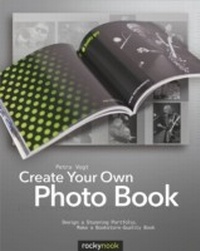
Create Your Own Photo Book
Design a Stunning Portfolio, Make a Bookstore-Quality Book
1st Edition
Published on 25. May 2012
234 pages
978-1-4571-6663-1 (ISBN)
Description

These days, photographs live on hard drives and DVDs in the company of several thousand other images, coming to light on a computer screen only for a short moment, if ever. In that respect our computer is a one-image-at-a-time exhibition of our photographic work. But as photographers, we like to print our best images, frame and show them at home or at an exhibition, or present a collection of prints in a portfolio.This book will guide you through the process of creating a printed and bound portfolio of your photographs, or even a bookstore-quality coffee table book. Learn about every step of the process, from selecting a book publishing service all the way through designing and proofing your photo book. You'll get practical advice on how to work with software provided by services such as Blurb or Viovio, and will learn about relevant concepts of book design, color management, and digital printing. Create your Own Photo Book is the perfect guide for the aspiring amateur photographer as well as the seasoned pro.
More details
Other editions
Additional editions
Book
06/2012
1st Edition
Rocky Nook
€32.00
Article exhausted; check different version
Content
- Intro
- Table of Contents
- Foreword
- Our Team of Experts
- Chapter 1: Getting Started
- Why Make a Photo Book?
- Photo Albums - The New Generation
- Ideas Gallery
- Overview of a Photo Book Project
- Chapter 2: Choosing a Service Provider
- Why Your Choice of Service Provider Is So Important
- Selection Criteria
- Print Processes
- Print Quality
- Software
- Price
- Other Factors
- Chapter 3: Shooting and Selecting Your Photos
- Shooting Specifically for a Photo Book
- Scanning Images and Other Printed Materials
- Third-Party Image Sources
- Preselecting Your Images
- Sample Photo Book Image-Management Workflow
- Optimizing Your Image Settings
- Chapter 4: Layout Basics: Formats and Features
- Choosing the Right Format
- Bindings
- Types of Covers
- Extras
- The Right Number of Pages
- How to Develop a Storyboard
- Chapter 5: Your First Photo Book
- Using Wizards to Create a Photo Book
- Quick Layouts Using Templates
- Chapter 6: Custom Layout Techniques
- Photo Book Software Basics
- Creating and Saving Your Own Templates
- Using Other People's Layouts for Inspiration
- Layout Design Guidelines
- Choosing a Suitable Layout
- All About Cover Design
- Chapter 7: Processing Your Images Using Photo Book Software
- Scaling and Cropping Your Photos
- Image Processing
- Decorative Effects
- Isolating Image Details Using Transparency Effects
- Chapter 8: Decorative Borders, Frames, Image Masks, and Corners
- Decorative Frames
- Shadow Effects
- Using Graphic Elements in a Layout
- Chapter 9: Backgrounds
- Choosing the Right Background
- Using Ready-Made Backgrounds
- Using Your Own Backgrounds
- Chapter 10: Text
- Adding Text to a Layout
- Text Design
- Choosing a Font
- Selecting a Font Color
- Text and Text Box Transparency
- Picture Text
- Ornamental Initials
- Chapter 11: Quality Control
- Previewing Your Book
- Final Corrections
- Chapter 12: Ordering, Troubleshooting, and Selling Your Book
- The Order Process
- Troubleshooting
- Sharing a Preview
- Selling Your Work
- Saving a Project
- Reordering
- Chapter 13: Sample Photo Book Projects
- Family History: Adams: A Family Album
- Travel Book: Facing Route 66
- Photo Portfolio: New York
- Children's Book: The Adventures of Captain Rob
- iPad Photo Book: Luna: My First Year
- Index
