

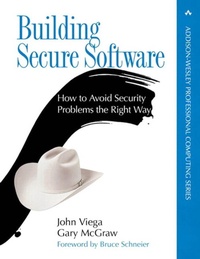
Building Secure Software
How to Avoid Security Problems the Right Way, Portable Documents
1st Edition
Published on 27. April 2021
528 pages
978-0-672-33406-1 (ISBN)
Description

Most organizations have a firewall, antivirus software, and intrusion detection systems, all of which are intended to keep attackers out. So why is computer security a bigger problem today than ever before? The answer is simple--bad software lies at the heart of all computer security problems. Traditional solutions simply treat the symptoms, not the problem, and usually do so in a reactive way. This book teaches you how to take a proactive approach to computer security.
Building Secure Software cuts to the heart of computer security to help you get security right the first time. If you are serious about computer security, you need to read this book, which includes essential lessons for both security professionals who have come to realize that software is the problem, and software developers who intend to make their code behave. Written for anyone involved in software development and use-from managers to coders-this book is your first step toward building more secure software. Building Secure Software provides expert perspectives and techniques to help you ensure the security of essential software. If you consider threats and vulnerabilities early in the devel-opment cycle you can build security into your system. With this book you will learn how to determine an acceptable level of risk, develop security tests, and plug security holes before software is even shipped.
Inside you'll find the ten guiding principles for software security, as well as detailed coverage of:
Software risk management for security
Selecting technologies to make your code more secure
Security implications of open source and proprietary software
How to audit software
The dreaded buffer overflow
Access control and password authentication
Random number generation
Applying cryptography
Trust management and input
Client-side security
Dealing with firewalls
Only by building secure software can you defend yourself against security breaches and gain the confidence that comes with knowing you won't have to play the "penetrate and patch" game anymore. Get it right the first time. Let these expert authors show you how to properly design your system; save time, money, and credibility; and preserve your customers' trust.
Building Secure Software cuts to the heart of computer security to help you get security right the first time. If you are serious about computer security, you need to read this book, which includes essential lessons for both security professionals who have come to realize that software is the problem, and software developers who intend to make their code behave. Written for anyone involved in software development and use-from managers to coders-this book is your first step toward building more secure software. Building Secure Software provides expert perspectives and techniques to help you ensure the security of essential software. If you consider threats and vulnerabilities early in the devel-opment cycle you can build security into your system. With this book you will learn how to determine an acceptable level of risk, develop security tests, and plug security holes before software is even shipped.
Inside you'll find the ten guiding principles for software security, as well as detailed coverage of:
Software risk management for security
Selecting technologies to make your code more secure
Security implications of open source and proprietary software
How to audit software
The dreaded buffer overflow
Access control and password authentication
Random number generation
Applying cryptography
Trust management and input
Client-side security
Dealing with firewalls
Only by building secure software can you defend yourself against security breaches and gain the confidence that comes with knowing you won't have to play the "penetrate and patch" game anymore. Get it right the first time. Let these expert authors show you how to properly design your system; save time, money, and credibility; and preserve your customers' trust.
More details
Edition
1. Auflage
Language
English
Place of publication
New Jersey
United States
Publishing group
Pearson Education (US)
Target group
Professional and scholarly
File size
4,30 MB
ISBN-13
978-0-672-33406-1 (9780672334061)
Copyright in bibliographic data and cover images is held by Nielsen Book Services Limited or by the publishers or by their respective licensors: all rights reserved.
Schweitzer Classification
Other editions
Additional editions
Book
10/2001
Addison Wesley
€49.51
Article exhausted; check for reprint
Persons
John Viega is the CTO of Secure Software Solutions (www.securesw.com) and a noted expert in the area of software security. He is responsible for numerous tools in this area, including code scanners (ITS4 and RATS), random number suites (EGADS), automated repair tools, and secure programming libraries. He is also the original author of Mailman, the GNU mailing list manager.
Gary McGraw, Cigital's CTO, is a leading authority on software security. Dr. McGraw is coauthor of the groundbreaking books Building Secure Software and Exploiting Software (both from Addison-Wesley). While consulting for major software producers and consumers, he has published over ninety peer-reviewed technical publications, and functions as principal investigator on grants from DARPA, the National Science Foundation, and NIST's Advanced Technology Program. He serves on the advisory boards of Authentica, Counterpane, and Fortify Software. He is also an advisor to the computer science departments at University of California, Davis, and the University of Virginia, as well as the School of Informatics at Indiana University.
Gary McGraw, Cigital's CTO, is a leading authority on software security. Dr. McGraw is coauthor of the groundbreaking books Building Secure Software and Exploiting Software (both from Addison-Wesley). While consulting for major software producers and consumers, he has published over ninety peer-reviewed technical publications, and functions as principal investigator on grants from DARPA, the National Science Foundation, and NIST's Advanced Technology Program. He serves on the advisory boards of Authentica, Counterpane, and Fortify Software. He is also an advisor to the computer science departments at University of California, Davis, and the University of Virginia, as well as the School of Informatics at Indiana University.
Content
Foreword.
Preface.
Organization.
Code Examples.
Contacting Us.
Acknowledgments.
1. Introduction to Software Security.
It's All about the Software.
Dealing with Widespread Security Failures.
Bugtraq.
CERT Advisories.
RISKS Digest.
Technical Trends Affecting Software Security.
The 'ilities.
What Is Security?.
Isn't That Just Reliability?
Penetrate and Patch Is Bad.
On Art and Engineering.
Security Goals.
Prevention.
Traceability and Auditing.
Monitoring.
Privacy and Confidentiality.
Multilevel Security.
Anonymity.
Authentication.
Integrity.
Know Your Enemy: Common Software Security Pitfalls.
Software Project Goals.
Conclusion.
2. Managing Software Security Risk.
An Overview of Software Risk Management for Security.
The Role of Security Personnel.
Software Security Personnel in the Life Cycle.
Deriving Requirements.
Risk Assessment.
Design for Security.
Implementation.
Security Testing.
A Dose of Reality.
Getting People to Think about Security.
Software Risk Management in Practice.
When Development Goes Astray.
When Security Analysis Goes Astray.
The Common Criteria.
Conclusion.
3. Selecting Technologies.
Choosing a Language.
Choosing a Distributed Object Platform.
CORBA.
DCOM.
EJB and RMI.
Choosing an Operating System.
Authentication Technologies.
Host-Based Authentication.
Physical Tokens.
Biometric Authentication.
Cryptographic Authentication.
Defense in Depth and Authentication.
Conclusion.
4. On Open Source and Closed Source.
Security by Obscurity.
Reverse Engineering.
Code Obfuscation.
Security for Shrink-Wrapped Software.
Security by Obscurity Is No Panacea.
The Flip Side: Open-Source Software.
Is the "Many-Eyeballs Phenomenon<170) Real?
Why Vulnerability Detection Is Hard.
Other Worries.
On Publishing Cryptographic Algorithms.
Two More Open-Source Fallacies.
The Microsoft Fallacy.
The Java Fallacy.
An Example: GNU Mailman Security.
More Evidence: Trojan Horses.
To Open Source or Not to Open Source.
Another Security Lesson from Buffer Overflows.
Beating the Drum.
Conclusion.
5. Guiding Principles for Software Security.
Principle 1: Secure the Weakest Link.
Principle 2: Practice Defense in Depth.
Principle 3: Fail Securely.
Principle 4: Follow the Principle of Least Privilege.
Principle 5: Compartmentalize.
Principle 6: Keep It Simple.
Principle 7: Promote Privacy.
Principle 8: Remember That Hiding Secrets Is Hard.
Principle 9: Be Reluctant to Trust.
Principle 10: Use Your Community Resources.
Conclusion.
6. Auditing Software.
Architectural Security Analysis.
Attack Trees.
Reporting Analysis Findings.
Implementation Security Analysis.
Auditing Source Code.
Source-level Security Auditing Tools.
Using RATS in an Analysis.
The Effectiveness of Security Scanning of Software.
Conclusion.
7. Buffer Overflows.
What Is a Buffer Overflow?
Why Are Buffer Overflows a Security Problem?
Defending against Buffer Overflow.
Major Gotchas.
Internal Buffer Overflows.
More Input Overflows.
Other Risks.
Tools That Can Help.
Smashing Heaps and Stacks.
Heap Overflows.
Stack Overflows.
Decoding the Stack.
To Infinity and Beyond!
Attack Code.
A UNIX Exploit.
What About Windows?
Conclusion.
8. Access Control.
The UNIX Access Control Model.
How UNIX Permissions Work.
Modifying File Attributes.
Modifying Ownership.
The umask.
The Programmatic Interface.
Setuid Programming.
Access Control in Windows NT.
Compartmentalization.
Fine-Grained Privileges.
Conclusion.
9. Race Conditions.
What Is a Race Condition?
Time-of-Check, Time-of-Use.
Broken passwd.
Avoiding TOCTOU Problems.
Secure File Access.
Temporary Files.
File Locking.
Other Race Conditions.
Conclusion.
10. Randomness and Determinism.
Pseudo-random Number Generators.
Examples of PRNGs.
The Blum-Blum-Shub PRNG.
The Tiny PRNG.
Attacks Against PRNGs.
How to Cheat in On-line Gambling.
Statistical Tests on PRNGs.
Entropy Gathering and Estimation.
Hardware Solutions.
Software Solutions.
Poor Entropy Collection: How to Read "Secret" Netscape Messages.
Handling Entropy.
Practical Sources of Randomness.
Tiny.
Random Numbers for Windows.
Random Numbers for Linux.
Random Numbers in Java.
Conclusion.
11. Applying Cryptography.
General Recommendations.
Developers Are Not Cryptographers.
Data Integrity.
Export Laws.
Common Cryptographic Libraries.
Cryptlib.
OpenSSL.
Crypto++.
BSAFE.
Cryptix.
Programming with Cryptography.
Encryption.
Hashing.
Public Key Encryption.
Threading.
Cookie Encryption.
More Uses for Cryptographic Hashes.
SSL and TLS (Transport Layer Security.
Stunnel.
One-Time Pads.
Conclusion.
12. Trust Management and Input Validation.
A Few Words on Trust.
Examples of Misplaced Trust.
Trust Is Transitive.
Protection from Hostile Callers.
Invoking Other Programs Safely.
Problems from the Web.
Client-side Security.
Perl Problems.
Format String Attacks.
Automatically Detecting Input Problems.
Conclusion.
13. Password Authentication.
Password Storage.
Adding Users to a Password Database.
Password Authentication.
Password Selection.
More Advice.
Throwing Dice.
Passphrases.
Application-Selected Passwords.
One-Time Passwords.
Conclusion.
14. Database Security.
The Basics.
Access Control.
Using Views for Access Control.
Field Protection.
Security against Statistical Attacks.
Conclusion.
15. Client-side Security.
Copy Protection Schemes.
License Files.
Thwarting the Casual Pirate.
Other License Features.
Other Copy Protection Schemes.
Authenticating Untrusted Clients.
Tamperproofing.
Antidebugger Measures.
Checksums.
Responding to Misuse.
Decoys.
Code Obfuscation.
Basic Obfuscation Techniques.
Encrypting Program Parts.
Conclusion.
16. Through the Firewall.
Basic Strategies.
Client Proxies.
Server Proxies.
SOCKS.
Peer to Peer.
Conclusions.
Appendix A. Cryptography Basics.
The Ultimate Goals of Cryptography.
Attacks on Cryptography.
Types of Cryptography.
Symmetric Cryptography.
Types of Symmetric Algorithms.
Security of Symmetric Algorithms.
Public Key Cryptography.
Cryptographic Hashing Algorithms.
Other Attacks on Cryptographic Hashes.
What's a Good Hash Algorithm to Use?
Digital Signatures.
Conclusions.
References.
Index.
Preface.
Organization.
Code Examples.
Contacting Us.
Acknowledgments.
1. Introduction to Software Security.
It's All about the Software.
Dealing with Widespread Security Failures.
Bugtraq.
CERT Advisories.
RISKS Digest.
Technical Trends Affecting Software Security.
The 'ilities.
What Is Security?.
Isn't That Just Reliability?
Penetrate and Patch Is Bad.
On Art and Engineering.
Security Goals.
Prevention.
Traceability and Auditing.
Monitoring.
Privacy and Confidentiality.
Multilevel Security.
Anonymity.
Authentication.
Integrity.
Know Your Enemy: Common Software Security Pitfalls.
Software Project Goals.
Conclusion.
2. Managing Software Security Risk.
An Overview of Software Risk Management for Security.
The Role of Security Personnel.
Software Security Personnel in the Life Cycle.
Deriving Requirements.
Risk Assessment.
Design for Security.
Implementation.
Security Testing.
A Dose of Reality.
Getting People to Think about Security.
Software Risk Management in Practice.
When Development Goes Astray.
When Security Analysis Goes Astray.
The Common Criteria.
Conclusion.
3. Selecting Technologies.
Choosing a Language.
Choosing a Distributed Object Platform.
CORBA.
DCOM.
EJB and RMI.
Choosing an Operating System.
Authentication Technologies.
Host-Based Authentication.
Physical Tokens.
Biometric Authentication.
Cryptographic Authentication.
Defense in Depth and Authentication.
Conclusion.
4. On Open Source and Closed Source.
Security by Obscurity.
Reverse Engineering.
Code Obfuscation.
Security for Shrink-Wrapped Software.
Security by Obscurity Is No Panacea.
The Flip Side: Open-Source Software.
Is the "Many-Eyeballs Phenomenon<170) Real?
Why Vulnerability Detection Is Hard.
Other Worries.
On Publishing Cryptographic Algorithms.
Two More Open-Source Fallacies.
The Microsoft Fallacy.
The Java Fallacy.
An Example: GNU Mailman Security.
More Evidence: Trojan Horses.
To Open Source or Not to Open Source.
Another Security Lesson from Buffer Overflows.
Beating the Drum.
Conclusion.
5. Guiding Principles for Software Security.
Principle 1: Secure the Weakest Link.
Principle 2: Practice Defense in Depth.
Principle 3: Fail Securely.
Principle 4: Follow the Principle of Least Privilege.
Principle 5: Compartmentalize.
Principle 6: Keep It Simple.
Principle 7: Promote Privacy.
Principle 8: Remember That Hiding Secrets Is Hard.
Principle 9: Be Reluctant to Trust.
Principle 10: Use Your Community Resources.
Conclusion.
6. Auditing Software.
Architectural Security Analysis.
Attack Trees.
Reporting Analysis Findings.
Implementation Security Analysis.
Auditing Source Code.
Source-level Security Auditing Tools.
Using RATS in an Analysis.
The Effectiveness of Security Scanning of Software.
Conclusion.
7. Buffer Overflows.
What Is a Buffer Overflow?
Why Are Buffer Overflows a Security Problem?
Defending against Buffer Overflow.
Major Gotchas.
Internal Buffer Overflows.
More Input Overflows.
Other Risks.
Tools That Can Help.
Smashing Heaps and Stacks.
Heap Overflows.
Stack Overflows.
Decoding the Stack.
To Infinity and Beyond!
Attack Code.
A UNIX Exploit.
What About Windows?
Conclusion.
8. Access Control.
The UNIX Access Control Model.
How UNIX Permissions Work.
Modifying File Attributes.
Modifying Ownership.
The umask.
The Programmatic Interface.
Setuid Programming.
Access Control in Windows NT.
Compartmentalization.
Fine-Grained Privileges.
Conclusion.
9. Race Conditions.
What Is a Race Condition?
Time-of-Check, Time-of-Use.
Broken passwd.
Avoiding TOCTOU Problems.
Secure File Access.
Temporary Files.
File Locking.
Other Race Conditions.
Conclusion.
10. Randomness and Determinism.
Pseudo-random Number Generators.
Examples of PRNGs.
The Blum-Blum-Shub PRNG.
The Tiny PRNG.
Attacks Against PRNGs.
How to Cheat in On-line Gambling.
Statistical Tests on PRNGs.
Entropy Gathering and Estimation.
Hardware Solutions.
Software Solutions.
Poor Entropy Collection: How to Read "Secret" Netscape Messages.
Handling Entropy.
Practical Sources of Randomness.
Tiny.
Random Numbers for Windows.
Random Numbers for Linux.
Random Numbers in Java.
Conclusion.
11. Applying Cryptography.
General Recommendations.
Developers Are Not Cryptographers.
Data Integrity.
Export Laws.
Common Cryptographic Libraries.
Cryptlib.
OpenSSL.
Crypto++.
BSAFE.
Cryptix.
Programming with Cryptography.
Encryption.
Hashing.
Public Key Encryption.
Threading.
Cookie Encryption.
More Uses for Cryptographic Hashes.
SSL and TLS (Transport Layer Security.
Stunnel.
One-Time Pads.
Conclusion.
12. Trust Management and Input Validation.
A Few Words on Trust.
Examples of Misplaced Trust.
Trust Is Transitive.
Protection from Hostile Callers.
Invoking Other Programs Safely.
Problems from the Web.
Client-side Security.
Perl Problems.
Format String Attacks.
Automatically Detecting Input Problems.
Conclusion.
13. Password Authentication.
Password Storage.
Adding Users to a Password Database.
Password Authentication.
Password Selection.
More Advice.
Throwing Dice.
Passphrases.
Application-Selected Passwords.
One-Time Passwords.
Conclusion.
14. Database Security.
The Basics.
Access Control.
Using Views for Access Control.
Field Protection.
Security against Statistical Attacks.
Conclusion.
15. Client-side Security.
Copy Protection Schemes.
License Files.
Thwarting the Casual Pirate.
Other License Features.
Other Copy Protection Schemes.
Authenticating Untrusted Clients.
Tamperproofing.
Antidebugger Measures.
Checksums.
Responding to Misuse.
Decoys.
Code Obfuscation.
Basic Obfuscation Techniques.
Encrypting Program Parts.
Conclusion.
16. Through the Firewall.
Basic Strategies.
Client Proxies.
Server Proxies.
SOCKS.
Peer to Peer.
Conclusions.
Appendix A. Cryptography Basics.
The Ultimate Goals of Cryptography.
Attacks on Cryptography.
Types of Cryptography.
Symmetric Cryptography.
Types of Symmetric Algorithms.
Security of Symmetric Algorithms.
Public Key Cryptography.
Cryptographic Hashing Algorithms.
Other Attacks on Cryptographic Hashes.
What's a Good Hash Algorithm to Use?
Digital Signatures.
Conclusions.
References.
Index.
