

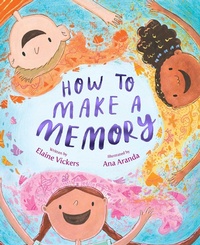
How to Make a Memory
Published on 2. May 2023
32 pages
978-1-5344-9442-8 (ISBN)
Description

The Wonderful Things You Will Be meets The Remember Balloons in this lyrical and gentle picture book about the joy and importance of making memories and cherishing life's most special moments.
To remember means to keep something in your mind.
To hold it safe in your memory, like a small, smooth egg in your hand.
How do you make a memory? And how do you remember?
This poignant story takes readers through the bittersweet celebration of the last day of school, the pause before blowing out birthday candles, the magical closeness of gathering around a campfire: those tiny moments that enrich life.
To remember means to keep something in your mind.
To hold it safe in your memory, like a small, smooth egg in your hand.
How do you make a memory? And how do you remember?
This poignant story takes readers through the bittersweet celebration of the last day of school, the pause before blowing out birthday candles, the magical closeness of gathering around a campfire: those tiny moments that enrich life.
More details
Other editions
Additional editions
Persons
Elaine Vickers is the author of the middle grade novels Like Magic and Paper Chains, which have received starred reviews, Whitney Award nominations, Mighty Girl's Book of the Year picks, PJ Library licenses, and sold translations in four languages. She is also the author of YA novel Fadeaway and picture books Thankful, How to Make a Memory, and Heartfelt. In her non-writing life, Elaine teaches college chemistry. She lives with her family in Utah.
Ana Aranda is a children's book creator, illustrator, muralist, and art instructor. Her work has been featured in galleries and museums in the United States, France, Mexico, Italy, Norway, and Japan. In San Francisco, she has painted murals in the Mission District, for the Consulate General of Mexico, and for the prestigious de Young Museum. Her illustrations can be found in The Chupacabra Ate the Candelabra and Moth & Butterfly: Ta Da!, and How to Make a Memory. Ana Aranda was born and raised in Mexico City, where she studied design. Her biggest inspirations are her childhood memories, the vibrant colors of Mexico, and music.
Ana Aranda is a children's book creator, illustrator, muralist, and art instructor. Her work has been featured in galleries and museums in the United States, France, Mexico, Italy, Norway, and Japan. In San Francisco, she has painted murals in the Mission District, for the Consulate General of Mexico, and for the prestigious de Young Museum. Her illustrations can be found in The Chupacabra Ate the Candelabra and Moth & Butterfly: Ta Da!, and How to Make a Memory. Ana Aranda was born and raised in Mexico City, where she studied design. Her biggest inspirations are her childhood memories, the vibrant colors of Mexico, and music.
