

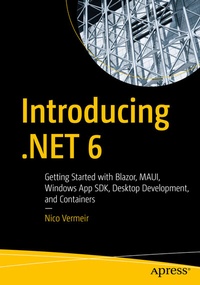
Introducing .NET 6
Description

Introducing .NET 6 is aimed at .NET developers, both junior developers and those coming from the .NET framework, who want to understand everything the modern framework has to offer, besides the obvious programming languages. While you will still see a lot of fabulous C# 10 throughout the book, the focus of this learning is all about .NET and its tooling.
What You Will Learn
- Become a more versatile developer by knowing the variety of options available to you in the .NET 6 framework and its powerful tooling
- Know the different front-end frameworks .NET offers, such as UWP, WPF, and WinForms, and how they stack up to each other
- Understand the different communication protocols, such as REST and gRPC, for your back-end services
- Discover the secrets of cloud-native development, such as serverless computing with Azure Functions and deploying containers to Azure Container Services
- Master the command line, take your skill set to the cloud, and containerize your .NET 6 app
Who This Book IsFor
Both students and more experienced developers, C# developers who want to learn more about the framework they use, developers who want to be more productive by diving deeper into the tooling that .NET 6 brings to the fold, developers who need to make technical decisions. A working knowledge of C# is recommended to follow the examples used in the book.
More details
Other editions
Additional editions
Person
Nico Vermeir is an Microsoft MVP in the field of Windows development. He works as a Solution Architect at Inetum-Realdolmen Belgium and spends a lot of time keeping up with the rapidly changing world of technology. He loves talking about and using the newest and experimental technologies in the .NET stack. Nico founded MADN, a user group focusing on front end development in .NET. He regularly presents on the topic of .NET.
Content
