

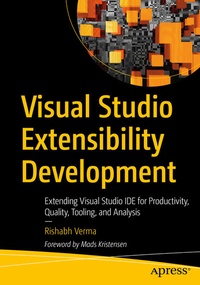
Visual Studio Extensibility Development
Description

Learn the extensibility model of Visual Studio to enhance the Visual Studio integrated development environment (IDE). This book will cover every aspect, starting from developing an extension to publishing it and making it available to the end user.
The book begins with an introduction to the basic concepts of Visual Studio including data structures and design patterns and moves forward with the fundamentals of the VS extensibility model. Here you will learn how to work on Roslyn - the .NET compiler platform - and load extensions in VS. Next, you will go through the extensibility model and see how various extensions, such as menus, commands, and tool windows, can be plugged into VS. Moving forward, you'll cover developing VS extensions and configuring them, along with demonstrations on customizing extension by developing option pages. Further, you will learn to create custom code snippets and use a debugger visualizer. Next, you will go through creation ofproject and item templates including deployment of VS extensions using continuous integration (CI). Finally, you will learn tips and tricks for Visual Studio and its extensibility and integration with Azure DevOps.After reading Visual Studio Extensibility Development you will be able to develop, deploy, and customize extensions in Visual Studio IDE.
What You Will Learn
- Discover the Visual Studio extensibility and automation model
- Code Visual Studio extensions from scratch
- Customize extensions by developing a tools option page for them
- Create project templates, item templates, and code snippets.
- Work with code generation using T4 templates
- Code analysis and refactoring using Roslyn analyzers
- Create and deploy a private extension gallery and upload the extensions
- Upload a VS extension using CI
- Ship your extension to Visual Studio Marketplace
Developers in Visual Studio IDE covering C#, Visual Basic (VB), JavaScript, and CSS.
More details
Other editions
New editions
Additional editions
Person
Content
Chapter 1: Basics Primer.- Chapter 2: Getting Started.- Chapter 3: Extending Visual Studio.- Chapter 4: Developing real world extensions - I.- Chapter 5: Developing real world extensions - II.- Chapter 6: Do more with VS SDK.- Chapter 7: Templates, Debugging VS Extensions.- Chapter 8: Deploying VS Extensions.- Chapter 9: Tips, Tricks, extensions and words.
