

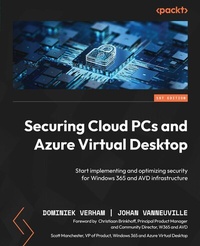
Securing Cloud PCs and Azure Virtual Desktop
Start implementing and optimizing security for Windows 365 and AVD infrastructure
Published on 23. September 2024
396 pages
978-1-83546-114-3 (ISBN)
Description

No detailed description available for "Securing Cloud PCs and Azure Virtual Desktop".
More details
Edition
Digital original
Language
English
Place of publication
Birmingham
United Kingdom
Target group
Professional and scholarly
US School Grade: College Graduate Student
Edition type
Digital original
File size
16,48 MB
ISBN-13
978-1-83546-114-3 (9781835461143)
Copyright in bibliographic data and cover images is held by Nielsen Book Services Limited or by the publishers or by their respective licensors: all rights reserved.
Schweitzer Classification
Other editions
Additional editions
Dominiek Verham | Johan Vanneuville
Securing Cloud PCs and Azure Virtual Desktop
Start implementing and optimizing security for Windows 365 and AVD infrastructure
Book
06/2024
Packt Publishing
€57.70
Shipment within 3-4 weeks
Persons
Verham Dominiek :
Dominiek Verham lives in the Netherlands. He has over 20 years of experience in IT working in all kinds of technical roles focused on Microsoft products. In 2017 Dominiek transitioned from the Microsoft server products to endpoints, creating images for a variety of customers in different sectors using MDT. It's also the year that he began his journey in the various Microsoft cloud products such as Microsoft Intune, Azure Virtual Desktop, Windows 365 and related products such as Nerdio. He is passionate about sharing his knowledge and personal experiences with the community via his blog and presentations. Dominiek is a Microsoft MVP for Windows 365 (Windows and Devices) as well as a Nerdio NVP since 2022.Brinkhoff Christiaan :
Christiaan Brinkhoff works as a Principal Program Manager and Community Lead for the Windows 365 Engineering team at Microsoft, driving new features such as Windows 11 integration and lots of different new community initiatives while bringing his expertise to help customers imagine new virtualization experiences. Christiaan joined Microsoft in 2018 as part of the FSLogix acquisition. He has also been rewarded with the Microsoft MVP, Citrix CTP, and VMware vExpert community achievements.Vanneuville Johan :
Johan Vanneuville lives in Iddergem, Belgium. He has over 10 years of experience in IT with different kind of roles. The last 7 years focusing on the public cloud with Azure and with Azure Virtual Desktop in the last 4 years creating Azure and AVD environments for various customers. Johan loves to share his knowledge with the community on his personal blog. Johan is a Microsoft Windows and Devices MVP and a Nerdio NVP since 2022.
Dominiek Verham lives in the Netherlands. He has over 20 years of experience in IT working in all kinds of technical roles focused on Microsoft products. In 2017 Dominiek transitioned from the Microsoft server products to endpoints, creating images for a variety of customers in different sectors using MDT. It's also the year that he began his journey in the various Microsoft cloud products such as Microsoft Intune, Azure Virtual Desktop, Windows 365 and related products such as Nerdio. He is passionate about sharing his knowledge and personal experiences with the community via his blog and presentations. Dominiek is a Microsoft MVP for Windows 365 (Windows and Devices) as well as a Nerdio NVP since 2022.Brinkhoff Christiaan :
Christiaan Brinkhoff works as a Principal Program Manager and Community Lead for the Windows 365 Engineering team at Microsoft, driving new features such as Windows 11 integration and lots of different new community initiatives while bringing his expertise to help customers imagine new virtualization experiences. Christiaan joined Microsoft in 2018 as part of the FSLogix acquisition. He has also been rewarded with the Microsoft MVP, Citrix CTP, and VMware vExpert community achievements.Vanneuville Johan :
Johan Vanneuville lives in Iddergem, Belgium. He has over 10 years of experience in IT with different kind of roles. The last 7 years focusing on the public cloud with Azure and with Azure Virtual Desktop in the last 4 years creating Azure and AVD environments for various customers. Johan loves to share his knowledge with the community on his personal blog. Johan is a Microsoft Windows and Devices MVP and a Nerdio NVP since 2022.
Content
Table of Contents
Introducing Windows 365 and Azure Virtual Desktop
Importance of Securing Your Desktop
Modern Security Risks
Securing User Sessions
Preventing Data Leakage from Desktops
Update Management Strategies
Threat Detection and Prevention
Configuring Access Control
Securing Windows 365
Securing Azure Virtual Desktop
Securing Azure Infrastructure
Windows 365 Use Cases
Azure Virtual Desktop Use Cases
Introducing Windows 365 and Azure Virtual Desktop
Importance of Securing Your Desktop
Modern Security Risks
Securing User Sessions
Preventing Data Leakage from Desktops
Update Management Strategies
Threat Detection and Prevention
Configuring Access Control
Securing Windows 365
Securing Azure Virtual Desktop
Securing Azure Infrastructure
Windows 365 Use Cases
Azure Virtual Desktop Use Cases
