

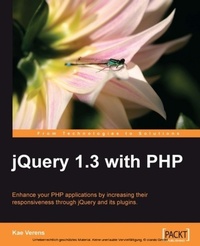
jQuery 1.3 with PHP
Enhance your PHP applications by increasing their responsiveness through jQuery and its plugins
1st Edition
Published on 13. January 2025
248 pages
978-1-84719-699-6 (ISBN)
Description

For PHP developers, this intro to jQuery has it all. It will empower your applications with new responsive capabilities and custom-built plugins. You ll be amazed at the difference a few lines of JavaScript can make.Key Features - Combine client-side jQuery with your server-side PHP to make your applications more efficient and exciting for the client
- Learn about some of the most popular jQuery plugins and methods
- Create powerful and responsive user interfaces for your PHP applications
- Complete examples of PHP and jQuery with clear explanations
- No JavaScript expertise or jQuery experience required
Book DescriptionTo make PHP applications that respond quickly, avoid unnecessary page reloads, and provide great user interfaces, often requires complex JavaScript techniques and even then, if you get that far, they might not even work across different browsers! With jQuery, you can use one of the most popular JavaScript libraries, forget about cross-browser issues, and simplify the creation of very powerful and responsive interfaces ñ all with the minimum of code. This is the first book in the market that will ease the server-side PHP coder into the client-side world of the popular jQuery JavaScript library. This book will show you how to use jQuery to enhance your PHP applications, with many examples using jQuery's user interface library jQuery UI, and other examples using popular jQuery plugins. It will help you to add exciting user interface features to liven up your PHP applications without having to become a master of client-side JavaScript. This book will teach you how to use jQuery to create some really stunning effects, but without you needing to have in-depth knowledge of how jQuery works. It provides you with everything you need to build practical user interfaces for everything from graphics manipulation to drag-and-drop to data searching, and much more. The book also provides practical demonstrations of PHP and jQuery and explains those examples, rather than starting from how JavaScript works and how it is different from PHP. By the end of this book, you should be able to take any PHP application you have written, and transform it into a responsive, user-friendly interface, with capabilities you would not have dreamed of being able to achieve, all in just a few lines of JavaScript.What you will learn - Integrate jQuery into your PHP applications
- Add tabs and accordions using the jQuery-UI project to make your pages easier to read
- Validate forms locally and remotely
- Enhance your existing form controls, optimize large select-boxes, build auto-suggest fields for your forms.
- Manipulate images non-destructively
- Manage your files and directories
- Create your own jQuery plugins
- Write a weekly calendar
- Use a drag/drop mechanism to sort lists and create hierarchical menus
- Paginate, order, and search large data sets
Who this book is forThis book is for PHP application developers who want to improve their user interfaces through jQuery's capabilities and responsiveness. Whether you are familiar with jQuery or have only dabbled a little with JavaScript, this book will provide you with numerous practical examples of how to improve your application.
- Learn about some of the most popular jQuery plugins and methods
- Create powerful and responsive user interfaces for your PHP applications
- Complete examples of PHP and jQuery with clear explanations
- No JavaScript expertise or jQuery experience required
Book DescriptionTo make PHP applications that respond quickly, avoid unnecessary page reloads, and provide great user interfaces, often requires complex JavaScript techniques and even then, if you get that far, they might not even work across different browsers! With jQuery, you can use one of the most popular JavaScript libraries, forget about cross-browser issues, and simplify the creation of very powerful and responsive interfaces ñ all with the minimum of code. This is the first book in the market that will ease the server-side PHP coder into the client-side world of the popular jQuery JavaScript library. This book will show you how to use jQuery to enhance your PHP applications, with many examples using jQuery's user interface library jQuery UI, and other examples using popular jQuery plugins. It will help you to add exciting user interface features to liven up your PHP applications without having to become a master of client-side JavaScript. This book will teach you how to use jQuery to create some really stunning effects, but without you needing to have in-depth knowledge of how jQuery works. It provides you with everything you need to build practical user interfaces for everything from graphics manipulation to drag-and-drop to data searching, and much more. The book also provides practical demonstrations of PHP and jQuery and explains those examples, rather than starting from how JavaScript works and how it is different from PHP. By the end of this book, you should be able to take any PHP application you have written, and transform it into a responsive, user-friendly interface, with capabilities you would not have dreamed of being able to achieve, all in just a few lines of JavaScript.What you will learn - Integrate jQuery into your PHP applications
- Add tabs and accordions using the jQuery-UI project to make your pages easier to read
- Validate forms locally and remotely
- Enhance your existing form controls, optimize large select-boxes, build auto-suggest fields for your forms.
- Manipulate images non-destructively
- Manage your files and directories
- Create your own jQuery plugins
- Write a weekly calendar
- Use a drag/drop mechanism to sort lists and create hierarchical menus
- Paginate, order, and search large data sets
Who this book is forThis book is for PHP application developers who want to improve their user interfaces through jQuery's capabilities and responsiveness. Whether you are familiar with jQuery or have only dabbled a little with JavaScript, this book will provide you with numerous practical examples of how to improve your application.
All prices
More details
Other editions
Additional editions
Content
- Intro
- jQuery 1.3 with PHP
- Table of Contents
- jQuery 1.3 with PHP
- Credits
- About the Author
- About the Reviewers
- Preface
- What this book covers
- What you need for this book
- Who this book is for
- Conventions
- Reader feedback
- Customer support
- Errata
- Piracy
- Questions
- 1. Introduction and Overview
- Expected developer skills
- Differences between PHP and JavaScript
- What is jQuery?
- Why jQuery?
- How does jQuery fit in with PHP?
- How to work with the examples
- Projects that use PHP and jQuery
- WordPress
- RoundCube
- KFM
- Drupal
- Summary
- 2. Quick Tricks
- Dynamic select boxes
- Client-side code
- How it works
- Server-side code
- Quick deletes
- Client-side code
- Server-side code
- Contextual help
- Inline editing
- Client-side code
- Server-side code
- Summary
- 3. Tabs and Accordions
- Using a jQuery tab plugin
- Client-side code
- Server-side considerations
- Using jQuery accordion plugins
- Client-side code
- Server-side management of accordions
- Client-side code
- Server-side code
- Just the conversion
- Now show the data with the accordions
- Server-side management of tabs
- Server-side code
- Just the conversion
- Now show the data with the tabs
- Using special codes to define tabs
- Client-side code
- Server-side code
- Loading accordion panels through Ajax
- Client-side code
- Server-side code
- Loading tab panels through Ajax
- Client-side code
- Summary
- 4. Forms and Form Validation
- Using the jQuery validation plugin
- Client-side code
- Setting up jQuery validation from PHP
- Server-side code (setup)
- Client-side code
- Server-side code
- Remote validation
- Server-side code (setup)
- Client-side code
- Server-side code
- Large select boxes
- Client-side code
- Server-side code
- Auto-suggestion
- Client-side code
- Server-side code
- Client-side code
- Summary
- 5. File Management
- Security
- Choosing a directory
- Client-side code
- Server-side code
- Creating, renaming, and deleting directories
- Client-side code
- Server-side code
- Moving directories
- Client-side code
- Server-side code
- File uploads
- Client-side code
- Server-side code
- Renaming, deleting, and moving files
- Client-side code
- Server-side code
- File downloads
- Client-side code
- Server-side code
- Summary
- 6. Calendars
- Displaying the calendar
- Creating an event
- Client-side code
- Server-side code
- Loading events from the server
- Client-side code
- Server-side code
- Moving and resizing events
- Client-side code
- Server-side code
- Editing events
- Client-side code
- Server-side code
- Deleting events
- Client-side code
- Server-side code
- Walk-through of the calendar so far
- Recurring events
- Client-side code
- Server-side code
- Deleting recurring events
- Client-side code
- Server-side code
- Summary
- 7. Image Manipulation
- Showing the list of images
- Server-side code
- Client-side code
- Selecting an image
- Client-side code
- Server-side code
- Preparing your PHP
- Rotating
- Client-side code
- Server-side code
- Caching or saving the image
- Client-side code
- Server-side code
- Resizing
- Client-side code
- Server-side code
- Cropping
- Client-side code
- Server side
- Summary
- 8. Drag and Drop
- Sorting simple lists
- Client-side code
- Server-side code
- Client-side code
- Sorting trees
- Client-side code
- Server-side code
- Connecting lists
- Client-side code
- Server-side code
- Summary
- 9. Data Tables
- Setting up DataTables
- Client-side code
- Getting data from the server
- Client-side code
- Server-side code
- Caching your database queries
- Server-side code
- Pagination through Ajax
- Client-side code
- Server-side code
- Sorting by column
- Filtering
- Server-side code
- Setting a delay on the filter
- Summary
- 10. Optimization
- Optimizing the page load
- Place scripts at the bottom
- Aggregate and cache your scripts
- Output HTML similar to the post-jQuery code
- Optimizing development and maintenance
- Writing your own plugins
- Un-caching your JavaScript
- Optimizing jQuery
- Use Google's CDN
- Caching jQuery objects
- Use $.load for non-visual code
- JavaScript optimizations
- Chaining
- Speeding up selectors
- Inject multiple elements at once
- Using setTimeout
- Use var for your variables
- Summary
- Index

