

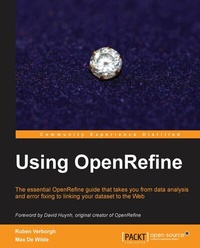
Using OpenRefine
With this book on OpenRefine, managing and cleaning your large datasets suddenly got a lot easier! With a cookbook approach and free datasheets included, you'll quickly and painlessly improve your data managing capabilities.
Published on 13. January 2025
114 pages
978-1-78328-909-7 (ISBN)
Description

With this book on OpenRefine, managing and cleaning your large datasets suddenly got a lot easier! With a cookbook approach and free datasheets included, you'll quickly and painlessly improve your data managing capabilities.
Key Features
Create links between your dataset and others in an instant
Effectively transform data with regular expressions and the General Refine Expression Language
Spot issues in your dataset and take effective action with just a few clicks
Book DescriptionData today is like gold - but how can you manage your most valuable assets? Managing large datasets used to be a task for specialists, but the game has changed - data analysis is an open playing field. Messy data is now in your hands! With OpenRefine the task is a little easier, as it provides you with the necessary tools for cleaning and presenting even the most complex data. Once it's clean, that's when you can start finding value. Using OpenRefine takes you on a practical and actionable through this popular data transformation tool. Packed with cookbook style recipes that will help you properly get to grips with data, this book is an accessible tutorial for anyone that wants to maximize the value of their data. This book will teach you all the necessary skills to handle any large dataset and to turn it into high-quality data for the Web. After you learn how to analyze data and spot issues, we'll see how we can solve them to obtain a clean dataset. Messy and inconsistent data is recovered through advanced techniques such as automated clustering. We'll then show extract links from keyword and full-text fields using reconciliation and named-entity extraction. Using OpenRefine is more than a manual: it's a guide stuffed with tips and tricks to get the best out of your data.What you will learn
Import data in various formats
Explore datasets in a matter of seconds
Apply basic and advanced cell transformations
Deal with cells that contain multiple values
Create instantaneous links between datasets
Filter and partition your data easily with regular expressions
Use named-entity extraction on full-text fields to automatically identify topics
Perform advanced data operations with the General Refine Expression Language
Who this book is forThis book is targeted at anyone who works on or handles a large amount of data. No prior knowledge is required, as we start from the very beginning and gradually reveal more advanced features. You don't even need your own dataset, as we provide example data to try out the book's recipes.
Key Features
Create links between your dataset and others in an instant
Effectively transform data with regular expressions and the General Refine Expression Language
Spot issues in your dataset and take effective action with just a few clicks
Book DescriptionData today is like gold - but how can you manage your most valuable assets? Managing large datasets used to be a task for specialists, but the game has changed - data analysis is an open playing field. Messy data is now in your hands! With OpenRefine the task is a little easier, as it provides you with the necessary tools for cleaning and presenting even the most complex data. Once it's clean, that's when you can start finding value. Using OpenRefine takes you on a practical and actionable through this popular data transformation tool. Packed with cookbook style recipes that will help you properly get to grips with data, this book is an accessible tutorial for anyone that wants to maximize the value of their data. This book will teach you all the necessary skills to handle any large dataset and to turn it into high-quality data for the Web. After you learn how to analyze data and spot issues, we'll see how we can solve them to obtain a clean dataset. Messy and inconsistent data is recovered through advanced techniques such as automated clustering. We'll then show extract links from keyword and full-text fields using reconciliation and named-entity extraction. Using OpenRefine is more than a manual: it's a guide stuffed with tips and tricks to get the best out of your data.What you will learn
Import data in various formats
Explore datasets in a matter of seconds
Apply basic and advanced cell transformations
Deal with cells that contain multiple values
Create instantaneous links between datasets
Filter and partition your data easily with regular expressions
Use named-entity extraction on full-text fields to automatically identify topics
Perform advanced data operations with the General Refine Expression Language
Who this book is forThis book is targeted at anyone who works on or handles a large amount of data. No prior knowledge is required, as we start from the very beginning and gradually reveal more advanced features. You don't even need your own dataset, as we provide example data to try out the book's recipes.
All prices
More details
Edition
Digital original
Language
English
Place of publication
Birmingham
United Kingdom
Target group
Professional and scholarly
US School Grade: College Graduate Student
Edition type
Digital original
File size
2,16 MB
ISBN-13
978-1-78328-909-7 (9781783289097)
Copyright in bibliographic data and cover images is held by Nielsen Book Services Limited or by the publishers or by their respective licensors: all rights reserved.
Schweitzer Classification
Other editions
Additional editions
Ruben Verborgh | Max De Wilde
Using OpenRefine
With this book on OpenRefine, managing and cleaning your large datasets suddenly got a lot easier! With a cookbook approach and free datasheets included, you'll quickly and painlessly improve your data managing capabilities.
Book
09/2013
Packt Publishing
€44.60
Shipment within 3-4 weeks
Persons
Verborgh Ruben :
Ruben Verborgh is a PhD researcher in Semantic Hypermedia. He is fascinated by the Web's immense possibilities and tries to contribute ideas that will maybe someday slightly influence the way the Web changes all of us. His degree in Computer Science Engineering convinced him more than ever that communication is the most crucial thing for IT-based solutions. This is why he really enjoys explaining things to those eager to learn. In 2011, he launched the Free Your Metadata project together with Seth van Hooland and Max De Wilde, which aims to evangelize the importance of bringing your data on the Web. This book is one of the assets in this continuing quest. He currently works at Multimedia Lab, a research group of iMinds, Ghent University, Belgium, in the domains of Semantic Web, Web APIs, and Adaptive Hypermedia. Together with Seth van Hooland, he's writing Linked Data for Libraries, Archives, and Museums, Facet Publishing, a practical guide for metadata practitioners.De Wilde Max :
Max De Wilde is a PhD researcher in Natural Language Processing and a teaching assistant at the Universit libre de Bruxelles (ULB), department of Information and Communication Sciences. He holds a Master's degree in Linguistics from the ULB and an Advanced Master's in Computational Linguistics from the University of Antwerp. Currently, he is preparing a doctoral thesis on the impact of language-independent information extraction on document retrieval. At the same time, he works as a full-time assistant and supervises practical classes for Master's level students in a number of topics, including database quality, document management, and architecture of information systems.
Ruben Verborgh is a PhD researcher in Semantic Hypermedia. He is fascinated by the Web's immense possibilities and tries to contribute ideas that will maybe someday slightly influence the way the Web changes all of us. His degree in Computer Science Engineering convinced him more than ever that communication is the most crucial thing for IT-based solutions. This is why he really enjoys explaining things to those eager to learn. In 2011, he launched the Free Your Metadata project together with Seth van Hooland and Max De Wilde, which aims to evangelize the importance of bringing your data on the Web. This book is one of the assets in this continuing quest. He currently works at Multimedia Lab, a research group of iMinds, Ghent University, Belgium, in the domains of Semantic Web, Web APIs, and Adaptive Hypermedia. Together with Seth van Hooland, he's writing Linked Data for Libraries, Archives, and Museums, Facet Publishing, a practical guide for metadata practitioners.De Wilde Max :
Max De Wilde is a PhD researcher in Natural Language Processing and a teaching assistant at the Universit libre de Bruxelles (ULB), department of Information and Communication Sciences. He holds a Master's degree in Linguistics from the ULB and an Advanced Master's in Computational Linguistics from the University of Antwerp. Currently, he is preparing a doctoral thesis on the impact of language-independent information extraction on document retrieval. At the same time, he works as a full-time assistant and supervises practical classes for Master's level students in a number of topics, including database quality, document management, and architecture of information systems.
Content
Table of Contents

