

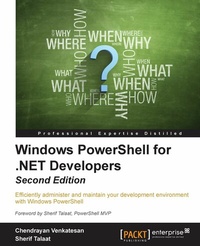
Windows PowerShell for .NET Developers
Efficiently administer and maintain your development environment with Windows PowerShell
2nd Edition
Published on 13. January 2025
330 pages
978-1-78528-026-9 (ISBN)
Description

Efficiently administer and maintain your development environment with Windows PowerShell
Key Features
Explore scripting and automation techniques with Windows PowerShell
Gain concrete knowledge of Windows PowerShell scripting to perform professional level scripting
Discover the benefits of the Configuration Management Platform with this step-by-step guide that includes real-world scripting examples
Book DescriptionWindows PowerShell 5.0 for .NET Developers is your self-start guide to performing automation using Windows PowerShell. This book will help you to understand the PowerShell syntax and grammar and will also teach you techniques to remove the rough edges of manual deployments. Packed with PowerShell scripts and sample C# codes to automate tasks, it also includes real-world scenarios such as administrating office servers to help you save time and perform deployments swiftly and efficiently. The book begins with the Windows PowerShell basics, explores the significant features of Windows Management Framework 5.0, covers the basic concepts of Desired State Configuration and the importance of idempotent deployments. By the end of the book, you will have a good understanding of Windows PowerShell's features and will be able to automate your tasks and manage configuration effectively.What you will learn
Understand the concepts of building PowerShell scripts and the basics of programming
Manage the LYNC, Exchange, and SharePoint platforms
Create a Pull server using a SMB file share and HTTP and HTTPS
Use .NET classes in Windows PowerShell and C# to manage Exchange Online
Use PowerShell in C# to manage Exchange Online and work with .NET classes in PowerShell
Automate LYNC clients, consuming Client Server Object Models to administrate SharePoint Online
Who this book is forIf you are an IT professional or developer who has worked on the .Net platform and you want to learn automation using Windows PowerShell, then this book is for you. This self-start guide takes you from the basics and gradually moves to an intermediate level to show you how to perform professional scripting.
Key Features
Explore scripting and automation techniques with Windows PowerShell
Gain concrete knowledge of Windows PowerShell scripting to perform professional level scripting
Discover the benefits of the Configuration Management Platform with this step-by-step guide that includes real-world scripting examples
Book DescriptionWindows PowerShell 5.0 for .NET Developers is your self-start guide to performing automation using Windows PowerShell. This book will help you to understand the PowerShell syntax and grammar and will also teach you techniques to remove the rough edges of manual deployments. Packed with PowerShell scripts and sample C# codes to automate tasks, it also includes real-world scenarios such as administrating office servers to help you save time and perform deployments swiftly and efficiently. The book begins with the Windows PowerShell basics, explores the significant features of Windows Management Framework 5.0, covers the basic concepts of Desired State Configuration and the importance of idempotent deployments. By the end of the book, you will have a good understanding of Windows PowerShell's features and will be able to automate your tasks and manage configuration effectively.What you will learn
Understand the concepts of building PowerShell scripts and the basics of programming
Manage the LYNC, Exchange, and SharePoint platforms
Create a Pull server using a SMB file share and HTTP and HTTPS
Use .NET classes in Windows PowerShell and C# to manage Exchange Online
Use PowerShell in C# to manage Exchange Online and work with .NET classes in PowerShell
Automate LYNC clients, consuming Client Server Object Models to administrate SharePoint Online
Who this book is forIf you are an IT professional or developer who has worked on the .Net platform and you want to learn automation using Windows PowerShell, then this book is for you. This self-start guide takes you from the basics and gradually moves to an intermediate level to show you how to perform professional scripting.
All prices
More details
Edition
2nd Revised edition
Language
English
Place of publication
Birmingham
United Kingdom
Target group
Professional and scholarly
US School Grade: College Graduate Student
Edition type
Revised edition
File size
10,48 MB
ISBN-13
978-1-78528-026-9 (9781785280269)
Copyright in bibliographic data and cover images is held by Nielsen Book Services Limited or by the publishers or by their respective licensors: all rights reserved.
Schweitzer Classification
Other editions
Additional editions
Chendrayan Venkatesan | Sherif Talaat
Windows PowerShell for .NET Developers
Efficiently administer and maintain your development environment with Windows PowerShell
Book
10/2015
2nd Edition
Packt Publishing
€65.30
Shipment within 3-4 weeks
Persons
Chendrayan Venkatesan (Chen V) is a SharePoint IT Professional who has worked for the Information, Computer and Technology industry since 2005. Chen V started his career as Windows XP technical support engineer and became a SharePoint IT Pro in the year 2007. He mainly focuses on automating Microsoft Technologies such as SharePoint, LYNC, and Exchange. He was awarded the Microsoft Most Valuable Professional (MVP) in 2014. He speaks on Windows PowerShell, SharePoint Servers, Content Management, and IT Process Automations. He blogs in http://chen.about-powershell.com and is mentoring three IT professionals in PowerShell. He is a TechNet Wiki addict and has introduced Windows PowerShell as a category in the TechNet Wiki Guru award competition. To connect with Chen V you can visit his web site http://about-powershell.com or choose your favourite social media twitter @ChendrayanV or LinkedIn. Sherif Talaat is a young Computer Science addict. He holds many technology certificates. Sherif is working in the ICT industry since 2005; he used to work on Microsoft's core infrastructure platforms and solutions, with more focus on IT process automation and scripting techniques.
Sherif is one of the early adopters of Windows PowerShell in the Middle East and Africa. He speaks about Windows PowerShell at technical events and user groups' gatherings. He is the founder of Egypt PowerShell User Group ( http://egpsug.org) and the author of the first and only Arabic PowerShell blog (http:arabianpowershell.wordpress.com). He has been awarded the Microsoft Mo Valuable Professional ( MVP) for PowerShell five times in a row since 2009.
You may also catch him at sheriftalaat.com and follow him on Twitter @SherifTalaat .
He is also the author of PowerShell 3.0: Advanced Administration Handbook, Packt Publishing.
Sherif is one of the early adopters of Windows PowerShell in the Middle East and Africa. He speaks about Windows PowerShell at technical events and user groups' gatherings. He is the founder of Egypt PowerShell User Group ( http://egpsug.org) and the author of the first and only Arabic PowerShell blog (http:arabianpowershell.wordpress.com). He has been awarded the Microsoft Mo Valuable Professional ( MVP) for PowerShell five times in a row since 2009.
You may also catch him at sheriftalaat.com and follow him on Twitter @SherifTalaat .
He is also the author of PowerShell 3.0: Advanced Administration Handbook, Packt Publishing.
Content
Table of Contents
Getting Started with Windows PowerShell
Unleashing your development Skills with PowerShell
Exploring Desired State Configuration
PowerShell and Web Technologies
Exploring Application Programming Interface
Getting Started with Windows PowerShell
Unleashing your development Skills with PowerShell
Exploring Desired State Configuration
PowerShell and Web Technologies
Exploring Application Programming Interface

