

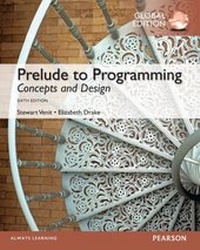
Prelude to Programming: Concepts and Design, Global Edition
1st Edition
Published on 20. May 2015
816 pages
978-1-292-07322-4 (ISBN)
Description

Appropriate for Pre-Programming and Introductory Programming courses in community colleges, 4-year colleges, and universities Prelude to Programming provides beginning students with a language-independent framework for learning core programming concepts and effective design techniques. This approach gives students the foundation they need to understand the logic behind program design and to establish effective programming skills. The Sixth Edition offers students a lively and accessible presentation as they learn core programming conceptsincluding data types, control structures, data files and arrays, and program design techniques such as top-down modular design and proper program documentation and style. Problem-solving skills are developed when students learn how to use basic programming tools and algorithms, which include data validation, defensive programming, calculating sums and averages, and searching and sorting lists. Teaching and Learning ExperienceThis program presents a better teaching and learning experiencefor you and your students. It provides: A Language-Independent, Flexible Presentation: The text has been designed so that instructors can use it for students at various levels. Features that Help Solidify Concepts: Examples, exercises, and programming challenges help students understand how concepts in the text apply to real-life programs. Real Programming Experience with RAPTOR: Students gain first-hand programming experience through the optional use of RAPTOR, a free flowchart-based programming environment. Support Learning: Resources are available to expand on the topics presented in the text.
More details
Other editions
Additional editions
Stewart Venit | Elizabeth Drake
Prelude to Programming: Concepts and Design, Global Edition
Book
11/2014
6th Edition
Pearson Education Limited
€66.74
Article exhausted; check different version
Content
- Cover
- Title
- Copyright
- Brief Contents
- Contents
- Preface
- 0 Introduction
- In the Everyday World: Computers Everywhere
- 0.1 A Brief History of Computers
- What Is a Computer?
- Personal Computers
- The Internet
- 0.2 Computer Basics
- The Central Processing Unit
- Internal Memory
- Mass Storage Devices
- Input Devices
- Output Devices
- 0.3 Software and Programming Languages
- Types of Software
- Types of Programming and Scripting Languages
- Chapter Review and Exercises
- 1 An Introduction to Programming
- In the Everyday World: You Are Already a Programmer!
- 1.1 What Is Programming?
- A General Problem-Solving Strategy
- Creating Computer Programs: The Program Development Cycle
- 1.2 Basic Programming Concepts
- A Simple Program
- Data Input
- Program Variables and Constants
- 1.3 Data Processing and Output
- Processing Data
- Data Output
- 1.4 Data Types
- The Declare Statement
- Character and String Data
- 1.5 Integer Data
- Operations on Integers
- 1.6 Floating Point Data
- The Declare Statement Revisited
- Types of Floating Point Numbers
- 1.7 Running With RAPTOR (Optional)
- Introducing RAPTOR
- Chapter Review and Exercises
- 2 Data Representation
- In the Everyday World: It Isn't Magic-It's Just Computer Code
- 2.1 Decimal and Binary Representation
- Bases and Exponents
- The Binary System
- 2.2 The Hexadecimal System
- Hexadecimal Digits
- Using Hexadecimal Notation
- 2.3 Integer Representation
- Unsigned Integer Format
- Sign-and-Magnitude Format
- One's Complement Format
- Two's Complement Format
- 2.4 Floating Point Representation
- Floating Point Numbers: the Integer Part
- Floating Point Numbers: the Fractional Part
- Converting a Decimal Fraction to Binary
- Putting the Two Parts Together
- 2.5 Putting it All Together
- Scientific Notation
- Exponential Notation
- Base 10 Normalization
- Normalizing Binary Floating Point Numbers
- The Excess_127 System
- Base 2 Normalization
- Single- and Double-Precision Floating Point Numbers
- Hexadecimal Representation
- Chapter Review and Exercises
- 3 Developing a Program
- In the Everyday World: Planning to Program? You Need a Plan
- 3.1 The Program Development Cycle
- The Process of Developing a Program
- Additional Steps in the Cycle
- 3.2 Program Design
- Modular Programming
- 3.3 Coding, Documenting, and Testing a Program
- Coding and Documenting a Program
- Testing a Program
- Types of Errors
- 3.4 Commercial Programs: Testing and Documenting
- The Testing Phase Revisited
- External Documentation
- 3.5 Structured Programming
- Flowcharts
- Control Structures
- Programming Style
- 3.6 Running With RAPTOR (Optional)
- Getting Started
- Introduction to RAPTOR Symbols
- Variables
- RAPTOR Symbols
- Run It: The Sign-In Program
- Developing the Program
- Creating the Program in RAPTOR: Input
- Creating the Program in RAPTOR: Processing
- Creating the Program in RAPTOR: Output
- Check It Out
- Chapter Review and Exercises
- 4 Selection Structures: Making Decisions
- In the Everyday World: Decisions, Decisions, Decisions . . .
- 4.1 An Introduction to Selection Structures
- Types of Selection Structures
- Single- and Dual-Alternative Structures
- 4.2 Relational and Logical Operators
- Relational Operators
- Logical Operators
- Hierarchy of Operations
- 4.3 ASCII Code and Comparing Strings
- Representing Characters With Numbers
- 4.4 Selecting from Several Alternatives
- Using If Structures
- Using Case-Like Statements
- 4.5 Applications of Selection Structures
- Defensive Programming
- Menu-Driven Programs
- 4.6 Focus on Problem Solving: A New Car Price Calculator
- Problem Statement
- Problem Analysis
- Program Design
- Program Code
- Program Test
- 4.7 Running With RAPTOR (Optional)
- The Selection Symbol
- The Call Symbol and Subcharts
- An Example
- Run It: The New Car Price Calculator
- Developing the Program
- Check It Out
- Chapter Review and Exercises
- 5 Repetition Structures: Looping
- In the Everyday World: Doing the Same Thing Over and Over and Knowing When to Stop
- 5.1 An Introduction to Repetition Structures: Computers Never Get Bored!
- Loop Basics
- Relational and Logical Operators
- 5.2 Types of Loops
- Pre-Test and Post-Test Loops
- Counter-Controlled Loops
- 5.3 The For Loop
- The For Statement
- The For Loop in Action
- The Careful Bean Counter
- 5.4 Applications of Repetition Structures
- Using Sentinel-Controlled Loops to Input Data
- Data Validation
- The Floor() and Ceiling() Functions
- Computing Sums and Averages
- 5.5 Focus on Problem Solving: A Cost, Revenue, and Profit Problem
- Problem Statement
- Problem Analysis
- Program Design
- Program Code
- Program Test
- 5.6 Running With RAPTOR (Optional)
- Repetition: The Loop Symbol
- A Short Example
- Run It: Encryption: The Secret Message Encoder
- What is Encryption?
- Problem Statement
- Developing the Program
- Developing the Encrypting Algorithms
- Check It Out
- Chapter Review and Exercises
- 6 More about Loops and Decisions
- In the Everyday World: Loops Within Loops
- 6.1 Combining Loops with If-Then Statements
- Exiting a Loop
- 6.2 Combining Loops and Decisions in Longer Programs
- The Length_Of() Function
- The Print Statement and the New Line Indicator
- 6.3 Random Numbers
- The Random() Function
- Not Really Random: The Pseudorandom Number
- 6.4 Nested Loops
- Nested For Loops
- Nesting Other Kinds of Loops
- A Mental Workout: Mind Games
- 6.5 Focus on Problem Solving: A Guessing Game
- Problem Statement
- Problem Analysis
- Program Design
- Program Code
- Program Test
- 6.6 Running With RAPTOR (Optional)
- Two Short Examples
- Run It: Validating a Password
- Problem Statement
- Developing the Program
- Check the length of the password (4-8 characters)
- Check the first character of the password (cannot be a number, 0-9)
- Check that the password contains one of the special characters (#, *, or $)
- Chapter Review and Exercises
- 7 Arrays: Lists and Tables
- In the Everyday World: Organize It with Lists and Tables
- 7.1 One-Dimensional Arrays
- Array Basics
- 7.2 Parallel Arrays
- Some Advantages of Using Arrays
- A Word About Databases
- 7.3 Strings as Arrays of Characters
- Concatenation Revisited
- String Length versus Array Size
- 7.4 Two-Dimensional Arrays
- An Introduction to Two-Dimensional Arrays
- Using Two-Dimensional Arrays
- 7.5 Focus on Problem Solving: The Magic Square
- Problem Statement
- Problem Analysis
- Program Design
- Program Code
- Program Test
- 7.6 Running With RAPTOR (Optional)
- A Short Example
- Run It: Self-Grading Math Test
- Problem Statement
- Developing and Creating the Program
- Check It Out
- Chapter Review and Exercises
- 8 Searching and Sorting Arrays
- In the Everyday World: Searching and Sorting
- 8.1 Introduction to Searching and Sorting
- The Serial Search Technique
- Basic Steps in a Serial Search
- Pseudocode for a Serial Search
- 8.2 The Bubble Sort Technique
- Swapping Values
- Using the Bubble Sort Algorithm
- 8.3 The Binary Search
- Use the Binary Search for Large Arrays
- 8.4 The Selection Sort
- General Selection Sort Technique
- Applying the Selection Sort Technique
- 8.5 Focus on Problem Solving: A Grade Management Program
- Problem Statement
- Problem Analysis
- Program Design
- Program Code
- Program Test
- 8.6 Running With RAPTOR (Optional)
- The Serial Search
- The Bubble Sort
- The Binary Search
- The Selection Sort
- Run It: Soccer Camp
- Problem Statement
- Developing and Creating the Program
- Check It Out
- Revise and Improve
- Check It Out Again
- Chapter Review and Exercises
- 9 Program Modules, Subprograms, and Functions
- In the Everyday World: Living and Programming in Manageable Pieces: Subprograms
- 9.1 Data Flow Diagrams, Arguments, and Parameters
- A Big Sale: The Sale Price Computation Program
- Data Flow Diagrams
- An Introduction to Arguments and Parameters
- 9.2 More about Subprograms
- Value and Reference Parameters
- How to Tell the Difference between Value and Reference Parameters
- Two Helpful Functions: ToUpper() and ToLower()
- The Scope of a Variable
- 9.3 Functions
- Built-in Functions
- User-Defined Functions
- 9.4 Recursion
- The Recursive Process
- 9.5 Focus on Problem Solving: A Fitness Plan
- Problem Statement
- Problem Analysis
- Program Design
- Program Code
- Program Test
- 9.6 Running With RAPTOR (Optional)
- RAPTOR Built-In Functions (Procedures)
- Creating a New Procedure
- Run It: The Fitness Plan
- Problem Statement
- Developing and Creating the Program
- Check It Out
- Chapter Review and Exercises
- 10 Sequential Data Files
- In the Everyday World: Keeping it On File
- 10.1 An Introduction to Data Files
- File Basics
- Creating and Reading Sequential Files
- 10.2 Modifying a Sequential File
- Deleting Records
- Modifying Records
- Inserting Records
- Using Arrays in File Maintenance
- 10.3 Merging Sequential Files
- 10.4 Focus on Problem Solving: Control Break Processing
- Problem Statement
- Problem Analysis
- Program Design
- Coding and Testing the Program
- 10.5 Focus on Problem Solving: The Invoice Preparation Program
- Problem Statement
- Problem Analysis
- Program Design
- Program Code
- Program Test
- 10.6 Running With RAPTOR (Optional)
- Creating Data Files with the Redirect_Output() Procedure
- Displaying Data Files with the Redirect_Input() Procedure
- The Limitations
- Run It: Professor Weisheit's Semester Grades
- Check It Out
- Chapter Review and Exercises
- 11 Object-Oriented and Event-Driven Programming
- In the Everyday World: Objects are Everywhere
- 11.1 Classes and Objects
- Classes
- Defining Classes and Creating Objects
- Creating Objects
- The Constructor
- 11.2 More Features of Object-Oriented Programming
- Benefits of Object-Oriented Languages
- Inheritance and Polymorphism
- 11.3 Object-Oriented Program Design and Modeling
- Modeling Languages
- Unified Modeling Language (UML)
- 11.4 Graphical User Interfaces and Event-Driven Programming
- Window Components
- Creating GUI Objects in a Program
- Event-Driven Programming
- Handling Events
- Event-Driven Program Design
- 11.5 Focus on Problem Solving: Another Grade Management Program
- Problem Statement
- Problem Analysis
- Program Design
- Program Code
- Program Test
- 11.6 Running With RAPTOR (Optional)
- Object-Oriented Mode
- Creating a Class
- The main Program
- Inheritance and Polymorphism
- Run It: Monster Evasion
- Problem Statement
- Developing and Creating the Program
- The main program
- Using the Classes
- Check It Out
- Chapter Review and Exercises
- Appendix A: Study Skills
- A.1 Achieving Success in the Course
- A.2 Using the Textbook
- A.3 Doing the Homework
- A.4 Writing Programs
- A.5 Preparing for Tests
- A.6 More about Preparing for Tests
- A.7 Taking Tests
- A.8 Overcoming Test Anxiety
- Appendix B: The ASCII Character Set: Printable Characters
- Appendix C: Answers to Self Checks
- Chapter 0
- Chapter 1
- Chapter 2
- Chapter 3
- Chapter 4
- Chapter 5
- Chapter 6
- Chapter 7
- Chapter 8
- Chapter 9
- Chapter 10
- Chapter 11
- Index
- A
- B
- C
- D
- E
- F
- G
- H
- I
- J
- K
- L
- M
- N
- O
- P
- R
- S
- T
- U
- V
- W
- Z
