

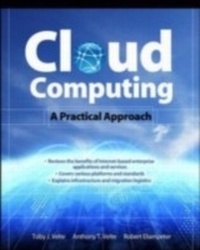
Cloud Computing, A Practical Approach
1st Edition
Published on 22. September 2009
433 pages
978-0-07-162695-8 (ISBN)
Available for download
Description

",The promise of cloud computing is here. These pages provide the 'eyes wide open' insights you need to transform your business.", --Christopher Crowhurst, Vice President, Strategic Technology, Thomson ReutersA Down-to-Earth Guide to Cloud ComputingCloud Computing: A Practical Approach provides a comprehensive look at the emerging paradigm of Internet-based enterprise applications and services. This accessible book offers a broad introduction to cloud computing, reviews a wide variety of currently available solutions, and discusses the cost savings and organizational and operational benefits. You'll find details on essential topics, such as hardware, platforms, standards, migration, security, and storage. You'll also learn what other organizations are doing and where they're headed with cloud computing. If your company is considering the move from a traditional network infrastructure to a cutting-edge cloud solution, you need this strategic guide. Cloud Computing: A Practical Approach covers:Costs, benefits, security issues, regulatory concerns, and limitationsService providers, including Google, Microsoft, Amazon, Yahoo, IBM, EMC/VMware, Salesforce.com, and othersHardware, infrastructure, clients, platforms, applications, services, and storageStandards, including HTTP, HTML, DHTML, XMPP, SSL, and OpenIDWeb services, such as REST, SOAP, and JSONPlatform as a Service (PaaS), Software as a Service (SaaS), and Software plus Services (S+S)Custom application development environments, frameworks, strategies, and solutionsLocal clouds, thin clients, and virtualizationMigration, best practices, and emerging standards
More details
Other editions
Additional editions
Toby Velte | Anthony Velte | Robert Elsenpeter
Cloud Computing, A Practical Approach
A Practical Approach
Book
10/2009
Osborne/McGraw-Hill
€42.00
Shipment within 15-20 days
Content
- Cover Page
- Cloud Computing
- Copyright Page
- Contents
- Acknowledgments
- Introduction
- Part I Getting Started
- 1 Cloud Computing Basics
- Cloud Computing Overview
- Disambiguation-Just What Is Cloud Computing?
- Cloud Components
- Infrastructure
- Services
- Applications
- Storage
- Database Services
- Intranets and the Cloud
- Components
- Hypervisor Applications
- First Movers in the Cloud
- Amazon
- Microsoft
- 2 Your Organization and Cloud Computing
- When You Can Use Cloud Computing
- Scenarios
- When You Shouldn't Use Cloud Computing
- Benefits
- Scalability
- Simplicity
- Knowledgeable Vendors
- More Internal Resources
- Security
- Limitations
- Your Sensitive Information
- Applications Not Ready
- Developing Your Own Applications
- Security Concerns
- Privacy Concerns with a Third Party
- Are They Doing Enough to Secure It?
- Security Benefits
- Regulatory Issues
- No Existing Regulation
- Government to the Rescue?
- 3 Cloud Computing with the Titans
- Google App Engine
- Google Web Toolkit
- EMC
- Technologies
- VMware Acquisition
- NetApp
- Offerings
- Cisco Partnership
- Microsoft
- Azure Services Platform
- Windows Live
- Exchange Online
- SharePoint Services
- Microsoft Dynamics CRM
- Amazon
- Amazon Elastic Compute Cloud (Amazon EC2)
- Amazon SimpleDB
- Amazon Simple Storage Service (Amazon S3)
- Amazon CloudFront
- Amazon Simple Queue Service (Amazon SQS)
- Elastic Block Store
- Salesforce.com
- Force.com
- Salesforce.com CRM
- AppExchange
- IBM
- Services
- Movement to the Cloud
- Security
- Partnerships
- Yahoo! Research
- SAP and IBM
- HP, Intel, and Yahoo!
- IBM and Amazon
- 4 The Business Case for Going to the Cloud
- Cloud Computing Services
- Infrastructure as a Service
- Platform as a Service
- Software as a Service
- Software plus Services
- How Those Applications Help Your Business
- Operational Benefits
- Economic Benefits
- Tips for Evaluating SaaS
- Staffing Benefits
- Deleting Your Datacenter
- What You Can Delete
- What You Should Keep
- Steps
- AppZero
- Salesforce.com
- Why It's Good for Business
- Best Business Practices
- Thomson Reuters
- Their Cloud Use
- Using the Cloud
- Cloud Computing and Web 2.0
- Applications and the Cloud
- Getting Started
- Be Realistic
- Part II Cloud Computing Technology
- 5 Hardware and Infrastructure
- Clients
- Mobile
- Thin
- Thick
- Security
- Data Leakage
- Offloading Work
- Logging
- Forensics
- Development
- Auditing
- Network
- Basic Public Internet
- The Accelerated Internet
- Optimized Internet Overlay
- Site-to-Site VPN
- Cloud Providers
- Cloud Consumers
- Pipe Size
- Redundancy
- Services
- Identity
- Integration
- Mapping
- Payments
- Search
- 6 Accessing the Cloud
- Platforms
- Web Application Framework
- Web Hosting Service
- Proprietary Methods
- Web Applications
- Your Choices
- Sample Applications
- Web APIs
- What Are APIs?
- How APIs Work
- API Creators
- Web Browsers
- Internet Explorer
- Firefox
- Safari
- Chrome
- 7 Cloud Storage
- Overview
- The Basics
- Storage as a Service
- Providers
- Security
- Reliability
- Advantages
- Cautions
- Outages
- Theft
- Is Cloud Storage for Me?
- Cloud Storage Providers
- Amazon Simple Storage Service (S3)
- Nirvanix
- Google Bigtable Datastore
- MobileMe
- Live Mesh
- 8 Standards
- Application
- Communication
- Security
- Client
- HTML
- Dynamic HTML
- JavaScript
- Infrastructure
- Virtualization
- OVF
- Service
- Data
- Web Services
- Part III Cloud Computing at Work
- 9 Software as a Service
- Overview
- Advantages
- Software Considerations
- Vendor Advantages
- Limitations
- Driving Forces
- Popularity
- Virtualization Benefits
- SaaS and SOA
- Economic Impact
- Company Offerings
- Intuit
- Microsoft
- IBM
- Industries
- Healthcare
- Collaboration-WebEx
- Construction-CMiC
- Retail-Epicor
- Banking-OpenChannel
- 10 Software plus Services
- Overview
- Pros
- Cons
- Vendors
- Mobile Device Integration
- Google Android
- Providers
- Adobe AIR
- Apple iPhone SDK
- Microsoft Online
- Hybrid Model
- Partnership
- Active Directory
- 11 Developing Applications
- Payment
- Force.com and Google
- Google Gears
- Microsoft
- Live Services
- Microsoft SQL Services
- Microsoft NET Services
- Microsoft SharePoint Services and Dynamics CRM Services
- Design
- Intuit QuickBase
- Cast Iron Cloud
- Bungee Connect
- Development
- Google App Engine
- Salesforce.com
- Microsoft Windows Azure
- Troubleshooting
- Application Management
- 12 Local Clouds and Thin Clients
- Virtualization in Your Organization
- Why Virtualize?
- How to Virtualize
- Concerns
- Security
- Server Solutions
- Microsoft Hyper-V
- VMware
- VMware Infrastructure
- Thin Clients
- Sun
- Hewlett Packard
- Dell
- Case Study: McNeilus Steel
- Benefits
- Making the Sell
- Equipment
- Making the Move
- Doing New Things
- 13 Migrating to the Cloud
- Cloud Services for Individuals
- Available Services
- Skytap Solution
- Cloud Services Aimed at the Mid-Market
- Force.com
- Enterprise-Class Cloud Offerings
- MS Exchange
- VMotion
- VMware vCenter Converter
- Hyper-V Live Migration
- Migration
- Which Applications Do You Need?
- Sending Your Existing Data to the Cloud
- Use the Wave Approach
- 14 Best Practices and the Future of Cloud Computing
- Analyze Your Service
- Establishing a Baseline and Metrics
- Tools
- Best Practices
- Finding the Right Vendor
- Phased-in vs. Flash-cut Approaches
- Be Creative in Your Approach
- How Cloud Computing Might Evolve
- Researcher Predictions
- Responding to Change
- Get Ready
- A Glossary, Vendors, and Resources
- Glossary
- Cloud Vendors
- Resources
- Index

