

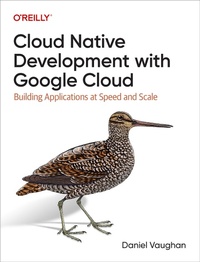
Cloud Native Development with Google Cloud
Description

Cloud native development gives you the power to rapidly build, secure, and scale software. But you still need to navigate many potential pitfalls along the way. Through practical examples, this book demonstrates how to use Google Cloud as a laboratory to enable rapid innovation, a factory to automate build and testing, and a citadel to operate applications at scale securely.
Author Daniel Vaughan shows you how to take applications from prototype to production by combining Google Cloud services, a cloud native programming model, and best practices. By following an example project from start to finish, developers, architects, and engineering managers working with the Google Cloud Platform will learn how to build and run cloud native applications on Google Cloud with confidence.
With this book, you will:
- Understand cloud native development concepts including microservices, containerization, and event-driven architecture
- Learn Google Cloud services that specifically support this development style: compute, persistence, messaging, DevOps, security and networking, and observability
- Confidently build cloud native applications on Google Cloud
- Learn how to address nonfunctional requirements such as security, observability, and testing
- Successfully make the transition from initial proofs of concept and prototypes to production systems
More details
Other editions
Additional editions
Content
- Cover
- Copyright
- Table of Contents
- Preface
- Who This Book Is For
- Conventions Used in This Book
- How This Book Is Organized
- Using Code Examples
- O'Reilly Online Learning
- How to Contact Us
- Acknowledgments
- Part I. Cloud Native Google Cloud
- Chapter 1. Why Cloud Native and Not Just Cloud?
- Emergence of the Cloud Era
- Navigating the Cloud Migration
- The Pitfalls of an Unplanned Journey
- More Than Just an Online Data Center
- Embracing the Cloud as a Distributed System
- Distinguishing Cloud Hosted from Cloud Native
- Unraveling the Concept of Cloud Native
- Embracing Cloud Native Architecture
- Building a Cloud Native Platform
- Laboratory, Factory, Citadel, and Observatory
- The Need for More Than Just a Factory
- Summary
- Chapter 2. Why Google Cloud Platform?
- Strong Foundations
- Powerful Abstractions
- Borg
- Colossus
- Spanner
- Andromeda
- Combining Abstractions
- Why Not DIY?
- Summary
- Chapter 3. Cloud Native Applications
- Autonomous Components Communicating with Messages
- Harnessing Cloud Potential with the 12-Factor App Principles
- I. Codebase: One Codebase Tracked in Version Control, Many Deploys
- II. Dependencies: Explicitly Declare and Isolate Dependencies
- III. Config: Store Config in the Environment
- IV. Backing Services: Treat Backing Services as Attached Resources
- V. Build, Release, Run: Strictly Separate Build and Run Stages
- VI. Processes: Execute the App as One or More Stateless Processes
- VII. Port Binding: Export Services via Port Binding
- VIII. Concurrency: Scale Out via the Process Model
- IX. Disposability: Maximize Robustness with Fast Startup and Graceful Shutdown
- X. Dev/Prod Parity: Keep Development, Staging, and Production as Similar as Possible
- XI. Logs: Treat Logs as Event Streams
- XII. Admin Processes: Run Admin/Management Tasks as One-Off Processes
- Beyond the 12 Factors
- API First
- Telemetry
- Security
- Defining Components with Microservices
- Determining Component Granularity
- Leveraging Domain-Driven Design for Defining Microservice Boundaries
- Intercommunication Between Microservices: APIs and Events
- Event-Driven Architecture
- API-First Approach
- Harmonizing APIs and Events for Effective Microservice Communication
- Event Storming: A Collaborative Approach to System Design
- Achieving Portability with Containers
- Flexible Running with Container Runtimes
- Avoiding Lock-In with Abstractions
- Responding to Change with Extreme Programming (XP)
- Building Confidence with Testing
- Eliminating Toil with Automation
- Summary
- Part II. Hands-On Projects
- Chapter 4. Preparing Google Cloud
- Create a Google Account
- Install the gcloud CLI
- Update Your gcloud Client
- Log In to gcloud
- Set Your Default Region and Zone
- Create a Project
- Enable Billing
- Checking Billing Is Enabled
- Doing More with the gcloud CLI
- Key Google Cloud Concepts
- Environment Files
- Enabling Services
- Identity and Access Management
- Service Accounts
- Recommended Tools
- Google Cloud Architecture Diagramming Tool
- Command-Line Utilities
- Introducing the Example Application
- Introducing Skills Mapper
- Skills Mapper Architecture
- Services Used
- Summary
- Chapter 5. Project 1: Tag Updater with Cloud Functions
- Requirements
- User Story
- Elaborated Requirements
- Solution
- Architecture Diagram
- Summary of Services
- Command Line Implementation
- BigQuery
- Cloud Storage
- Cloud Native Implementation
- Cloud Functions
- Configuration
- Testing with cURL
- Cloud Scheduler
- Terraform Implementation
- Evaluation
- How Will This Solution Scale?
- How Much Will This Solution Cost?
- Summary
- Chapter 6. Project 2: Skill Service with Cloud Run
- Requirements
- User Story
- Elaborated Requirements
- Solution
- Summary of Services
- Cloud Storage
- Cloud Run
- Implementation
- Getting Ready for Deployment
- Deploy with Cloud Run
- Smoke Testing
- Running the Service Locally
- Securing
- Create a Service Account
- Performance Testing
- Logging
- Improving Performance
- How Much Will This Solution Cost?
- Summary
- Chapter 7. Project 3: Fact Service with Spring Boot, Cloud Run, and Cloud SQL
- Requirements
- User Story
- Elaborated Requirements
- Solution
- Summary of Services
- Spring Boot with Spring Cloud GCP
- Identity Platform
- Cloud SQL
- Cloud Run
- Spring Cloud GCP
- Implementation
- Creating a New Spring Boot Project
- Configuring Identity Platform
- Building the Container
- Creating a Cloud SQL Instance
- Creating a Database and User
- Test Deploying to Cloud Run
- Creating a Secret in Secret Manager
- Creating a Service Account
- Deploying to Cloud Run Connecting to Cloud SQL
- Authentication with Identity Platform
- Improving the Startup Time
- Evaluation
- How Will This Solution Scale?
- How Much Will This Solution Cost?
- Summary
- Chapter 8. Project 4: Profile Service with Pub/Sub and Firestore
- Requirements
- User Story
- Elaborated Requirements
- Solution
- Summary of Services
- Google Firestore
- Google Pub/Sub
- Cloud Run
- Implementation
- Storing Data in Firestore
- Sending Events to Pub/Sub
- Configuring Pub/Sub
- Configuring Service Accounts
- Receiving Pub/Sub Events
- Creating a Subscription
- Testing the Profile Service
- Evaluation
- Firestore
- Cloud Run
- Cloud Pub/Sub
- Summary
- Chapter 9. Project 5: API and User Interface with API Gateway and Cloud Storage
- Requirements
- Solution
- User Interface
- OpenAPI
- API Gateway
- Global HTTP Load Balancer
- Implementation
- Hosting the UI on Cloud Run
- Deploying the UI Container to Cloud Run
- Hosting the UI in a Cloud Storage Bucket
- Configuring the API
- Testing the API Gateway
- Disabling Unauthenticated Access to Cloud Run Services
- Summary
- Coming Next
- Part III. The Facilities
- Chapter 10. Laboratory
- The Inner Loop
- Containers in the Inner Loop
- Inside the Laboratory
- Choosing an IDE
- Cloud Code
- Desktop IDE with Cloud Code
- Cloud Shell Editor
- Cloud Workstations
- Comparison of Cloud Code-Enabled IDEs
- Skaffold
- Efficiently Building Containers
- Using a Dockerfile
- Jib
- Ko
- Buildpacks
- Comparison of Container Build Tools
- Deploy to a Development Container Runtime
- Local Kubernetes
- Shared GKE
- GKE Autopilot
- Cloud Run
- Comparison of Development Container Runtimes
- Choosing a Container Repository
- Artifact Registry or Container Registry?
- External Registry
- Choosing an Integration Testing Method
- Actual Service Instance
- Local Emulator
- Local Container
- Comparison of Service Integration Testing
- Building an Example Laboratory
- Start the Cloud Shell Editor
- Clone the Code
- Enable Jib
- Init Skaffold
- Repeat for the Skill and Profile Services
- Start Minikube
- Create a Secret for Service Account Keys
- Build a Container with Skaffold
- Run Skaffold
- Summary
- Chapter 11. Citadel
- Securing from Attackers
- Adding a Custom Domain
- Reserving a Static IP Address
- Creating an A Record to the Static IP Address
- Creating an SSL Certificate
- Create a Load Balancer
- Testing the UI
- Testing the API
- Authenticating Real Users with Identity Platform
- Testing the UI Authentication
- Evaluation
- How Will This Solution Scale?
- Enhancing Defenses with Cloud Armor
- Blocking Specific Addresses
- Rate-Limiting Calls to the API
- Extending Cloud Armor Further
- How Much Will This Solution Cost?
- Summary
- Chapter 12. Factory
- Automating Build, Deployment, and Provisioning
- Requirements
- The Outer Loop
- DORA Metrics
- Canary Releases
- Summary of Services
- Implementation
- Deploying Infrastructure
- How Much Will This Cost?
- Summary
- Chapter 13. Observatory
- Monitoring the System
- Site Reliability Engineering
- Golden Signals
- Implementing Observability
- Monitoring Workspaces
- Configuring Cloud Monitoring
- Metrics
- Dashboards
- Creating a Custom Dashboard
- Logging
- Log-Based Metrics
- Alerts
- User-Defined Metrics and Tracing
- Tracing
- Adding Trace and Span IDs to Logs
- How Much Does It Cost?
- Summary
- Part IV. Going Further
- Chapter 14. Scaling Up
- Skill Service with Memorystore
- Fact Service with GKE Autopilot and Spanner
- Requirements
- User Story
- Elaborated Requirements
- Solution
- GKE Autopilot
- Cloud SQL
- Cloud Spanner
- Kubernetes Service Accounts
- Workload Identity
- Skaffold
- Preparation
- Getting Ready for Kubernetes
- Getting Ready for Spanner
- Kubernetes Configuration
- Implementation
- Create a GKE Autopilot Cluster
- Service Account Binding with Workload Identity
- Deploying the Pod
- Scaling with a Horizontal Pod Autoscaler
- Exposing with a Load Balancer
- Switching to Spanner
- Create a Spanner Instance
- Create a Spanner Database
- Authenticate the Service Account
- Redeploy the Fact Service
- Evaluation
- How Will This Solution Scale?
- How Much Will This Solution Cost?
- Summary
- Chapter 15. Going Further
- Professional Certification
- Online Learning Resources and Communities
- YouTube
- Podcasts
- Qwiklabs
- Non-Google Communities
- Community Support
- Google Staff
- Partners
- Customer Groups
- Developer Community
- Conferences and Events
- Summary
- Appendix. Deploying Skills Mapper
- Reintroducing Terraform
- Installing Terraform
- Terraform Workflow
- Terraform Configuration
- Preparing for Terraform
- Creating Projects
- Terraform Backend
- Configure Identity Platform
- Setting Terraform Variables
- Deploying with Terraform
- Reapplying Terraform
- Deleting Everything
- Index
- About the Author
- Colophon
