

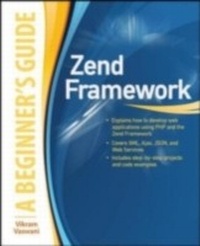
Zend Framework, A Beginner's Guide
1st Edition
Published on 22. July 2010
499 pages
978-0-07-163940-8 (ISBN)
Description

Essential Skills--Made Easy! Leverage the power of the Zend Framework to supercharge your PHP development! Zend Framework: A Beginner's Guide covers key features, including model-view-controller implementation, routing, input validation, internationalization, and caching, and shows you how to use them in a practical context. The book walks you through the process of building a complete Web application with the Zend Framework, starting with the basics and then adding in more complex elements, such as data pagination and sorting, user authentication, exception handling, localization, and Web services. Debugging and performance optimization are also covered in this fast-paced tutorial. Designed for Easy Learning Key Skills & Concepts--Chapter-opening lists of specific skills covered in the chapter Ask the Expert--Q&A sections filled with bonus information and helpful tips Try This--Hands-on exercises that show you how to apply your skills Notes--Extra information related to the topic being covered Tips--Helpful reminders or alternate ways of doing things Cautions--Errors and pitfalls to avoid Annotated Syntax--Example code with commentary that describes the programming techniques being illustrated Read-to-use code at www.zf-beinners-guide.com and www.mhprofessional.com/computingdownload.
More details
Other editions
Additional editions
Vikram Vaswani
Zend Framework, A Beginner's Guide
Book
09/2010
Osborne/McGraw-Hill
€41.50
Article not available at the moment
Content
- Cover Page
- Zend Framework
- Copyright Page
- Contents
- FOREWORD
- ACKNOWLEDGMENTS
- INTRODUCTION
- 1 Introducing the Zend Framework
- Overview
- Features
- Standards Compliance and Best Practices
- Reusability
- Internationalization
- Open Source
- Community Support
- Unique Advantages
- Loose Coupling
- Rapid Release Cycle
- Unit Testing Policy
- Code-Generation Tools
- Market Credibility
- Third-Party Application Interoperability
- Commercial Support Options
- Extensive Documentation
- Application Environment
- Installing the Zend Framework
- Try This 1-1: Starting a New Project
- Understand Application Requirements
- Create the Application Directory
- Create the Application Skeleton
- Add Zend Framework Libraries
- Define Virtual Host Settings
- Using the Command-Line Tool
- Summary
- 2 Working with Models, Views, Controllers, and Routes
- Understanding Basic Concepts
- Models
- Views
- Controllers
- Modules
- Routes
- Layouts
- Understanding Component Interaction
- Looking Behind the Default Index Page
- Understanding the Modular Directory Layout
- Try This 2-1: Using a Modular Directory Layout
- Creating the Default Module
- Updating the Application Configuration File
- Understanding Master Layouts and Custom Routes
- Updating the Application Index Page
- Setting a Master Layout
- Using a Custom Route
- Try This 2-2: Serving Static Content
- Defining Custom Routes
- Defining the Controller
- Defining the View
- Updating the Master Layout
- Summary
- 3 Working with Forms
- Understanding Form Basics
- Creating Forms and Form Elements
- Working with Form Elements
- Setting Required and Default Values
- Filtering and Validating Form Input
- Using Input Filters
- Using Input Validators
- Retrieving and Processing Form Input
- Try This 3-1: Creating a Contact Form
- Defining the Form
- Using a Custom Namespace
- Defining a Custom Route
- Defining Controllers and Views
- Updating the Master Layout
- Customizing Form Appearance
- Using Custom Error Messages
- Using Display Groups
- Using Decorators
- Summary
- 4 Working with Models
- Understanding Models
- Model Patterns
- Model Scope
- Installing Doctrine
- Try This 4-1: Generating and Integrating Doctrine Models
- Initializing the Application Database
- Generating Doctrine Models
- Setting Model Relationships
- Autoloading Doctrine
- Working with Doctrine Models
- Retrieving Records
- Adding, Updating, and Deleting Records
- Try This 4-2: Retrieving Database Records
- Creating a New Module
- Defining a Custom Route
- Defining the Controller
- Defining the View
- Summary
- 5 Handling CRUD Operations
- Try This 5-1: Creating Database Records
- Defining the Form
- Defining Controllers and Views
- Working with Administrative Actions
- Structure
- Routing
- Layout
- Try This 5-2: Listing, Deleting, and Updating Database Records
- Setting the Administrative Layout
- Defining Custom Routes
- Defining the List Action and View
- Defining the Delete Action
- Defining the Update Form
- Defining the Update Action and View
- Updating the Display Action
- Adding User Authentication
- Try This 5-3: Creating a Login/Logout System
- Defining Custom Routes
- Defining the Login Form
- Defining the Authentication Adapter
- Defining the Login Action and View
- Defining the Logout Action
- Protecting Administrative Actions
- Updating the Master Layout
- Summary
- 6 Indexing, Searching, and Formatting Data
- Try This 6-1:Searching and Filtering Database Records
- Defining the Search Form
- Defining the Controller and View
- Updating the Master Layout
- Adding Full-Text Search
- Indexing Data
- Searching Data
- Try This 6-2: Creating a Full-Text Search Engine
- Defining the Index Location
- Defining Custom Routes
- Defining the Index Action and View
- Updating the Summary View
- Updating the Search Form
- Updating the Search Action and View
- Handling Multiple Output Types
- Try This 6-3: Expressing Search Results in XML
- Enabling the XML Context
- Defining the XML View
- Summary
- 7 Paging, Sorting, and Uploading Data
- Try This 7-1: Paging and Sorting Database Records
- Adding Page Numbers to Routes
- Updating the Index Controller and View
- Adding Sort Criteria to Routes
- Updating the Controller and View
- Working with File Uploads
- Try This 7-2: Enabling Image Uploads
- Defining the Upload Destination
- Updating the Form Definition
- Updating the Create Action
- Updating the Display Action and View
- Updating the Delete Action
- Working with Configuration Data
- Reading Configuration Files
- Writing Configuration Files
- Try This 7-3: Configuring Application Settings
- Defining the Configuration Form
- Defining the Configuration File
- Defining Custom Routes
- Defining the Controller and View
- Updating the Master Layout
- Using Configuration Data
- Summary
- 8 Logging and Debugging Exceptions
- Understanding Exceptions
- Understanding the Default Error-Handling Process
- Using Custom Exception Classes
- Controlling Exception Visibility
- Try This 8-1: Creating a Custom Error Page
- Logging Data
- Writing Log Messages
- Adding Data to Log Messages
- Formatting Log Messages
- Try This 8-2: Logging Application Exceptions
- Defining the Log Location
- Defining the Database Log Writer
- Updating the Error Controller
- Summary
- 9 Understanding Application Localization
- Understanding Localization and Locales
- Setting the Application Locale
- Localizing Numbers
- Localizing Dates and Times
- Localizing Currencies
- Localizing Measurements
- Localizing Strings
- Working with Adapters and Data Sources
- Using the Application Locale
- Using the Translation View Helper
- Try This 9-1: Localizing the Example Application
- Setting the Application Locale
- Localizing Numbers and Dates
- Defining String Localization Targets
- Creating Translation Sources
- Registering the Translation Object
- Supporting Manual Locale Selection
- Updating the Master Layout
- Summary
- 10 Working with News Feeds and Web Services
- Working with News Feeds
- Understanding News Feed Formats
- Consuming News Feeds
- Creating News Feeds
- Accessing Web Services
- Understanding Web Services
- Consuming Web Services
- Try This 10-1: Integrating Twitter and Blog Search Results
- Defining Custom Routes
- Defining the Controller and View
- Updating the Master Layout
- Creating REST-Based Web Services
- Understanding REST Routes
- Try This 10-2: Implementing REST-Based Web Services
- Creating a New Module
- Defining the Controller
- Defining the GET Actions
- Defining the POST Action
- Initializing the REST Routes
- Summary
- 11 Working with User Interface Elements
- Working with Navigation Structures
- Understanding Pages and Containers
- Rendering Navigational Elements
- Try This 11-1: Adding a Navigation Menu
- Defining Navigation Pages and Containers
- Registering the Navigation Object
- Creating the Navigation Action Helper
- Using the Menu View Helper
- Working with the Dojo Toolkit
- Handling Dojo Data
- Using the Dojo View Helpers
- Using Dojo Form Elements
- Try This 11-2: Adding a Dojo Autocomplete Widget
- Updating the Contact Form
- Initializing the Dojo View Helper
- Updating the Master Layout
- Updating the Controller
- Try This 11-3: Adding a YUI Calendar Widget
- Updating the Form
- Updating the Master Layout
- Updating the Controller
- Updating the View
- Summary
- 12 Optimizing Performance
- Analyzing Performance
- Benchmarking
- Code Profiling
- Query Profiling
- Caching Data
- Understanding Cache Operations
- Understanding Cache Frontends and Backends
- Using the Cache Manager
- Caching Doctrine Queries
- Optimizing Application Code
- Query Tuning
- Lazy Loading
- Try This 12-1: Improving Application Performance
- Configuring the Application Cache
- Caching Translation Strings
- Caching Query Results
- Caching Twitter and Blog Feeds
- Summary
- A Installing and Configuring Required Software
- Obtaining the Software
- Installing and Configuring the Software
- Installing on UNIX
- Installing on Windows
- Testing the Software
- Testing MySQL
- Testing PHP
- Setting the MySQL Superu-User Password
- Summary
- Index
