

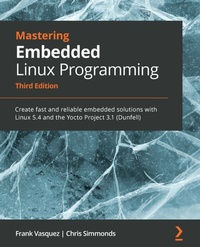
Mastering Embedded Linux Programming
Create fast and reliable embedded solutions with Linux 5.4 and the Yocto Project 3.1 (Dunfell)
3rd Edition
Published on 23. September 2024
758 pages
978-1-78953-511-2 (ISBN)
Description

Build, customize, and deploy Linux-based embedded systems with confidence using Yocto, bootloaders, and build tools
Key Features
Master build systems, toolchains, and kernel integration for embedded Linux
Set up custom Linux distros with Yocto and manage board-specific configurations
Learn real-world debugging, memory handling, and system performance tuning
Book DescriptionIf you're looking for a book that will demystify embedded Linux, then you've come to the right place. Mastering Embedded Linux Programming is a fully comprehensive guide that can serve both as means to learn new things or as a handy reference. The first few chapters of this book will break down the fundamental elements that underpin all embedded Linux projects: the toolchain, the bootloader, the kernel, and the root filesystem. After that, you will learn how to create each of these elements from scratch and automate the process using Buildroot and the Yocto Project. As you progress, the book will show you how to implement an effective storage strategy for flash memory chips and install updates to a device remotely once it's deployed. You'll also learn about the key aspects of writing code for embedded Linux, such as how to access hardware from apps, the implications of writing multi-threaded code, and techniques to manage memory in an efficient way. The final chapters demonstrate how to debug your code, whether it resides in apps or in the Linux kernel itself. You'll also cover the different tracers and profilers that are available for Linux so that you can quickly pinpoint any performance bottlenecks in your system. By the end of this Linux book, you'll be able to create efficient and secure embedded devices using Linux.What you will learn
Use Buildroot and the Yocto Project to create embedded Linux systems
Troubleshoot BitBake build failures and streamline your Yocto development workflow
Update IoT devices securely in the field using Mender or balena
Prototype peripheral additions by reading schematics, modifying device trees, soldering breakout boards, and probing pins with a logic analyzer
Interact with hardware without having to write kernel device drivers
Divide your system up into services supervised by BusyBox runit
Debug devices remotely using GDB and measure the performance of systems using tools such as perf, ftrace, eBPF, and Callgrind
Who this book is forIf you're a systems software engineer or system administrator who wants to learn how to implement Linux on embedded devices, then this book is for you. It's also aimed at embedded systems engineers accustomed to programming for low-power microcontrollers, who can use this book to help make the leap to high-speed systems on chips that can run Linux. Anyone who develops hardware that needs to run Linux will find something useful in this book - but before you get started, you'll need a solid grasp on POSIX standard, C programming, and shell scripting.
Key Features
Master build systems, toolchains, and kernel integration for embedded Linux
Set up custom Linux distros with Yocto and manage board-specific configurations
Learn real-world debugging, memory handling, and system performance tuning
Book DescriptionIf you're looking for a book that will demystify embedded Linux, then you've come to the right place. Mastering Embedded Linux Programming is a fully comprehensive guide that can serve both as means to learn new things or as a handy reference. The first few chapters of this book will break down the fundamental elements that underpin all embedded Linux projects: the toolchain, the bootloader, the kernel, and the root filesystem. After that, you will learn how to create each of these elements from scratch and automate the process using Buildroot and the Yocto Project. As you progress, the book will show you how to implement an effective storage strategy for flash memory chips and install updates to a device remotely once it's deployed. You'll also learn about the key aspects of writing code for embedded Linux, such as how to access hardware from apps, the implications of writing multi-threaded code, and techniques to manage memory in an efficient way. The final chapters demonstrate how to debug your code, whether it resides in apps or in the Linux kernel itself. You'll also cover the different tracers and profilers that are available for Linux so that you can quickly pinpoint any performance bottlenecks in your system. By the end of this Linux book, you'll be able to create efficient and secure embedded devices using Linux.What you will learn
Use Buildroot and the Yocto Project to create embedded Linux systems
Troubleshoot BitBake build failures and streamline your Yocto development workflow
Update IoT devices securely in the field using Mender or balena
Prototype peripheral additions by reading schematics, modifying device trees, soldering breakout boards, and probing pins with a logic analyzer
Interact with hardware without having to write kernel device drivers
Divide your system up into services supervised by BusyBox runit
Debug devices remotely using GDB and measure the performance of systems using tools such as perf, ftrace, eBPF, and Callgrind
Who this book is forIf you're a systems software engineer or system administrator who wants to learn how to implement Linux on embedded devices, then this book is for you. It's also aimed at embedded systems engineers accustomed to programming for low-power microcontrollers, who can use this book to help make the leap to high-speed systems on chips that can run Linux. Anyone who develops hardware that needs to run Linux will find something useful in this book - but before you get started, you'll need a solid grasp on POSIX standard, C programming, and shell scripting.
All prices
More details
Edition
3rd Revised edition
Language
English
Place of publication
Birmingham
United Kingdom
Target group
Professional and scholarly
US School Grade: College Graduate Student
Edition type
Revised edition
Product notice
Reflowable
File size
13,03 MB
ISBN-13
978-1-78953-511-2 (9781789535112)
Copyright in bibliographic data and cover images is held by Nielsen Book Services Limited or by the publishers or by their respective licensors: all rights reserved.
Schweitzer Classification
Other editions
Additional editions
Frank Vasquez | Chris Simmonds
Mastering Embedded Linux Programming
Create fast and reliable embedded solutions with Linux 5.4 and the Yocto Project 3.1 (Dunfell)
Book
05/2021
3rd Edition
Packt Publishing
€81.70
Shipment within 3-4 weeks
Previous edition
E-Book
06/2024
2nd Edition
Packt Publishing Limited
from
€29.99
Available for download
Persons
Vasquez Frank :
Frank Vasquez is an independent software consultant specializing in consumer electronics. He has over a decade of experience designing and building embedded Linux systems. During that time, he has shipped numerous devices including a rackmount DSP audio server, a diver-held sonar camcorder, and a consumer IoT hotspot. Before his career as an embedded Linux engineer, Frank was a database kernel developer at IBM where he worked on DB2. He lives in Silicon Valley.Simmonds Chris :
Chris Simmonds is a software consultant and trainer living in southern England. He has almost two decades of experience in designing and building open-source embedded systems. He is the founder and chief consultant at 2net Ltd, which provides professional training and mentoring services in embedded Linux, Linux device drivers, and Android platform development. He has trained engineers at many of the biggest companies in the embedded world, including ARM, Qualcomm, Intel, Ericsson, and General Dynamics. He is a frequent presenter at open source and embedded conferences, including the Embedded Linux Conference and Embedded World.
Frank Vasquez is an independent software consultant specializing in consumer electronics. He has over a decade of experience designing and building embedded Linux systems. During that time, he has shipped numerous devices including a rackmount DSP audio server, a diver-held sonar camcorder, and a consumer IoT hotspot. Before his career as an embedded Linux engineer, Frank was a database kernel developer at IBM where he worked on DB2. He lives in Silicon Valley.Simmonds Chris :
Chris Simmonds is a software consultant and trainer living in southern England. He has almost two decades of experience in designing and building open-source embedded systems. He is the founder and chief consultant at 2net Ltd, which provides professional training and mentoring services in embedded Linux, Linux device drivers, and Android platform development. He has trained engineers at many of the biggest companies in the embedded world, including ARM, Qualcomm, Intel, Ericsson, and General Dynamics. He is a frequent presenter at open source and embedded conferences, including the Embedded Linux Conference and Embedded World.
Content
Table of Contents
Starting Out
Learning about Toolchains
All about Bootloaders
Configuring and Building the Kernel
Building a Root Filesystem
Selecting a Build System
Developing with Yocto
Yocto Under the Hood
Creating a Storage Strategy
Updating Software in the Field
Interfacing with Device Drivers
Prototyping with Breakout Boards
Starting Up - The init Program
Starting with BusyBox runit
Managing Power
Packaging Python
Learning about Processes and Threads
Managing Memory
Debugging with GDB
Profiling and Tracing
Real-Time Programming
Starting Out
Learning about Toolchains
All about Bootloaders
Configuring and Building the Kernel
Building a Root Filesystem
Selecting a Build System
Developing with Yocto
Yocto Under the Hood
Creating a Storage Strategy
Updating Software in the Field
Interfacing with Device Drivers
Prototyping with Breakout Boards
Starting Up - The init Program
Starting with BusyBox runit
Managing Power
Packaging Python
Learning about Processes and Threads
Managing Memory
Debugging with GDB
Profiling and Tracing
Real-Time Programming
