

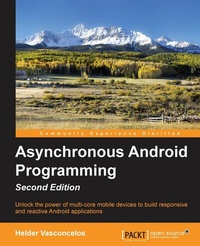
Asynchronous Android Programming
Unlock the power of multi-core mobile devices to build responsive and reactive Android applications
2nd Edition
Published on 8. July 2025
394 pages
978-1-78588-551-8 (ISBN)
Description

Unlock the power of multi-core mobile devices to build responsive and reactive Android applications
Key Features
[*] Construct scalable and performant applications to take advantage of multi-thread asynchronous techniques
[*] Explore the high-level Android asynchronous constructs available on the Android SDK
[*] Choose the most appropriate asynchronous technique to implement your next outstanding feature
Book DescriptionAsynchronous programming has acquired immense importance in Android programming, especially when we want to make use of the number of independent processing units (cores) available on the most recent Android devices. With this guide in your hands you'll be able to bring the power of Asynchronous programming to your own projects, and make your Android apps more powerful than ever before! To start with, we will discuss the details of the Android Process model and the Java Low Level Concurrent Framework, delivered by Android SDK. We will also guide you through the high-level Android-specific constructs available on the SDK: Handler, AsyncTask, and Loader. Next, we will discuss the creation of IntentServices, Bound Services and External Services, which can run in the background even when the user is not interacting with it. You will also discover AlarmManager and JobScheduler APIs, which are used to schedule and defer work without sacrificing the battery life. In a more advanced phase, you will create background tasks that are able to execute CPU-intensive tasks in a native code-making use of the Android NDK. You will be then guided through the process of interacting with remote services asynchronously using the HTTP protocol or Google GCM Platform. Using the EventBus library, we will also show how to use the Publish-Subscribe software pattern to simplify communication between the different Android application components by decoupling the event producer from event consumer. Finally, we will introduce RxJava, a popular asynchronous Java framework used to compose work in a concise and reactive way. Asynchronous Android will help you to build well-behaved applications with smooth responsive user interfaces that delight the users with speedy results and data that's always fresh. What you will learn
[*] Get familiar with the android process model and low-level concurrent constructs delivered by the Android SDK
[*] Use AsyncTask and loader framework to load data in the background, delivering progress results in the meantime
[*] Create services that interact with your activity without compromising the UI rendering
[*] Learn the working of Android concurrency on the Native Layer
[*] Interact with nearby devices over Bluetooth and WiFi communications channels
[*] Create and compose tasks with RxJava to execute complex asynchronous work in a predictable way
[*] Get accustomed to the use of the Android Loader construct to deliver up-to-date results
Who this book is forThis book is for Android developers who want to learn how to build multithreaded and reliable Android applications using high-level and advanced asynchronous techniques and concepts. No prior knowledge of concurrent and asynchronous programming is required. This book will also be great for Java experts who are new to Android. Whether you are a beginner at Android development or a seasoned Android programmer, this book will guide you through the most basic and advanced asynchronous constructs used in Android programming.
Key Features
[*] Construct scalable and performant applications to take advantage of multi-thread asynchronous techniques
[*] Explore the high-level Android asynchronous constructs available on the Android SDK
[*] Choose the most appropriate asynchronous technique to implement your next outstanding feature
Book DescriptionAsynchronous programming has acquired immense importance in Android programming, especially when we want to make use of the number of independent processing units (cores) available on the most recent Android devices. With this guide in your hands you'll be able to bring the power of Asynchronous programming to your own projects, and make your Android apps more powerful than ever before! To start with, we will discuss the details of the Android Process model and the Java Low Level Concurrent Framework, delivered by Android SDK. We will also guide you through the high-level Android-specific constructs available on the SDK: Handler, AsyncTask, and Loader. Next, we will discuss the creation of IntentServices, Bound Services and External Services, which can run in the background even when the user is not interacting with it. You will also discover AlarmManager and JobScheduler APIs, which are used to schedule and defer work without sacrificing the battery life. In a more advanced phase, you will create background tasks that are able to execute CPU-intensive tasks in a native code-making use of the Android NDK. You will be then guided through the process of interacting with remote services asynchronously using the HTTP protocol or Google GCM Platform. Using the EventBus library, we will also show how to use the Publish-Subscribe software pattern to simplify communication between the different Android application components by decoupling the event producer from event consumer. Finally, we will introduce RxJava, a popular asynchronous Java framework used to compose work in a concise and reactive way. Asynchronous Android will help you to build well-behaved applications with smooth responsive user interfaces that delight the users with speedy results and data that's always fresh. What you will learn
[*] Get familiar with the android process model and low-level concurrent constructs delivered by the Android SDK
[*] Use AsyncTask and loader framework to load data in the background, delivering progress results in the meantime
[*] Create services that interact with your activity without compromising the UI rendering
[*] Learn the working of Android concurrency on the Native Layer
[*] Interact with nearby devices over Bluetooth and WiFi communications channels
[*] Create and compose tasks with RxJava to execute complex asynchronous work in a predictable way
[*] Get accustomed to the use of the Android Loader construct to deliver up-to-date results
Who this book is forThis book is for Android developers who want to learn how to build multithreaded and reliable Android applications using high-level and advanced asynchronous techniques and concepts. No prior knowledge of concurrent and asynchronous programming is required. This book will also be great for Java experts who are new to Android. Whether you are a beginner at Android development or a seasoned Android programmer, this book will guide you through the most basic and advanced asynchronous constructs used in Android programming.
All prices
More details
Edition
2nd Revised edition
Language
English
Place of publication
Birmingham
United Kingdom
Target group
Professional and scholarly
US School Grade: College Graduate Student
Edition type
Revised edition
File size
1,79 MB
ISBN-13
978-1-78588-551-8 (9781785885518)
Copyright in bibliographic data and cover images is held by Nielsen Book Services Limited or by the publishers or by their respective licensors: all rights reserved.
Schweitzer Classification
Other editions
Additional editions
Helder Vasconcelos | Steve Liles
Asynchronous Android Programming
Unlock the power of multi-core mobile devices to build responsive and reactive Android applications
Book
07/2016
2nd Edition
Packt Publishing
€63.80
Shipment within 3-4 weeks
Persons
Vasconcelos Helder :
Helder Vasconcelos is a Portuguese Software Engineer based on Dublin, Ireland, with more than 10 years of experience designing and developing real-time/multithreaded Java and C++ applications for the telecommunications and aviation industries. Apart from his day-to-day job, he occupies his spare time building native Android applications for Bearstouch Software and other third-party companies. He graduated with a degree in Electronic and Telecommunications Engineering from the University of Aveiro in January 2006. During his career, he has worked as a Software Engineer for companies such as PT Inovao (Portugal), Airtel ATN (Dublin, Ireland) and Axway (Dublin, Ireland). You can find Hlder on LinkedIn at https://www.linkedin.com/in/heldervasc or on his website at http://hvasconcelos.github.io.Liles Steve :
Steve Liles is a self-confessed geek and has been an Android fan since the launch day of the G1. When he isn't at work building publishing systems and apps for newspapers and magazines, you'll find him tinkering with his own apps, building 3D printers, or playing RTS games. He is currently working with a start-up to build an advertising system that links the print and digital worlds using computer vision on Android and iOS devices.
Helder Vasconcelos is a Portuguese Software Engineer based on Dublin, Ireland, with more than 10 years of experience designing and developing real-time/multithreaded Java and C++ applications for the telecommunications and aviation industries. Apart from his day-to-day job, he occupies his spare time building native Android applications for Bearstouch Software and other third-party companies. He graduated with a degree in Electronic and Telecommunications Engineering from the University of Aveiro in January 2006. During his career, he has worked as a Software Engineer for companies such as PT Inovao (Portugal), Airtel ATN (Dublin, Ireland) and Axway (Dublin, Ireland). You can find Hlder on LinkedIn at https://www.linkedin.com/in/heldervasc or on his website at http://hvasconcelos.github.io.Liles Steve :
Steve Liles is a self-confessed geek and has been an Android fan since the launch day of the G1. When he isn't at work building publishing systems and apps for newspapers and magazines, you'll find him tinkering with his own apps, building 3D printers, or playing RTS games. He is currently working with a start-up to build an advertising system that links the print and digital worlds using computer vision on Android and iOS devices.
Content
Table of Contents
Asynchronous Programming in Android
Performing Work with Looper, Handler and HandlerThread
Exploring the AsyncTask
Exploring Loader
Interacting with Android Services
Scheduling Background Tasks
Exploring JobScheduler API
Interacting with the Network
Performing Tasks on the Native Layer
Handling Realtime Notifications Efficiently
Connecting to Nearby Devices and Peers
Exploring Bus based Communications
Asynchronous Programming in Android
Performing Work with Looper, Handler and HandlerThread
Exploring the AsyncTask
Exploring Loader
Interacting with Android Services
Scheduling Background Tasks
Exploring JobScheduler API
Interacting with the Network
Performing Tasks on the Native Layer
Handling Realtime Notifications Efficiently
Connecting to Nearby Devices and Peers
Exploring Bus based Communications

