

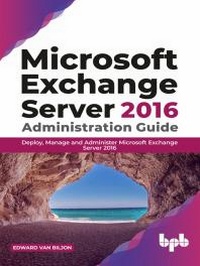
Microsoft Exchange Server 2016 Administration Guide
Deploy, Manage and Administer Microsoft Exchange Server 2016
1st Edition
Published on 21. July 2020
195 pages
978-93-89898-02-6 (ISBN)
Description

No detailed description available for "Microsoft Exchange Server 2016 Administration Guide".
More details
Other editions
Additional editions
Edward Van Biljon
Microsoft Exchange Server 2016 Administration Guide:
Deploy, Manage and Administer Microsoft Exchange Server 2016
Book
07/2020
BPB Publications
€39.80
Available (delivery time upon request)
Content
- Cover Page
- Title Page
- Copyright Page
- Dedication
- About the Author
- Acknowledgement
- Preface
- Errata
- Table of Contents
- 1. Introduction to Exchange 2016
- Structure
- Objectives
- Introduction to Exchange 2016
- Changes in Exchange 2016 vs. 2013 vs. 2010
- Domain requirements
- PrepareAD and PrepareSchema commands
- Coexistence
- Server prerequisites
- Exchange 2016 tools running on Windows 10
- Exchange 2016 tools running on Windows 8.1
- .NET framework
- UCMA 4.0 requirement
- IISCrypto - Understanding protocols to be locked down
- Explaining Cumulative Updates
- Conclusion
- Questions
- 2. Installation of Exchange 2016
- Structure
- Objectives
- Virtual Machine (VM) preparation
- Configuring VM network cards
- IPv4 and IPv6
- Installation of .NET Framework
- Installation of prerequisites for the role you want to install on your 2016 Windows Server
- Installation of UCMA 4.0
- Installation of Exchange 2016
- Conclusion
- Questions
- 3. Post Configuration of Exchange 2016
- Structure
- Objectives
- Launching the Exchange Admin Center (EAC) - Explanation of all tabs
- Recipients
- Permissions
- Compliance management
- Organization
- Protection
- Mail Flow
- Mobile
- Public Folders
- Unified messaging
- Servers
- Hybrid
- Launching the Exchange Management Shell (EMS)
- Server Licensing (Standard vs. Enterprise)
- Send connector creation/configuration
- Receive connector explanation and configuration
- Setup journaling
- Conclusion
- Questions
- 4. Post Configuration Continued
- Structure
- Objectives
- Exchange certificates
- Creating a CSR and installing the SSL certificate
- Certificates - Exporting/Importing PFX file directly into IIS/Exchange
- Export
- Import
- Certificates - Configuring IIS bindings to use your new SSL certificate
- Virtual directories - Configuring your virtual directories
- Conclusion
- Questions
- 5. Client Connectivity
- Structure
- Objectives
- POP3
- IMAP4
- ActiveSync (AS)
- MAPI over HTTP (MAPI)
- Configuration
- Outlook Anywhere (OA)
- EWS (Exchange Web Services)
- Conclusion
- Questions
- 6. Databases and Database Availability Groups
- Structure
- Objectives
- Storage
- Default mailbox database
- Creating mailbox databases using PowerShell vs. using the EAC (Exchange Admin Center)
- Requirements for creating a Database Availability Group (DAG)
- Witness servers and directories.
- Failover clustering
- Activation preference and default move of databases
- Circular logging vs. Backups and the difference
- Circular logging
- Backups
- Conclusion
- Questions
- 7. Public Folders
- Structure
- Objectives
- Public folders in Exchange 2010, Exchange 2013 and Exchange 2016
- Exchange 2013/2016
- High availability for Public Folders
- Migration of Public folders
- Conclusion
- Questions
- 8. Unified Messaging
- Structure
- Objectives
- Unified Messaging in Exchange 2016
- Migration plan for transferring UM to Exchange 2016 from Exchange 2013 or legacy versions of Exchange
- Conclusion
- 9. Migrations
- Structure
- Objectives
- Migration batches in Exchange 2016
- Exchange Admin Center
- PowerShell
- Mailbox Moves in Exchange 2016
- Migration from Exchange 2010 to 2016.
- Corruption in the mailbox and how it affects moves
- Configuration of MRS to speed up mailbox moves
- Conclusion
- Questions
- 10. Exchange Management Shell vs. EAC
- Structure
- Objectives
- WinRM
- Using the Exchange Management Shell, new commands vs. old commands.
- Using the Exchange Admin Center.
- Viewing the commands that run in the background when the links in the EAC are clicked.
- Conclusion
- Questions
- 11. Troubleshooting Common Issues
- Structure
- Objectives
- WinRM errors when launching the Exchange Management Shell (EMS)
- Full Exchange Installation disks due to all the logging
- Error 400 when launching the Exchange Admin Center
- Exchange Server freezing due to backups (Often posted on the forums)
- URL's not configured
- Certificate popups in Outlook
- Cannot receive external email
- Missing/Corrupt Exchange Security Groups in Active Directory
- Anti-Virus Exclusions not set and as a result, it is scanning the .EDB file
- Installing unsupported .NET Framework versions with Windows Updates
- Installation failures and watermarks
- Conclusion
