

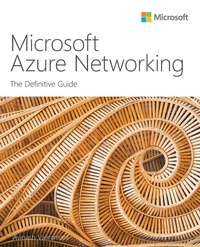
Microsoft Azure Networking
Description

For cloud environments to operate and scale optimally, their networking services must be designed, deployed, and managed well. Now, there's a complete, best-practice guide to doing just that. Writing for everyone involved in delivering Azure workloads and services, leading cloud consultant Avinash Valiramani provides a deep dive and practical field advice for Azure Virtual Networks, Azure VPN Gateways, Azure Load Balancing, Azure Traffic Manager, Azure Firewall, Azure DNS, Azure Bastion, Azure Front Door and more. Whatever your role in delivering efficient, scalable networking services, this guide will help you make the most of your Azure investment.
Leading Azure consultant Avinash Valiramani shows how to:
Use Azure Virtual Networks to establish a backbone for hosting other Azure resources
Provide HTTP/HTTPS load-balancing and routing for web servers and apps through Azure Application Gateway
Connect on-premises and other public networks to Azure for secure communications using the Azure VPN Gateway service
Provide secure load balancing to apps from internal and public networks using Azure Load Balancer services
Integrate Azure Firewall to centrally protect Azure resources across multiple subscriptions
Access globally scaled, fully-managed DNS services with 100% SLA from the closest Azure DNS servers
Provide optimal network routing to the closest application endpoint for public-facing applications with Azure Traffic Manager
Use Microsoft's global edge network along with Azure Front Door to speed up access, harden security and enhance scalability for consuming-facing and internal web applications
Also look for these Definitive Guides to Azure success:
Microsoft Azure Compute: The Definitive Guide
Microsoft Azure Monitoring and Management: The Definitive Guide
Microsoft Azure Storage: The Definitive Guide
More details
Other editions
Additional editions
Person
Avinash Valiramani is an IT Infrastructure and Cloud Architect with more than 15 years of expertise in areas of Microsoft Technologies such as Microsoft Azure, Microsoft 365, Office365, Windows Server, Microsoft Exchange, SCCM, Intune, Hyper-V, and others. He is a certified Architect on Azure and Microsoft365 and primarily helps enterprises globally in their Cloud Roadmap Architecture and Onboarding/Migration Strategies & Implementation. Avinash is publishing four books on Microsoft Azure Best Practices series including this current one, collating real-world experiences to deliver a comprehensive and concise experience for new and budding technologists. Avinash also holds certifications in Barracuda, AWS, Citrix, VMware, and many other IT/Security industry certifications to complement his Microsoft expertise. He has authored a course of Azure Virtual Desktop for Oreilly Media and is planning many others in the coming months. You can follow Avinash on Twitter at @avaliramani.
Content
Chapter 2 Azure Application Gateway
Chapter 3 Azure VPN gateway
Chapter 4 Azure Load Balancer
Chapter 5 Azure Firewall
Chapter 6 Azure DNS
Chapter 7 Azure Traffic Manager
Chapter 8 Azure Front Door
Chapter 9 Azure Bastion
Chapter 10 Azure Private Link
