

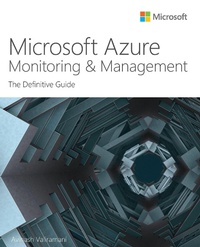
Microsoft Azure Monitoring & Management
The Definitive Guide
1st Edition
Published on 26. December 2022
304 pages
978-0-13-757090-4 (ISBN)
Description

Proven best practices for success with every Azure monitoring and management service
For cloud environments to deliver optimal value, their monitoring and management services must be designed, deployed, and managed well. Leading cloud consultant Avinash Valiramani shows how to simplify administration, reduce downtime, control cost, solve problems faster, and prepare for any workload in any environment. Explore detailed, expert coverage of Azure Backup, Azure Site Recovery, Azure Migrate, Azure Monitor, Azure Network Watcher, Azure Portal, Azure Cloud Shell, Azure Service Health, Azure Cost Management, and more. Whatever your role in delivering efficient, reliable cloud services, this best practice, deep dive guide will help you make the most of your Azure investment.
Leading Azure consultant Avinash Valiramani shows how to:
Back up on-premises, Azure-based, and other cloud workloads for short- and long-term retention
Implement simple, stable, cost-effective business continuity/disaster recovery with Azure Site Recovery
Discover, assess, and migrate diverse workloads to Azure, VMs, web apps, databases, and more
Monitor all Azure applications, VMs, and other deployed services centrally via Azure Monitor
Track, troubleshoot, and optimize networking for IaaS resources
Create and manage anything from single-service solutions to complex multi-service architectures
Run Azure Cloud Shell's cloud-native command line from any device, anywhere
Monitor service health, workload levels, service layer resources, and availability
Also look for these Definitive Guides to Azure success:
Microsoft Azure Compute: The Definitive Guide
Microsoft Azure Networking: The Definitive Guide
Microsoft Azure Storage: The Definitive Guide
For cloud environments to deliver optimal value, their monitoring and management services must be designed, deployed, and managed well. Leading cloud consultant Avinash Valiramani shows how to simplify administration, reduce downtime, control cost, solve problems faster, and prepare for any workload in any environment. Explore detailed, expert coverage of Azure Backup, Azure Site Recovery, Azure Migrate, Azure Monitor, Azure Network Watcher, Azure Portal, Azure Cloud Shell, Azure Service Health, Azure Cost Management, and more. Whatever your role in delivering efficient, reliable cloud services, this best practice, deep dive guide will help you make the most of your Azure investment.
Leading Azure consultant Avinash Valiramani shows how to:
Back up on-premises, Azure-based, and other cloud workloads for short- and long-term retention
Implement simple, stable, cost-effective business continuity/disaster recovery with Azure Site Recovery
Discover, assess, and migrate diverse workloads to Azure, VMs, web apps, databases, and more
Monitor all Azure applications, VMs, and other deployed services centrally via Azure Monitor
Track, troubleshoot, and optimize networking for IaaS resources
Create and manage anything from single-service solutions to complex multi-service architectures
Run Azure Cloud Shell's cloud-native command line from any device, anywhere
Monitor service health, workload levels, service layer resources, and availability
Also look for these Definitive Guides to Azure success:
Microsoft Azure Compute: The Definitive Guide
Microsoft Azure Networking: The Definitive Guide
Microsoft Azure Storage: The Definitive Guide
More details
Series
Edition
1. Auflage
Language
English
Place of publication
Boston
United States
Publishing group
Pearson Education (US)
Target group
Professional and scholarly
File size
14,35 MB
ISBN-13
978-0-13-757090-4 (9780137570904)
Copyright in bibliographic data and cover images is held by Nielsen Book Services Limited or by the publishers or by their respective licensors: all rights reserved.
Schweitzer Classification
Other editions
Additional editions
Avinash Valiramani
Microsoft Azure Monitoring & Management: The Definitive Guide
The Definitive Guide
Book
01/2023
1st Edition
Addison Wesley
€41.49
Shipment within 15-20 days
Person
Avinash Valiramani is an IT Infrastructure and Cloud Architect with more than 16 years of expertise in areas of Microsoft Technologies such as Microsoft Azure, Microsoft 365, Windows Server, Active Directory, Microsoft Exchange, SCCM, Intune, and Hyper-V. He is a certified Architect on Azure Infrastructure, Azure Artificial Intelligence, Azure Security, and Microsoft365. He has been working primarily with large to mid-size enterprises globally in designing their Cloud Architecture, planning migration strategies and executing complex implementations. Avinash is publishing four books as part of the Microsoft Azure Best Practices series, including this current one, collating real-world experiences to deliver a comprehensive and concise experience for new and budding technologists. Avinash also holds certifications in Amazon AWS, Barracuda, Citrix, VMware, and many other IT/Security industry certifications to complement his Microsoft expertise. He has authored a course on Azure Virtual Desktop for O'Reilly Media and is planning many others in the coming months. You can follow Avinash on Twitter at @avaliramani and he will soon be posting frequent blogs on www.avinashvaliramani.com and www.cloudconsulting.services.
Content
Introduction to Azure monitoring and management services
Chapter 1 Azure Backup
Chapter 2 Azure Site Recovery
Chapter 3 Azure Migrate
Chapter 4 Azure Monitor
Chapter 5 Azure Network Watcher
Chapter 6 Azure Portal
Chapter 7 Azure Cloud Shell
Chapter 8 Azure Service Health
Chapter 9 Azure Cost Management
Chapter 1 Azure Backup
Chapter 2 Azure Site Recovery
Chapter 3 Azure Migrate
Chapter 4 Azure Monitor
Chapter 5 Azure Network Watcher
Chapter 6 Azure Portal
Chapter 7 Azure Cloud Shell
Chapter 8 Azure Service Health
Chapter 9 Azure Cost Management
