

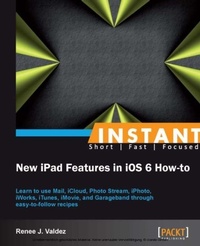
Instant New iPad Features in iOS 6 How-to
Learn to use Mail, iCloud, Photo Stream, iPhoto, iWorks, iTunes, iMovie, and Garageband through easy-to-follow recipes
Published on 13. January 2025
74 pages
978-1-78216-047-2 (ISBN)
Description

Learn to use Mail, iCloud, Photo Stream, iPhoto, iWorks, iTunes, iMovie, and Garageband through easy-to-follow recipes
Key Features
Learn something new in an Instant! A short, fast, focused guide delivering immediate results.
Set up Mail using multiple accounts and a VIP Inbox
Enable iCloud for synchronous use with other Apple devices and programs
Understand Photostream and its key features
Discover the new iPad's suite of apps designed for the ultimate multi-touch experience
Book DescriptionThe new iPad's display and processing power allows for a rich media experience that is unlike any other. Instead of solely consuming media, you can create, edit, and manage everything from Excel documents to HD home movies. The multi-touch interface makes creating and editing intuitive. iCloud syncs documents, movies, music, and images to the cloud for access from all your Apple devices."Instant New iPad Features in iOS 6 How-to" will walk you through iCloud setup, project creations, and syncing. If you want to utilize all that your iPad has to offer, this is the book for you. Exploring Apple's suite of apps designed especially for the iPad, these recipes provide easy to follow steps enabling you to become a power user.You'll begin with the basics; setting up Mail, and managing your photos. Each recipe builds upon previous recipes and by the end of the book, you'll have projects in every app within Apple's media suites.If you're interested in using your iPad to the fullest, this book will cover the major applications developed by Apple and take advantage of all of its features. We begin by setting up email, using the VIP inbox, iCloud, and Photostream within the Photos application. We'll then dig a little deeper and explore iPhoto and iMovie, creating slideshows, and creating a video trailer. Lastly, we'll explore the apps within Apple's iWorks suite, learning how to create and edit documents, spreadsheets, and PowerPoint presentations. We will finish the book with a musical note, exploring iTunes and GarageBand. "Instant New iPad Features in iOS 6 How-to" will walk you through tasks with easy to follow recipes that will give you a great overview on the new iPad and its features. What you will learn
Set up your Mail using a VIP Inbox
Enable iCloud to sync your content across devices
Use Photostream within your Photos app using iCloud
Edit photos and create slideshows using iPhoto
Create a video trailer using iMovie
Explore the apps in the iWorks suite to create and edit documents, spreadsheets, and presentations
Enable iTunes match, using iCloud to sync music from your devices to your iPad
Learn about GarageBand and its vast capabilities, while creating a basic movie trailer
Who this book is for"Instant New iPad Features in iOS 6 How-to" is for anyone somewhat familiar with an iPad but wanting to get an overview of its new features. A basic understanding of touch devices is good but not necessary. The recipes walk you through everything you need to know to accomplish each task. Good for the novice and the expert, there's something in here for everyone.
Key Features
Learn something new in an Instant! A short, fast, focused guide delivering immediate results.
Set up Mail using multiple accounts and a VIP Inbox
Enable iCloud for synchronous use with other Apple devices and programs
Understand Photostream and its key features
Discover the new iPad's suite of apps designed for the ultimate multi-touch experience
Book DescriptionThe new iPad's display and processing power allows for a rich media experience that is unlike any other. Instead of solely consuming media, you can create, edit, and manage everything from Excel documents to HD home movies. The multi-touch interface makes creating and editing intuitive. iCloud syncs documents, movies, music, and images to the cloud for access from all your Apple devices."Instant New iPad Features in iOS 6 How-to" will walk you through iCloud setup, project creations, and syncing. If you want to utilize all that your iPad has to offer, this is the book for you. Exploring Apple's suite of apps designed especially for the iPad, these recipes provide easy to follow steps enabling you to become a power user.You'll begin with the basics; setting up Mail, and managing your photos. Each recipe builds upon previous recipes and by the end of the book, you'll have projects in every app within Apple's media suites.If you're interested in using your iPad to the fullest, this book will cover the major applications developed by Apple and take advantage of all of its features. We begin by setting up email, using the VIP inbox, iCloud, and Photostream within the Photos application. We'll then dig a little deeper and explore iPhoto and iMovie, creating slideshows, and creating a video trailer. Lastly, we'll explore the apps within Apple's iWorks suite, learning how to create and edit documents, spreadsheets, and PowerPoint presentations. We will finish the book with a musical note, exploring iTunes and GarageBand. "Instant New iPad Features in iOS 6 How-to" will walk you through tasks with easy to follow recipes that will give you a great overview on the new iPad and its features. What you will learn
Set up your Mail using a VIP Inbox
Enable iCloud to sync your content across devices
Use Photostream within your Photos app using iCloud
Edit photos and create slideshows using iPhoto
Create a video trailer using iMovie
Explore the apps in the iWorks suite to create and edit documents, spreadsheets, and presentations
Enable iTunes match, using iCloud to sync music from your devices to your iPad
Learn about GarageBand and its vast capabilities, while creating a basic movie trailer
Who this book is for"Instant New iPad Features in iOS 6 How-to" is for anyone somewhat familiar with an iPad but wanting to get an overview of its new features. A basic understanding of touch devices is good but not necessary. The recipes walk you through everything you need to know to accomplish each task. Good for the novice and the expert, there's something in here for everyone.
More details
Edition
Digital original
Language
English
Place of publication
Birmingham
United Kingdom
Target group
Professional and scholarly
US School Grade: College Graduate Student
Edition type
Digital original
File size
4,62 MB
ISBN-13
978-1-78216-047-2 (9781782160472)
Copyright in bibliographic data and cover images is held by Nielsen Book Services Limited or by the publishers or by their respective licensors: all rights reserved.
Schweitzer Classification
Other editions
Additional editions

Renee J. Valdez
The New Ipad: Using New Features in IOS 6 How to
Book
03/2013
Packt Publishing
€21.00
No shipping information available
Person
Valdez Renee :
Renee has been working in the tech industry for over 6 years. Focusing on mobile and tablet media, she's been involved in content delivery and the production of applications across multiple platforms. When she's not tinkering with the latest device, she enjoys music genre theory, cats, and travelling.
Renee has been working in the tech industry for over 6 years. Focusing on mobile and tablet media, she's been involved in content delivery and the production of applications across multiple platforms. When she's not tinkering with the latest device, she enjoys music genre theory, cats, and travelling.
Content
Table of Contents
