

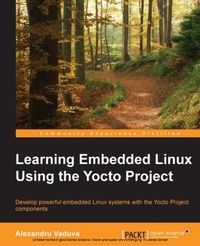
Learning Embedded Linux using the Yocto Project
Develop powerful embedded Linux systems with the Yocto Project components
Published on 13. January 2025
334 pages
978-1-78439-519-3 (ISBN)
Description

Key Features
Book DescriptionIf you are a Yocto and Linux enthusiast who wants to build embedded Linux systems but do not have the knowledge to do it, this is the book for you. It will also help those of you who have a bit of knowledge about Linux and the embedded world and are keen on learning more about the technology. This book will provide you with the skills needed to successfully interact with the Yocto Project components regardless of the fact that you are new to embedded development or an expert.What you will learn
Interact with and customize the bootloader for a board
Use the Yocto Project in the embedded Linux development process
Familiarize yourself with and customize the bootloader for a board
Explore and work with toolchain components such as binutils, gcc, glibc (C libraries), and kernel headers
Interact with a root filesystem for your project and also with meta layers
Discover more about realtime layer, security, virtualization, CGL, and LSB
Identify the Yocto Project components such as Eclipse ADT plugins, and Toaster
Who this book is forIf you are a Yocto and Linux enthusiast who wants to build embedded Linux systems but do not have the knowledge to do it, this is the book for you. It will also help those of you who have a bit of knowledge about Linux and the embedded world and are keen on learning more about the technology. This book will provide you with the skills needed to successfully interact with the Yocto Project components regardless of the fact that you are new to embedded development or an expert.
Book DescriptionIf you are a Yocto and Linux enthusiast who wants to build embedded Linux systems but do not have the knowledge to do it, this is the book for you. It will also help those of you who have a bit of knowledge about Linux and the embedded world and are keen on learning more about the technology. This book will provide you with the skills needed to successfully interact with the Yocto Project components regardless of the fact that you are new to embedded development or an expert.What you will learn
Interact with and customize the bootloader for a board
Use the Yocto Project in the embedded Linux development process
Familiarize yourself with and customize the bootloader for a board
Explore and work with toolchain components such as binutils, gcc, glibc (C libraries), and kernel headers
Interact with a root filesystem for your project and also with meta layers
Discover more about realtime layer, security, virtualization, CGL, and LSB
Identify the Yocto Project components such as Eclipse ADT plugins, and Toaster
Who this book is forIf you are a Yocto and Linux enthusiast who wants to build embedded Linux systems but do not have the knowledge to do it, this is the book for you. It will also help those of you who have a bit of knowledge about Linux and the embedded world and are keen on learning more about the technology. This book will provide you with the skills needed to successfully interact with the Yocto Project components regardless of the fact that you are new to embedded development or an expert.
All prices
More details
Edition
Digital original
Language
English
Place of publication
Birmingham
United Kingdom
Target group
US School Grade: College Graduate Student
Edition type
Digital original
File size
4,48 MB
ISBN-13
978-1-78439-519-3 (9781784395193)
Copyright in bibliographic data and cover images is held by Nielsen Book Services Limited or by the publishers or by their respective licensors: all rights reserved.
Schweitzer Classification
Other editions
Additional editions
Alexandru Vaduva
Learning Embedded Linux using the Yocto Project
Book
06/2015
Packt Publishing
€56.20
Shipment within 3-4 weeks
Person
Alexandru Vaduva is an embedded Linux software engineer whose main focus lies in the field of open source software. He has an inquiring mind and also believes that actions speak louder than words. He is a strong supporter of the idea that there is no need to reinvent the wheel, but there is always room for improvement. He has knowledge of C, Yocto, Linux, Bash, and Python, but he is also open to trying new things and testing new technologies. Alexandru Vaduva has been a reviewer of the book Embedded Linux Development with Yocto Project, Packt Publishing, which is a great asset to the Yocto Project community.
Content
Table of Contents
Introduction to embedded Linux
Cross compiling
Bootloaders
Linux Kernel
Linux root filesystem
Yocto Project components
ADT Eclipse plugins
Hob, Toaster, Autobuilder & Lava
Wic and other tools
Real-time
Security
Virtualization
CGL & LSB
Introduction to embedded Linux
Cross compiling
Bootloaders
Linux Kernel
Linux root filesystem
Yocto Project components
ADT Eclipse plugins
Hob, Toaster, Autobuilder & Lava
Wic and other tools
Real-time
Security
Virtualization
CGL & LSB

