

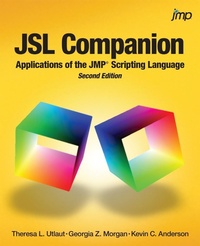
JSL Companion
Description

With more than 200 example scripts and applications, JSL Companion: Applications of the JMP Scripting Language, Second Edition provides scripters with a resource that takes them beyond the basics of the JMP Scripting Language (JSL) and serves as a companion to writing applications. Avid JSL scripters Theresa L. Utlaut, Georgia Z. Morgan, and Kevin C. Anderson have tapped their expertise to write a task-oriented approach that allows readers to learn scripting by immersion.
This edition builds on the earlier edition with substantial new content for scripting enhanced JMP features, such as Graph Builder, new query methods, and enriched display box functionality. A new chapter is dedicated to creating applications with the Add-In Builder and Application Builder. The "Know Your Tools" topic has been expanded, including a section on how to use the JMP Debugger.
The book begins with an introduction that is intended for the JSL novice and quickly moves into the building blocks of JSL, which include input and output, working with data tables, script-writing essentials, and JMP data structures. The next chapters provide the foundation for building an application and focus on creating reports, communicating with users, customizing displays, and writing flexible scripts. The final chapters include building and deploying applications and helpful tips on planning scripts, debugging, and improving performance.
More details
Other editions
Additional editions
Persons
Content
- Intro
- Contents
- About This Book
- Purpose
- Is This Book for You?
- Prerequisites
- Scope of This Book
- How This Book Is Organized
- Typographical Conventions Used in This Book
- Software Used for This Book
- How to Use This Book
- Navigating
- Running the Example Scripts
- PC Versus Mac
- References
- About These Authors
- Acknowledgments
- Getting Started with JSL
- Introduction
- The Power of JMP and JSL
- The Basics
- Create and Run a Script
- Open, Modify, and Save a Script
- Make It Stop!
- The Script Window
- Understand the Features of the Script Window
- Change Script Window Preferences
- The Log Window
- View the Log Window
- Send Messages to the Log Window
- Clear and Save
- Review Error Messages
- Get Help with Your Script
- Let JMP Write Your Script
- Capture a JSL Script from a Report
- Capture By-Groups Analysis
- Capture Table Manipulations
- Get More Help with Your Script
- Objects and Messages
- Reference Objects
- Send a Message
- Punctuation and Spacing
- Use Punctuation
- Use Spacing
- Rules for Naming Variables
- Operators
- Lists: A Bridge to Next-Tier Scripting
- Reading and Saving Data
- Introduction
- Read Data into Data Tables
- Text Files
- Excel Files
- HTML Tables
- Zipped Files
- Other Data File Formats
- Set Column Formats
- Create Data Tables
- Add a List or Matrix of Values to a Data Table
- Close and Save Data Tables
- File Requirements
- Retrieve Data from a Database
- Read Multiple Files in a Directory
- File Selection Functions
- Three Scenarios of File Selection
- Commands for File Selection
- Parse Messy Text Files
- Two-Pass Open Method
- Load Text File
- Parse with Patterns
- Parse XML Files
- Write XML
- Modifying and Combining Data Tables
- Introduction
- Create and Delete Columns
- Data Type and Modeling Type
- Column Values
- Column Formulas
- Example
- A Few Items to Note
- Modify Column Information
- Example
- Column Names
- Data Types
- Modeling Types
- Column Formats
- Column Properties
- Example
- A Few Items to Note
- Row States
- Assign Row States
- Get and Set Row States
- Save and Restore Row States
- A Few Items to Note
- Manipulate and Modify Portions of a Table
- Select and Reference Rows
- Get, Set, and Clear Column and Row Selections
- Assign Values to Selected Rows
- A Few Items to Note
- Data Table Variables, Scripts, and Other Information
- Example
- Important Note
- A Few Items to Note
- Restructure Tables
- Example
- FAQs
- A Few Items to Note
- Subset Tables
- Subset Message Syntax
- Query Method
- A Few Items to Note
- Join Tables
- Using Join
- Inner Join
- Cartesian Join
- Outer Joins
- Left Outer Join
- Duplicate Records
- SQL and Virtual, Natural Joins
- Left Outer Join Using Query
- A Few Items to Note
- Virtual, Natural Join
- Example
- Data Cleansing
- Essentials: Variables, Formats, and Expressions
- Introduction
- Create Variables
- Send Messages
- Evaluate Variables
- Scope Variables
- JMP Functions
- Use Formulas
- Control Formula Evaluation
- An Alternative to Setting Formulas
- Use Variables in Formulas
- Check for Values and Data Types
- Boolean Inquiry Functions
- Type Function
- Conditional Functions
- If Function
- Match Function
- Choose Function
- User-Defined Functions
- Iterate
- For Each Row and Set Each Value
- Summation and Product Functions
- For and While Functions
- Script Timing and Execution
- Use the Wait Function
- Run Formulas
- Control Expression Evaluation
- JMP Dates
- Expressions
- Get Started
- Variables and Formulas
- Dialog Boxes
- Buttons in Interactive Graphs
- Lists, Matrices, and Associative Arrays
- Introduction
- Lists and Their Applications
- Examples and Evaluation
- Reference Items
- Information from Lists
- Manipulate Lists
- Algebra and Special Assignments
- Matrix Structure in JSL
- Manipulate Matrices and Use Operations
- Matrices and Data Tables
- Matrix Examples
- Associative Arrays
- Create an Associative Array
- Remove Items
- Associative Array Applications
- Dictionary
- Enumerating Data Structure
- Reports and Saving Results
- Introduction
- Create an Analysis
- General Syntax
- Reference the Analysis Layer
- ActionChoice Messages
- Boolean Messages
- By and Where
- Use Variable References
- Customize a Curve
- The Report Layer
- Show Tree Structure
- Reference the Report Layer
- Display Box Scripting
- NumberColBox
- OutlineBox
- AxisBox
- Examples
- A Few Items to Note
- Navigate a Report
- Navigation Path Syntax
- Single Analysis Structure and Examples
- Multiple Variable Report Structure
- Extract Information from a Report
- Create Custom Reports
- Scriptable Object and XPath
- Scriptable Object
- XPath
- Save Results
- Save One Report
- Save a Picture or Selection
- Save with By Group
- Save Multiple Analyses with New Window
- Scripting Graph Builder
- Communicating with Users
- Introduction
- Introduction to Dialogs
- Modal Versus Non-Modal Dialogs
- Format of a JMP Dialog Window
- Format of a Custom Dialog
- Messages
- Modal Dialog Window Basics
- Know Your Options
- The Function Column Dialog( )
- Modal Column Dialog Using New Window
- Retrieve User Input
- Non-Modal Dialogs and Interactive Displays
- Interactive Displays
- Design a Platform Window
- Dialog Building Exercise-Know Your Tools
- Deploy User Input
- Put It All Together
- Concerns and Considerations
- Code Structure
- Custom Displays
- Introduction
- Build a Custom Multivariable Display
- Build a Display from the Bottom Up
- JMP Platform( ) Function
- Custom By-Group Analysis without Platform
- Add Scripts to Graphs
- More Graph Customizations
- Interactive Graphs
- Handle and Mousetrap
- Drag Functions
- Writing Flexible Code
- Introduction
- Code for the Task
- Compatibility
- Extensibility
- Maintainability
- Modularity
- Packaging
- Reusability
- Robustness
- Security
- Usability
- Capture Errors
- Anticipate Input Errors-What If?
- Exception Handling with Try and Throw Functions
- Use Namespaces
- Namespaces Are Global
- Expressions in Namespaces
- Deploy JMP Scripts
- Attach and Run Scripts from a Data Table
- JMP Add-Ins
- Menus and Toolbars
- JSL Functions
- Parse Strings and Expressions
- Character Functions
- Retrieve Stored Expressions
- Pattern Matching and Regular Expressions
- Regular Expressions
- Pattern Matching
- Use Expressions and Text as Macros
- FrameBox Customize: Value Versus Reference
- Substitute Versus Substitute Into
- Text Versus Expression Macros
- Functions: Pass By Reference Versus Value
- Function Versus Expression
- Pass By Value
- Pass By Reference
- Return More Than One Value
- Call SAS, MATLAB, and R from JSL
- Call R
- Call Other Programs from JSL
- Load DLL
- Run Program
- Building Applications
- Introduction
- Converting a Script to an Add-In
- Add-In Builder
- Application Builder Basics
- Introduction - The Control Panel
- Application Builder Menu
- The Application Builder Script
- Building a Custom Application
- Helpful Tips
- Introduction
- Lay Out Your Code
- Learn from Your Mistakes
- Format
- Syntax
- Programming
- Error Checking
- Debug Your Scripts
- Some Tips
- JMP Debugger
- Performance
- Some Tips
- Test Performance
- Pass By Reference Versus Pass By Value in Functions
- List of Scripts
- Index
