

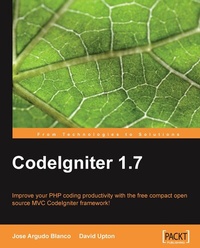
CodeIgniter 1.7
Improve your PHP coding productivity with the free compact open-source MVC CodeIgniter framework!
1st Edition
Published on 13. January 2025
300 pages
978-1-84719-949-2 (ISBN)
Description

Improve your PHP coding productivity with the free compact open-source MVC CodeIgniter framework!Key Features - Clear, structured tutorial on working with CodeIgniter for rapid PHP application development
- Careful explanation of the basic concepts of CodeIgniter and its MVC architecture
- Use CodeIgniter with databases, HTML forms, files, images, sessions, and email
- Full of ideas and examples with instructions making it ideal for beginners to CodeIgniter
Book DescriptionCodeIgniter (CI) is a powerful open-source PHP framework with a very small footprint, built for PHP coders who need a simple and elegant toolkit to create full-featured web applications. CodeIgniter is an MVC framework, similar in some ways to the Rails framework for Ruby, and is designed to enable, not overwhelm. This book explains how to work with CodeIgniter in a clear logical way. It is not a detailed guide to the syntax of CodeIgniter, but makes an ideal complement to the existing online CodeIgniter user guide, helping you grasp the bigger picture and bringing together many ideas to get your application development started as smoothly as possible. This book will start you from the basics, installing CodeIgniter, understanding its structure and the MVC pattern. You will also learn how to use some of the most important CodeIgniter libraries and helpers, upload it to a shared server, and take care of the most common problems. If you are new to CodeIgniter, this book will guide you from bottom to top. If you are an experienced developer or already know about CodeIgniter, here you will find ideas and code examples to compare to your own.What you will learn - Download, install, and configure a CodeIgniter site and learn how to use mod_rewrite to generate better URLs
- Organize a dynamic web site using the Model-View-Controller (MVC) pattern
- Simplify your database access by integrating databases such as MySQL
- Make your site more robust and professional by using CI s built-in classes
- Understand the structure of a CI site and its object-oriented aspects
- Reduce the code necessary to create a form using form helper ñ one of the fine features of CodeIgniter
- Take any library or code, from your previous work, third-party code, etc. and put it to use inside CodeIgniter
- Generate Create, Update, Delete, and Read (C.R.U.D) entries on each database table
- Create multi-language sites, handle files, images, sessions, and send email easily with the help of CI
- Work with files easily ñ upload them, download them, and put them into a Zip file
- Test your code with error handling, unit testing, benchmarking, and profiling with the help of CI
- Build a dynamic web site quickly and easily using CodeIgniter s prepared code
Who this book is forThis book is for developers who are new to CodeIgniter. Basic skills in PHP and MySQL are required, but only rudimentary object-oriented knowledge is needed. If you're looking for a better way to develop PHP applications, or want to find out more about the CodeIgniter framework as a viable option for one of your own projects, this book will help you.
- Careful explanation of the basic concepts of CodeIgniter and its MVC architecture
- Use CodeIgniter with databases, HTML forms, files, images, sessions, and email
- Full of ideas and examples with instructions making it ideal for beginners to CodeIgniter
Book DescriptionCodeIgniter (CI) is a powerful open-source PHP framework with a very small footprint, built for PHP coders who need a simple and elegant toolkit to create full-featured web applications. CodeIgniter is an MVC framework, similar in some ways to the Rails framework for Ruby, and is designed to enable, not overwhelm. This book explains how to work with CodeIgniter in a clear logical way. It is not a detailed guide to the syntax of CodeIgniter, but makes an ideal complement to the existing online CodeIgniter user guide, helping you grasp the bigger picture and bringing together many ideas to get your application development started as smoothly as possible. This book will start you from the basics, installing CodeIgniter, understanding its structure and the MVC pattern. You will also learn how to use some of the most important CodeIgniter libraries and helpers, upload it to a shared server, and take care of the most common problems. If you are new to CodeIgniter, this book will guide you from bottom to top. If you are an experienced developer or already know about CodeIgniter, here you will find ideas and code examples to compare to your own.What you will learn - Download, install, and configure a CodeIgniter site and learn how to use mod_rewrite to generate better URLs
- Organize a dynamic web site using the Model-View-Controller (MVC) pattern
- Simplify your database access by integrating databases such as MySQL
- Make your site more robust and professional by using CI s built-in classes
- Understand the structure of a CI site and its object-oriented aspects
- Reduce the code necessary to create a form using form helper ñ one of the fine features of CodeIgniter
- Take any library or code, from your previous work, third-party code, etc. and put it to use inside CodeIgniter
- Generate Create, Update, Delete, and Read (C.R.U.D) entries on each database table
- Create multi-language sites, handle files, images, sessions, and send email easily with the help of CI
- Work with files easily ñ upload them, download them, and put them into a Zip file
- Test your code with error handling, unit testing, benchmarking, and profiling with the help of CI
- Build a dynamic web site quickly and easily using CodeIgniter s prepared code
Who this book is forThis book is for developers who are new to CodeIgniter. Basic skills in PHP and MySQL are required, but only rudimentary object-oriented knowledge is needed. If you're looking for a better way to develop PHP applications, or want to find out more about the CodeIgniter framework as a viable option for one of your own projects, this book will help you.
All prices
More details
Other editions
Additional editions
Jose Argudo | Jose Argudo Blanco
Codeigniter 1.7
Book
11/2009
Packt Publishing
€51.10
Shipment within 3-4 weeks
Content
- Intro
- CodeIgniter 1.7
- Table of Contents
- CodeIgniter 1.7
- Credits
- About the Authors
- About the Reviewer
- Preface
- What this book covers
- What you need for this book
- Who this book is for
- Conventions
- Reader feedback
- Customer support
- Downloading the example code for the book
- Errata
- Piracy
- Questions
- 1. Introduction to CodeIgniter
- What can CodeIgniter do for you?
- Save time
- Make your site more robust
- Keep your links up-to-date automatically
- Preventing database SQL injection attacks and form prepping
- Protect your site from XSS attacks
- Make your code bolder
- Send email attachments without hassles
- Save bandwidth by zipping files that users need to download
- What CI doesn't do
- Yes, but.what is CodeIgniter? What are frameworks?
- Comparing CI to other open source solutions (CakePHP and Joomla!)
- What to choose
- License
- Summary
- 2. Setting up a CodeIgniter Site
- Prerequisites
- Installing CodeIgniter
- Exploring the file structure
- Does it work?-checking our CI installation
- The configuration file
- Autoloading libraries, helpers, and so on
- Mod rewrite and apache .htaccess to achieve nice URL rewrites
- Moving the application directory and the system directory-benefits
- Summary
- 3. Navigating Your Site
- MVC: Model-View-Controller
- But how does all this work?
- The welcome controller
- Working with views
- The default controller
- CodeIgniter syntax rules
- Controller
- View
- Types of files or classes on a CI site
- Designing a better view
- Designing a better controller
- Getting parameters to a function
- Passing data to a view
- How CI classes pass information and control to each other
- Calling views
- Calling functions directly
- Interacting with controllers
- An example of a CI helper-the URL helper
- A simple library example-creating a menu
- Summary
- 4. Using CI to Simplify Databases
- Configuration settings
- Designing the database for our site
- Active Record
- Advantages of using the Active Record class
- Saving time
- Automatic functionality
- Read queries
- Displaying query results
- Create and update queries
- Delete queries
- Mixing Active Record and "classic" styles
- Dealing with complex queries
- Summary
- Chapter appendix: MySQL query to set up the website's database
- 5. Simplifying HTML Pages and Forms
- Writing a view
- Long and short PHP syntax and other CodeIgniter style guidelines
- File format
- PHP closing tag
- Nesting views
- Practical issues of site architecture
- CI's form helper-entering data
- Form helper advantage one: Clarity
- Form helper advantage two: Automation
- My display model
- CI's form validation class: Checking data easily
- Setting up validation
- Setting up the controller
- Setting up forms
- Let's pack it all together
- Summary
- 6. Simplifying Sessions and Security
- Continuing with our practical site using CI
- Moving around the site
- Security/Sessions: Using another CI library class
- Turning sessions into security
- But what about logout?
- Isn't there anything already built?
- Security
- Summary
- 7. CodeIgniter and Objects
- Object-oriented programming
- The CI super-object
- Copying by reference
- Adding your own code to the CI super-object
- Problems with the CI super-object
- Summary
- 8. Improving Our Application with Third-Party Code
- Creating a helper
- Creating a library
- Sitemap
- Explanation for My_Parser.php
- Google charts plugin
- Summary
- 9. Using CI to Communicate
- Using the FTP class to test remote files
- Machines talking to machines again: XML-RPC
- Getting the XML-RPC server and client in touch with each other
- Formatting XML-RPC exchanges
- Debugging
- Issues with XML-RPC
- Talking to humans for a change-the email class
- Summary
- 10. How CI Helps to Provide Dynamic Information
- The date helper-converting and localizing dates
- The Calendar class
- Working with text-the text helper
- Going international-the Language class
- Making HTML tables the easy way-the Table class
- Caching pages
- Summary
- 11. Using CI to Handle Files and Images
- The file helper
- The download helper
- The file upload class and CI's image class
- CI's image class
- Easy file compression with CI's zip class
- Summary
- 12. Moving Your Site to the WWW
- Errors and error pages
- So, should we update if a new version of CI comes out?
- Steps/advice to follow when updating our CI version
- Summary
- 13. CRUD-or Putting It All Together
- Building our CRUD controller, model, and views
- Upgrading our CRUD
- Pagination class
- Putting some order into our records
- Summary
- 14. The Verdict on CI
- Organizing the files of our site
- Organizing the logic of our site
- A model
- A controller
- A view
- Centralized configuration
- Code conventions
- Database tools
- Simpler and more powerful code
- Adding security to our site
- Making our site more scalable and our code more reusable
- Documentation and community
- Summarizing all that CI offers
- Summary
- 15. Resources and Extensions
- CI's user forums
- Video tutorials
- Available plugins and libraries
- AJAX or JavaScript
- Authentication
- PDF generation
- Comparisons: Which charting library to use?
- HTML purifier
- CRUD-the final frontier
- Invoicing
- Additional resources
- Some books that could help
- Resources for other programs: XAMPP Lite, MySQL, and PHP
- Summary
- A. Appendix
- What we need to use the library
- Adding products to the cart
- Showing the cart to our clients
- Summary
- Index

