

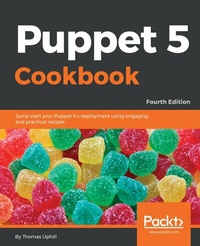
Puppet 5 Cookbook
Jump start your Puppet 5.x deployment using engaging and practical recipes
4th Edition
Published on 23. September 2024
394 pages
978-1-78862-750-4 (ISBN)
Description

Write custom plugins for Puppet, including facts, providers, and functionsKey Features - Grasp recipes that work with centralized and decentralized deployments
- Explore language differences and enhancements anticipated in Puppet version 5.x
- Gain expert understanding of Puppet's latest and most advanced features
Book DescriptionPuppet is a configuration management system that automates all your IT configurations, giving you control of managing each node. Puppet 5 Cookbook will take you through Puppet's latest and most advanced features, including Docker containers, Hiera, and AWS Cloud Orchestration. Updated with the latest advancements and best practices, this book delves into various aspects of writing good Puppet code, which includes using Puppet community style, checking your manifests with puppet-lint, and learning community best practices with an emphasis on real-world implementation. You will learn to set up, install, and create your first manifests with version control, and also learn about various sysadmin tasks, including managing configuration files, using Augeas, and generating files from snippets and templates. As the book progresses, you'll explore virtual resources and use Puppet's resource scheduling and auditing features. In the concluding chapters, you'll walk through managing applications and writing your own resource types, providers, and external node classifiers. By the end of this book, you will have learned to report, log, and debug your system.What you will learn - Discover the latest and most advanced features of Puppet
- Master techniques to deal with centralized and decentralized Puppet deployments
- Use exported resources and forge modules to configure and deploy applications
- Create efficient manifests to streamline your deployments
- Automate deployment of puppet environment using git-hooks
- Deploy AWS instances and Docker containers with Puppet
- Make Puppet reliable, performant, and scalable
Who this book is forPuppet 5 Cookbook is for anyone who builds and administers servers, especially in a web operations context. You'll need some experience of Linux systems administration, including familiarity with the command line, filesystem, and text editing. No prior programming experience is required.
- Explore language differences and enhancements anticipated in Puppet version 5.x
- Gain expert understanding of Puppet's latest and most advanced features
Book DescriptionPuppet is a configuration management system that automates all your IT configurations, giving you control of managing each node. Puppet 5 Cookbook will take you through Puppet's latest and most advanced features, including Docker containers, Hiera, and AWS Cloud Orchestration. Updated with the latest advancements and best practices, this book delves into various aspects of writing good Puppet code, which includes using Puppet community style, checking your manifests with puppet-lint, and learning community best practices with an emphasis on real-world implementation. You will learn to set up, install, and create your first manifests with version control, and also learn about various sysadmin tasks, including managing configuration files, using Augeas, and generating files from snippets and templates. As the book progresses, you'll explore virtual resources and use Puppet's resource scheduling and auditing features. In the concluding chapters, you'll walk through managing applications and writing your own resource types, providers, and external node classifiers. By the end of this book, you will have learned to report, log, and debug your system.What you will learn - Discover the latest and most advanced features of Puppet
- Master techniques to deal with centralized and decentralized Puppet deployments
- Use exported resources and forge modules to configure and deploy applications
- Create efficient manifests to streamline your deployments
- Automate deployment of puppet environment using git-hooks
- Deploy AWS instances and Docker containers with Puppet
- Make Puppet reliable, performant, and scalable
Who this book is forPuppet 5 Cookbook is for anyone who builds and administers servers, especially in a web operations context. You'll need some experience of Linux systems administration, including familiarity with the command line, filesystem, and text editing. No prior programming experience is required.
More details
Other editions
Additional editions
Thomas Uphill
Puppet 5 Cookbook - Fourth Edition
Book
05/2018
Packt Publishing
€56.80
Shipment within 3-4 weeks
Person
Uphill Thomas :
Thomas Uphill (https://www.linkedin.com/in/thomasuphill) is a long-time user of Puppet. He has presented Puppet tutorials at LOPSA-East, Cascada, and PuppetConf. He has also been a system administrator for over 20 years, working primarily with RedHat systems; he is currently a RedHat Certified Architect (RHCA). When not running the Puppet User Group of Seattle (PUGS), he volunteers for the LOPSA board and his local LOPSA chapter, SASAG. He blogs at http://ramblings.narrabilis.com.
Thomas Uphill (https://www.linkedin.com/in/thomasuphill) is a long-time user of Puppet. He has presented Puppet tutorials at LOPSA-East, Cascada, and PuppetConf. He has also been a system administrator for over 20 years, working primarily with RedHat systems; he is currently a RedHat Certified Architect (RHCA). When not running the Puppet User Group of Seattle (PUGS), he volunteers for the LOPSA board and his local LOPSA chapter, SASAG. He blogs at http://ramblings.narrabilis.com.
Content
Table of Contents - Puppet Language and Style
- Puppet Infrastructure
- Writing Better Manifests
- Working with Files and Packages
- Users and Virtual Resources
- Managing Resources and Files
- Managing Applications
- Servers and Cloud Infrastructure
- External Tools and the Puppet Ecosystem
- Monitoring, Reporting, and Troubleshooting
- Puppet Infrastructure
- Writing Better Manifests
- Working with Files and Packages
- Users and Virtual Resources
- Managing Resources and Files
- Managing Applications
- Servers and Cloud Infrastructure
- External Tools and the Puppet Ecosystem
- Monitoring, Reporting, and Troubleshooting
