

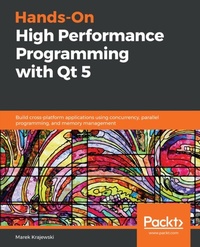
Hands-On High Performance Programming with Qt 5
Build cross-platform applications using concurrency, parallel programming, and memory management
1st Edition
Published on 31. January 2019
384 pages
978-1-78953-330-9 (ISBN)
Description

Build efficient and fast Qt applications, target performance problems, and discover solutions to refine your codeKey FeaturesBuild efficient and concurrent applications in Qt to create cross-platform applicationsIdentify performance bottlenecks and apply the correct algorithm to improve application performanceDelve into parallel programming and memory management to optimize your codeBook DescriptionAchieving efficient code through performance tuning is one of the key challenges faced by many programmers. This book looks at Qt programming from a performance perspective. You'll explore the performance problems encountered when using the Qt framework and means and ways to resolve them and optimize performance.The book highlights performance improvements and new features released in Qt 5.9, Qt 5.11, and 5.12 (LTE). You'll master general computer performance best practices and tools, which can help you identify the reasons behind low performance, and the most common performance pitfalls experienced when using the Qt framework. In the following chapters, you'll explore multithreading and asynchronous programming with C++ and Qt and learn the importance and efficient use of data structures. You'll also get the opportunity to work through techniques such as memory management and design guidelines, which are essential to improve application performance. Comprehensive sections that cover all these concepts will prepare you for gaining hands-on experience of some of Qt's most exciting application fields - the mobile and embedded development domains. By the end of this book, you'll be ready to build Qt applications that are more efficient, concurrent, and performance-oriented in natureWhat you will learnUnderstand classic performance best practicesGet to grips with modern hardware architecture and its performance impactImplement tools and procedures used in performance optimizationGrasp Qt-specific work techniques for graphical user interface (GUI) and platform programmingMake Transmission Control Protocol (TCP) and Hypertext Transfer Protocol (HTTP) performant and use the relevant Qt classesDiscover the improvements Qt 5.9 (and the upcoming versions) holds in storeExplore Qt's graphic engine architecture, strengths, and weaknessesWho this book is forThis book is designed for Qt developers who wish to build highly performance applications for desktop and embedded devices. Programming Experience with C++ is required.
All prices
More details
Other editions
Additional editions
Marek Krajewski
Hands-On High Performance Programming with Qt 5
Build cross-platform applications using concurrency, parallel programming, and memory management
Book
01/2019
Packt Publishing
€56.80
Shipment within 3-4 weeks
Content
- Cover
- Title Page
- Copyright and Credits
- Dedication
- About Packt
- Contributors
- Table of Contents
- Preface
- Chapter 1: Understanding Performant Programs
- Why performance is important
- The price of performance optimization
- Traditional wisdom and basic guidelines
- Avoiding repeated computation
- Avoiding paying the high price
- Avoiding copying data around
- General performance optimization approach
- Modern processor architectures
- Caches
- Pipelining
- Speculative execution and branch prediction
- Out-of-order execution
- Multicore
- Additional instruction sets
- Impact on performance
- Keeping your caches hot
- Don't confuse your branch predictor
- Parallelizing your application
- Summary
- Questions
- Further reading
- Chapter 2: Profiling to Find Bottlenecks
- Types of profilers
- Instrumenting profilers
- Sampling profilers
- External counters
- Note on Read Time-Stamp Counter
- Platform and tools
- Development environment
- Profiling tools
- Just use gprof?
- Windows system tools
- Program profiling tools
- Visualizing performance data
- Memory tools
- Profiling CPU usage
- Poor man's sampling technique
- Using Qt Creator's QML profiler
- Using standalone CPU profilers
- Reiterating sampling profiling's limitations
- Investigating memory usage
- Poor man's memory profiling
- Using Qt Creator's heob integration
- Manual instrumentation and benchmarks
- Debug outputs
- Benchmarks
- Benchmarks in regression testing
- Manual instrumentation
- Further advanced tools
- Event Tracing for Windows (ETW) and xperf
- Installation
- Recording and visualizing traces
- Conclusion
- GammaRay
- Building GammaRay
- When can we use it?
- Other tools
- Graphic profilers
- Commercial Intel tools
- Visual Studio tools
- Summary
- Questions
- Chapter 3: Deep Dive into C++ and Performance
- C++ philosophy and design
- Problems with exceptions
- Run-time overheads
- Non-determinism
- RTTI
- Conclusion
- Virtual functions
- Traditional C++ optimizations
- Low-hanging fruit
- Temporaries
- Return values and RVO
- Conversions
- Memory management
- Basic truths
- Replacing the global memory manager
- Custom memory allocators
- Where they do make sense
- Stack allocators
- Conclusion
- Custom STL allocators
- Template trickery
- Template computations
- Expression templates
- CRTP for static polymorphism
- Removing branches
- C++11/14/17 and performance
- Move semantics
- Passing by value fashionable again
- Compile time computations
- Other improvements
- What your compiler can do for you
- Examples of compiler tricks
- More on compiler optimizations
- Inlining of functions
- Loop unrolling and vectorization
- What compilers do not like
- Aliasing
- External functions
- How can you help the compiler?
- Profile Guided Optimization
- When compilers get overzealous
- Optimization tools beyond compiler
- Link time optimization and link time code generation
- Workaround - unity builds
- Beyond linkers
- Summary
- Questions
- Further reading
- Chapter 4: Using Data Structures and Algorithms Efficiently
- Algorithms, data structures, and performance
- Algorithm classes
- Algorithmic complexity warning
- Types of data structures
- Arrays
- Lists
- Trees
- Hash tables
- Using Qt containers
- General design
- Implicit sharing
- Relocatability
- Container classes overview
- Basic Qt containers
- QList
- QVarLengthArray
- QCache
- C++11 features
- Memory management
- Should we use Qt containers?
- Qt algorithms, iterators, and gotchas
- Iterators and iterations
- Gotcha - accidental deep copies
- Working with strings
- Qt string classes
- QByteArray
- QString
- QStringBuilder
- Substring classes
- More string advice
- Interning
- Hashing
- Searching substrings
- Fixing the size
- Optimizing with algorithms and data structures
- Optimizing with algorithms
- Reusing other people's work
- Optimizing with data structures
- Be cache-friendly
- Flatten your data structures
- Improve access patterns
- Structure of arrays
- Polymorphism avoidance
- Hot-cold data separation
- Use a custom allocator
- Fixed size containers
- Write your own
- Summary
- Questions
- Further reading
- Chapter 5: An In-Depth Guide to Concurrency and Multithreading
- Concurrency, parallelism, and multithreading
- Problems with threads
- More problems - false sharing
- Threading support classes in Qt
- Threads
- Mutexes
- Condition variables
- Atomic variables
- Thread local storage
- Q_GLOBAL_STATIC
- Threads, events, and QObjects
- Events and event loop
- QThreads and object affinities
- Getting rid of the QThread class
- Thread safety of Qt objects
- Higher level Qt concurrency mechanisms
- QThreadPool
- QFuture
- QFutureInterface
- Should we use it?
- Map, filter, and reduce
- Which concurrency class should I use?
- Multithreading and performance
- Costs of multithreading
- Thread costs
- Synchronization costs
- QMutex implementation and performance
- Atomic operation costs
- Memory allocation costs
- Qt's signals and slots performance
- Speeding up programs with threads
- Do not block the GUI thread
- Use the correct number of threads
- Avoid thread creation and switching cost
- Avoid locking costs
- Fine-grained locks
- Lock coarsening
- Duplicate or partition resources
- Use concurrent data structures
- Know your concurrent access patterns
- Do not share any data
- Double-checked locking and a note on static objects
- Just switch to lock-free and be fine?
- Lock-free performance
- Progress guarantees
- Messing with thread scheduling?
- Use a share nothing architecture
- Implementing a worker thread
- Active object pattern
- Command queue pattern
- Beyond threading
- User-space scheduling
- Transactional memory
- Continuations
- Coroutines
- Summary
- Questions
- Further reading
- Chapter 6: Performance Failures and How to Overcome Them
- Linear search storm
- Context
- Problem
- Solution
- Conclusion
- Results dialog window opening very slowly
- Context
- Problem
- Solution
- Conclusion
- Increasing HTTP file transfer times
- Context
- Problem
- Solution
- Conclusion
- Loading SVGs
- Context
- Problem
- Solution
- Conclusion
- Quadratic algorithm trap
- Context
- Problem
- Solution
- Conclusion
- Stalls when displaying widget with QML contents
- Context
- Problem
- Solution
- Conclusion
- Too many items in view
- Context
- Problem
- Solution
- Conclusion
- Two program startup stories
- Time system calls
- Font cache
- Conclusion
- Hardware shutting down after an error message
- Context
- Problem
- Solution
- Conclusion
- Overly generic design
- Context
- Problem
- Solution
- Conclusion
- Other examples
- Summary
- Questions
- Further reading
- Chapter 7: Understanding I/O Performance and Overcoming Related Problems
- Reading and writing files in Qt
- Basics of file I/O performance
- Buffering and flushing
- Tied and synchronized streams
- Reading and writing
- Seeking
- Caching files
- Qt's I/O classes
- QFile
- QTextStream and QDataStream
- Other helper I/O classes
- QDebug and friends
- Parsing XML and JSON at the speed of light
- QtXml classes
- QDomDocument
- QXmlSimpleReader
- New stream classes in QtCore
- Quick parsing of XML
- Reading JSON
- QJsonDocument's performance
- Connecting databases
- Basic example using SQLite
- Some performance considerations
- More about operating system interactions
- Paging, swapping, and the TLB
- Reading from disk
- Completion ports
- Summary
- Questions
- Further reading
- Chapter 8: Optimizing Graphical Performance
- Introduction to graphics performance
- Graphics hardware's inner workings
- What is a GPU?
- OpenGL pipeline model
- Performance of the graphics pipeline
- CPU problems
- Data transfer optimization
- Costly GPU operations
- Newer graphics programming APIs
- Qt graphics architecture and its history
- The graphics API Zoo
- Qt Widget
- QGraphicalView
- QOpenGLWidget
- QVulkanWindow
- Qt Quick
- QtQuick Controls 1 and 2
- Extending QML
- Canvas 2D
- QQuickPaintedItem
- QQuickItem
- QQuickFrameBufferObject
- More APIs
- Qt 3D
- OpenGL drivers and Qt
- Graphic drivers and performance
- Setting the OpenGL implementation for QML
- Qt Widget's performance
- QPainter
- Images
- Optimized calls
- OpenGL rendering with QOpenGLWidget
- Images
- Threading and context sharing
- Usage of QPainter
- QGraphicsView
- Model/view framework
- QML performance
- Improvements in 5.9 and beyond
- Measuring QML performance
- Startup of a QML application
- QML rendering
- Scene graph optimizations
- Scene graph and threading
- Scene graph performance gotchas
- Batching
- Texture atlas
- Occlusion, blending, and other costly operations
- Antialiasing
- Use caching
- Which QML custom item should you choose?
- JavaScript usage
- Qt Quick Controls
- Other modules
- Qt 3D performance
- Hybrid web applications
- Summary
- Questions
- Further reading
- Chapter 9: Optimizing Network Performance
- Introduction to networking
- Transport layer
- User Datagram Protocol (UDP)
- Transmission Control Protocol (TCP)
- A better TCP?
- Application layer
- Domain Name Service (DNS)
- HyperText Transfer Protocol (HTTP)
- Secure data transfer
- A better HTTP?
- Qt networking classes
- TCP and UDP networking classes
- QTcpServer and QTcpSocket
- QUdpSocket
- QAbstractSocket
- QSslSocket
- Other socket types
- HTTP networking using Qt classes
- DNS queries
- Basic HTTP
- HTTPS and other extensions
- Qt WebSocket classes
- Miscallaneous classes
- Other higher-level communication classes
- Qt WebChannel
- Qt WebGL streaming
- Qt remote objects
- Improving network performance
- General network performance techniques
- Receiving buffers and copying
- TCP performance
- HTTP and HTTPS performance
- Connection reuse
- Resuming SSL connections
- Preconnecting
- Pipelining
- Caching and compression
- Using HTTP/2 and WebSocket
- Advanced networking themes
- Summary
- Questions
- Further reading
- Chapter 10: Qt Performance on Embedded and Mobile Platforms
- Challenges in embedded and mobile development
- Basic performance themes
- Run to idle
- Some hardware data
- Embedded hardware and performance
- Qt usage in embedded and mobile worlds
- Qt for embedded
- Qt usage on embedded Linux
- Qt's embedded tooling
- Supported hardware
- Example usage with Raspberry Pi
- Qt for mobile
- Android support in Qt Creator
- Profiling Android applications
- Mobile APIs in Qt
- Embedded Linux and Qt performance
- Executable size
- Minimizing assets
- Power consumption
- Start-up time
- Using the current Qt version
- Using loaders
- 3D asset conditioning
- Linux start-up optimizations
- Hardware matters
- Graphical performance
- Time series chart display
- Qt Charts and OpenGL acceleration
- Polyline simplifications
- Floating-point considerations
- Mobile-specific performance concerns
- Executable size
- Power usage
- Mobile networking
- Batch and piggyback
- Consider a push model
- Prefetch data
- Reuse connections
- Adapting to the current network connection type
- Graphic hardware
- Summary
- Questions
- Further reading
- Chapter 11: Testing and Deploying Qt Applications
- Testing of Qt code
- Unit testing
- Qt Test
- Test support in Qt Creator
- Automated GUI testing
- Squish
- Example Squish test
- Performance regression testing
- Adding a qmlbench benchmark
- Using Squish
- Deploying Qt applications
- Flying parts
- Static versus dynamic builds
- Deploying on Windows
- Windows deployment tool
- Installation and paths
- Summary
- Questions
- Further reading
- Assessments
- Other Books You May Enjoy
- Index

