

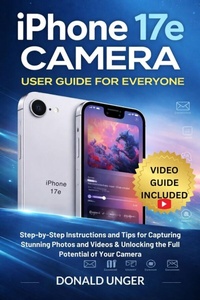
iPhone 17e Camera User Guide for Everyone
Step-by-Step Instructions and Tips for Capturing Stunning Photos and Videos & Unlocking the Full Potential of Your Camera
Published on 9. April 2026
979-12-244-5172-3 (ISBN)
Description

Transform Your iPhone 17e Into a Professional Camera - Capture Stunning Photos and Videos Like Never Before!
Are you ready to unlock the full potential of your iPhone 17e camera? Imagine creating high-quality, professional-level photos and videos with a device that fits in your pocket. Whether you're a photography enthusiast or just looking to take better selfies, this step-by-step guide will show you exactly how to use every feature your iPhone 17e offers.
Discover the secrets to achieving flawless shots and cinematic videos with your iPhone 17e's powerful camera system. From simple tips for beginners to advanced techniques for professionals, this book will help you capture perfect moments every time.
Inside this book, you'll discover:
- How to take the best selfies and make every shot Instagram-worthy with your iPhone 17e's 12 MP front camera.
- Master advanced camera features like 4K Dolby Vision video recording, Computational Photography, and Night Mode for spectacular low-light photos.
- Proven techniques for using Portrait Mode, Wide-Angle Lens, and Optical Image Stabilization to elevate your photography skills.
- Editing tools that will help you refine your images and videos for a professional touch with minimal effort.
- Troubleshooting tips for common camera issues and expert solutions to keep your iPhone's camera working at its best.
