

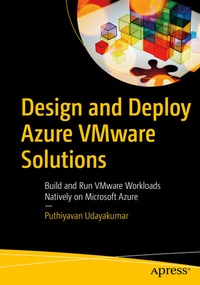
Design and Deploy Azure VMware Solutions
Description

Learn the essential design and deployment skills to utilize Azure VMware Solution to seamlessly move your VMware-based workloads from your datacenter to Azure and to integrate your VMware environment with Azure. This book will teach you how to manage your existing environments with the same VMware products you already know while modernizing your applications with Azure native services.
Design and Deploy Azure VMware Solutions starts by reviewing Azure VMware essentials, followed by a walkthrough of the methods of preparing and expanding to Azure VMware Solution. Here, you will learn about the layers of Microsoft AVS, including the vSphere, vSAN, NSX-T, and assess and migrate on-prem VMware workloads to Azure VMware Solution using HCX. Further, you will understand how to deploy the desktop and learn Hosting Pool using Horizon on Microsoft Azure, a modern approach to managing and securing Horizon components. VMware Tanzu for modernizing applications in Azure and disaster recovery for VMware workloads in Azure is then discussed in detail. Finally, you will learn monitoring and operations management using the VMware vRealize Suite and see a demonstration of how to plan and deploy Infrastructure as a Service (IaaS) for Azure VMware Solution via vRealize Automation.
After reading the book, you will be able to migrate or extend VMware workloads from on-premises to Azure without the need to re-architect applications or retool operations.What Will You Learn
- Get started with Azure VMware Solution
- Prepare and plan to utilize Azure VMware Solution
- Design and deploy Azure VMware Solution
- Manage and secure Azure VMware Solution
Who Is This Book For
Azure VMware administrators and Azure Cloud Architects.
More details
Other editions
Additional editions
Person
Content
Chapter 1: Getting Started with AVS.- Chapter 2: Solution overview of AVS.- Chapter 3: Design Essentials of AVS.- Chapter 4: Plan and Prepare AVS.- Chapter 5: Deployment Essentials of AVS.- Chapter 6: Manage and Secure AVS.
