

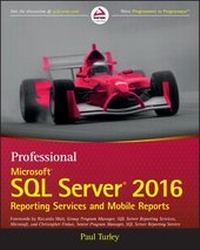
Professional Microsoft SQL Server 2016 Reporting Services and Mobile Reports
Published on 17. January 2017
816 pages
978-1-119-25838-4 (ISBN)
Description

Optimize reporting and BI with Microsoft SQL Server 2016
Professional Microsoft SQL Server 2016 Reporting Services and Mobile Reports provides a comprehensive lesson in business intelligence (BI), operational reporting and Reporting Services architecture using a clear, concise tutorial approach. You'll learn effective report solution design based upon many years of experience with successful report solutions. Improve your own reports with advanced, best-practice design, usability, query design, and filtering techniques. Expert guidance provides insight into common report types and explains where each could be made more efficient, while providing step-by step instruction on Microsoft SQL Server 2016. All changes to the 2016 release are covered in detail, including improvements to the Visual Studio Report Designer (SQL Server Data Tools) and Report Builder, Mobile Dashboard Designer, the new Report Portal Interface, HTML-5 Rendering, Power BI integration, Custom Parameters Pane, and more.
The Microsoft SQL Server 2016 release will include significant changes. New functionality, new capabilities, re-tooled processes, and changing support require a considerable update to existing knowledge. Whether you're starting from scratch or simply upgrading, this book is an essential guide to report design and business intelligence solutions.
* Understand BI fundamentals and Reporting Services architecture
* Learn the ingredients to a successful report design
* Get up to speed on Microsoft SQL Server 2016
* Grasp the purpose behind common designs to optimize your reporting
Microsoft SQL Server Reporting Services makes reporting faster, easier, and more powerful than ever in web, desktop and portal solutions. Compatibility with an extensive variety of data sources makes it a go-to solution for organizations across the globe. The 2016 release brings some of the biggest changes in years, and the full depth and breadth of these changes can create a serious snag in your workflow. For a clear tutorial geared toward the working professional, Professional Microsoft SQL Server 2016 Reporting Services and Mobile Reports is the ideal guide for getting up to speed and producing successful reports.
More details
Other editions
Additional editions
Book
03/2017
Wrox Press
€51.50
Shipment within 15-20 days
Persons
About the author
Paul Turley is an independent BI consultant and trainer, owner of Intelligent Business LLC and Mentor for SolidQ. He is a Microsoft Data Platform MVP and Microsoft Certified Trainer with multiple industry certifications, and teaches classes on SQL Server technologies to companies around the world. Paul has authored several books and courses on database and BI technologies. He blogs at SqlServerBiBlog.com.
Visit us at wrox.com where you have access to free code samples, Programmer to Programmer forums, and discussions on the latest happenings in the industry from around the world.
Content
1 - Cover [Seite 1]
2 - Title Page [Seite 5]
3 - Copyright [Seite 6]
4 - About the Author [Seite 9]
5 - About the Technical Editor [Seite 9]
6 - Credits [Seite 11]
7 - Acknowledgments [Seite 13]
8 - Contents [Seite 15]
9 - Foreword [Seite 27]
10 - Foreword [Seite 29]
11 - Introduction [Seite 31]
11.1 - Who This Book is For [Seite 31]
11.2 - What This Book Covers [Seite 31]
11.2.1 - Part I: Getting Started [Seite 31]
11.2.2 - Part II: Basic Report Design [Seite 32]
11.2.3 - Part III: Advanced and Analytic Reporting [Seite 32]
11.2.4 - Part IV: Solution Patterns [Seite 33]
11.2.5 - Part V: Reporting Services Custom Programming [Seite 33]
11.2.6 - Part VI: Mobile Report Solutions [Seite 34]
11.2.7 - Part VII: Administering Reporting Services [Seite 34]
11.3 - What You Need to Use This Book [Seite 35]
11.4 - Conventions [Seite 35]
11.5 - Sample Reports and Projects [Seite 36]
11.6 - Errata [Seite 36]
11.7 - P2P.WROX.COM [Seite 37]
12 - Part I: Getting Started [Seite 39]
12.1 - Chapter 1: Introducing Reporting Services [Seite 41]
12.1.1 - Who Uses Reporting Services? [Seite 42]
12.1.1.1 - Information Workers and Data Analysts [Seite 43]
12.1.1.2 - Information Consumers [Seite 44]
12.1.1.3 - Business Managers and Leaders [Seite 44]
12.1.1.4 - Software Developers [Seite 44]
12.1.1.5 - System Administrators [Seite 45]
12.1.2 - Dashboards, Reports, and Applications [Seite 45]
12.1.2.1 - Application Integration [Seite 45]
12.1.2.2 - Business Intelligence and Analytics Solutions [Seite 48]
12.1.2.3 - Mobile Reports and KPIs [Seite 49]
12.1.3 - Report Tool Choices [Seite 52]
12.1.3.1 - Simple Report Design [Seite 53]
12.1.3.2 - IT-Designed Reports [Seite 54]
12.1.3.3 - User-Designed Reports [Seite 54]
12.1.3.4 - Server-Based Reports [Seite 55]
12.1.3.5 - Report Data Sources [Seite 56]
12.1.3.6 - Enterprise Scale [Seite 57]
12.1.4 - Optimizing Performance [Seite 57]
12.1.4.1 - Performance [Seite 58]
12.1.5 - Summary [Seite 58]
12.2 - Chapter 2: What's New in SQL Server 2016 Reporting Services? [Seite 61]
12.2.1 - Report Builder and Designer Enhancements [Seite 63]
12.2.2 - Modern Browser Rendering [Seite 64]
12.2.3 - Parameter Layout Control [Seite 64]
12.2.4 - Updated RDL Specification [Seite 65]
12.2.5 - Mobile Reports [Seite 66]
12.2.6 - KPIs [Seite 68]
12.2.7 - Native Printing Control [Seite 69]
12.2.8 - PowerPoint Rendering [Seite 69]
12.2.9 - Integrated and Improved Web Portal [Seite 69]
12.2.10 - New Charts and Visual Enhancements [Seite 70]
12.2.11 - Standardized, Modern Browser Rendering [Seite 71]
12.2.12 - Power BI Dashboard Pinning [Seite 71]
12.2.13 - Summary [Seite 74]
12.3 - Chapter 3: Reporting Services Installation and Architecture [Seite 77]
12.3.1 - What's Changed in SQL Server 2016? [Seite 79]
12.3.2 - The Basic Installation [Seite 79]
12.3.2.1 - Installing Reporting Services [Seite 80]
12.3.2.2 - Installing the Reporting Services Samples, Exercises, and SQL Server Databases [Seite 94]
12.3.3 - The Enterprise Deployment [Seite 95]
12.3.3.1 - SQL Server Editions [Seite 96]
12.3.3.2 - Default and Named Instances [Seite 96]
12.3.3.3 - Topology [Seite 98]
12.3.3.4 - Modes [Seite 99]
12.3.3.5 - Installation Options [Seite 99]
12.3.4 - The Reporting Life Cycle [Seite 101]
12.3.4.1 - Authoring [Seite 101]
12.3.4.2 - Management [Seite 101]
12.3.4.3 - Delivery [Seite 102]
12.3.5 - Reporting Services Tools [Seite 102]
12.3.5.1 - Report Builder [Seite 102]
12.3.5.2 - Web Portal [Seite 102]
12.3.5.3 - SharePoint Libraries and Web Parts [Seite 102]
12.3.5.4 - Reporting Services Configuration Manager [Seite 103]
12.3.5.5 - SQL Server Management Applications [Seite 103]
12.3.5.6 - Command-Line Utilities [Seite 103]
12.3.5.7 - HTML Viewer [Seite 104]
12.3.5.8 - Report Viewer Control [Seite 104]
12.3.5.9 - Reporting Services Web Service [Seite 105]
12.3.6 - Reporting Services Windows Service [Seite 106]
12.3.6.1 - HTTP.SYS and the HTTP Listener [Seite 107]
12.3.6.2 - The Security Sublayer [Seite 107]
12.3.6.3 - Web Portal and the Web Service [Seite 108]
12.3.6.4 - Core Processing [Seite 109]
12.3.6.5 - Service Management [Seite 109]
12.3.6.6 - WMI and the RPC Interface [Seite 110]
12.3.7 - Reporting Services Processors and Extensions [Seite 111]
12.3.7.1 - The Report Processor [Seite 112]
12.3.7.2 - Data Processing Extensions [Seite 113]
12.3.7.3 - Report Items [Seite 114]
12.3.7.4 - Rendering Extensions [Seite 115]
12.3.7.5 - The Scheduling and Delivery Processor [Seite 118]
12.3.7.6 - Delivery Extensions [Seite 118]
12.3.8 - Reporting Services Application Databases [Seite 118]
12.3.8.1 - ReportServer [Seite 118]
12.3.8.2 - ReportServerTempDB [Seite 120]
12.3.9 - Summary [Seite 120]
13 - Part II: Basic Report Design [Seite 123]
13.1 - Chapter 4: Report Layout and Formatting [Seite 125]
13.1.1 - Using Report Design Tools [Seite 126]
13.1.2 - Understanding Report Data Building Blocks [Seite 127]
13.1.2.1 - Data Sources [Seite 127]
13.1.2.2 - Datasets [Seite 128]
13.1.2.3 - Data Regions [Seite 128]
13.1.2.4 - Report Items [Seite 131]
13.1.3 - Samples and Exercises [Seite 131]
13.1.3.1 - Preparing the Report Data [Seite 134]
13.1.3.2 - Designing the Report Layout [Seite 138]
13.1.3.3 - Reviewing the Report [Seite 142]
13.1.3.4 - Setting Formatting Properties [Seite 143]
13.1.3.5 - Validating Report Design and Grouping Data [Seite 146]
13.1.4 - Summary [Seite 150]
13.2 - Chapter 5: Data Access and Query Basics [Seite 151]
13.2.1 - Database Essentials [Seite 152]
13.2.1.1 - Relational Database Concepts [Seite 152]
13.2.1.2 - What's a Sequel? [Seite 152]
13.2.2 - Data Source Management [Seite 153]
13.2.2.1 - Embedded and Shared Data Sources [Seite 153]
13.2.3 - Datasets and Fields [Seite 157]
13.2.3.1 - Embedded and Shared Datasets [Seite 158]
13.2.3.2 - Exercises [Seite 158]
13.2.3.3 - Authoring a Query with SQL Server Management Studio [Seite 158]
13.2.3.4 - Add the Query to the Report Dataset [Seite 162]
13.2.3.5 - Design the Report Body [Seite 166]
13.2.3.6 - Enhance the Parameter [Seite 169]
13.2.3.7 - Using Multiple Parameter Values [Seite 172]
13.2.4 - Summary [Seite 176]
13.3 - Chapter 6: Grouping and Totals [Seite 177]
13.3.1 - SQL Server Data Tools [Seite 178]
13.3.1.1 - Getting Started [Seite 178]
13.3.1.2 - Getting Started with Sample Reports Projects [Seite 182]
13.3.2 - Report Groups [Seite 188]
13.3.2.1 - Adding Totals to a Table or Matrix Report [Seite 191]
13.3.2.2 - Expression Basics [Seite 192]
13.3.2.3 - Introducing Aggregate Functions and Totals [Seite 193]
13.3.2.4 - Sorting [Seite 193]
13.3.3 - Exercise [Seite 196]
13.3.3.1 - Design the Dataset Query [Seite 196]
13.3.3.2 - Design and Lay Out a Table Report [Seite 198]
13.3.3.3 - Add Summary Totals and Drill-Down [Seite 201]
13.3.3.4 - Aggregate Detail Row Summaries [Seite 205]
13.3.3.5 - Create Parameter List [Seite 206]
13.3.4 - Summary [Seite 209]
14 - Part III: Advanced and Analytic Reporting [Seite 211]
14.1 - Chapter 7: Advanced Report Design [Seite 213]
14.1.1 - Pagination and Flow Control [Seite 214]
14.1.2 - Headers and Footers [Seite 216]
14.1.2.1 - Tablix Headers and Detail Cells [Seite 220]
14.1.2.2 - Designing the Page Headers [Seite 220]
14.1.3 - Composite Reports and Embedded Content [Seite 225]
14.1.4 - Unlocking the Textbox [Seite 225]
14.1.4.1 - Padding and Indenting [Seite 226]
14.1.4.2 - Embedded Formatting [Seite 227]
14.1.5 - Designing Master/Detail Reports [Seite 233]
14.1.5.1 - Repeating Data Regions: Table, Matrix, and List [Seite 234]
14.1.5.2 - Groups and Dataset Scope [Seite 238]
14.1.5.3 - More Aggregate Functions and Totals [Seite 238]
14.1.6 - Designing Subreports [Seite 241]
14.1.6.1 - Federating Data with a Subreport [Seite 243]
14.1.7 - Navigating Reports [Seite 246]
14.1.7.1 - Creating a Document Map [Seite 247]
14.1.8 - Exercises [Seite 248]
14.1.8.1 - Exercise 1: Create a Report Template [Seite 248]
14.1.8.2 - Exercise 2: Create a Report from the Template with Dynamic Expressions [Seite 253]
14.1.9 - Summary [Seite 257]
14.2 - Chapter 8: Graphical Report Design [Seite 259]
14.2.1 - Visual Design Principles [Seite 260]
14.2.1.1 - Keep Charts Simple [Seite 260]
14.2.1.2 - Properties, Oh My! [Seite 261]
14.2.1.3 - The Fashion of Visualization [Seite 261]
14.2.1.4 - Visual Storytelling [Seite 262]
14.2.1.5 - Perspective and Skewing [Seite 262]
14.2.2 - Chart Types [Seite 263]
14.2.2.1 - Chart Type Summary [Seite 263]
14.2.2.2 - Column and Stacked Charts [Seite 266]
14.2.2.3 - Area and Line Charts [Seite 267]
14.2.2.4 - Pie and Doughnut Charts [Seite 267]
14.2.2.5 - Bubble and Stock Charts [Seite 271]
14.2.2.6 - New Chart Types [Seite 271]
14.2.2.7 - The Anatomy of a Chart [Seite 273]
14.2.2.8 - Multiple Series, Axes, and Areas [Seite 275]
14.2.3 - Exercises [Seite 278]
14.2.3.1 - Exercise 1: Creating and Styling a Simple Chart [Seite 278]
14.2.3.2 - Exercise 2: Creating a Multi-series Chart [Seite 283]
14.2.3.3 - Useful Properties and Settings [Seite 286]
14.2.4 - Summary [Seite 287]
14.3 - Chapter 9: Advanced Queries and Parameters [Seite 289]
14.3.1 - T-SQL Queries and Parameters [Seite 290]
14.3.1.1 - Parameter Lists and Multi-select [Seite 290]
14.3.1.2 - Cascading Parameters [Seite 295]
14.3.1.3 - Arranging Parameters in the Parameter Bar [Seite 297]
14.3.1.4 - Managing Long Parameter Lists [Seite 297]
14.3.1.5 - All Value Selection [Seite 299]
14.3.1.6 - Handling Conditional Logic [Seite 302]
14.3.2 - MDX Queries and Parameters [Seite 304]
14.3.2.1 - Single-Valued Parameter [Seite 308]
14.3.2.2 - Multi-Valued Parameter [Seite 308]
14.3.2.3 - Date Value Ranges [Seite 309]
14.3.3 - Summary [Seite 313]
14.4 - Chapter 10: Reporting with Analysis Services [Seite 315]
14.4.1 - Analysis Services for Reporting [Seite 316]
14.4.2 - Using Reporting Services with Analysis Services Data [Seite 317]
14.4.3 - Working with Multidimensional Expression Language [Seite 318]
14.4.3.1 - MDX: Simple or Complex? [Seite 318]
14.4.3.2 - Building Queries with the MDX Query Designer [Seite 319]
14.4.3.3 - Modifying an MDX Query [Seite 331]
14.4.4 - Adding Nonadditive Measures [Seite 340]
14.4.4.1 - When to Use the Aggregate Function [Seite 342]
14.4.5 - MDX Properties and Cube Formatting [Seite 343]
14.4.6 - Drill-Through Reports [Seite 345]
14.4.6.1 - Parameter Safety Precautions [Seite 346]
14.4.7 - Best Practices and Provisions [Seite 346]
14.4.8 - Summary [Seite 347]
14.5 - Chapter 11: SSAS Reporting Advanced Techniques [Seite 349]
14.5.1 - Building a Dynamic Cube Browser with SSRS [Seite 350]
14.5.2 - Cube Dynamic Rows [Seite 350]
14.5.2.1 - Cube Dynamic Rows Anatomy [Seite 351]
14.5.2.2 - Cube Dynamic Rows Summary [Seite 360]
14.5.3 - Cube Dynamic Rows Expanded [Seite 362]
14.5.3.1 - MDX Query Modifications [Seite 362]
14.5.3.2 - Design Surface Modifications [Seite 363]
14.5.4 - Cube Restricting Rows [Seite 364]
14.5.4.1 - Designing the Report [Seite 364]
14.5.5 - Cube Metadata [Seite 370]
14.5.5.1 - Designing the Report [Seite 370]
14.5.5.2 - Adding Other Cube Metadata [Seite 374]
14.5.6 - Cube Browser [Seite 380]
14.5.6.1 - Anatomy of the Reports [Seite 380]
14.5.6.2 - Behind the Scenes [Seite 384]
14.5.6.3 - Final Thoughts [Seite 400]
14.5.7 - Summary [Seite 402]
14.6 - Chapter 12: Expressions and Actions [Seite 403]
14.6.1 - Basic Expressions Recap [Seite 403]
14.6.2 - Using the Expression Builder [Seite 405]
14.6.3 - Calculated Fields [Seite 407]
14.6.4 - Conditional Expressions [Seite 409]
14.6.5 - The IIF() Function [Seite 410]
14.6.6 - Using Custom Code [Seite 413]
14.6.6.1 - Using Custom Code in a Report [Seite 414]
14.6.6.2 - Links and Drill-Through Reports [Seite 416]
14.6.7 - Reporting on Recursive Relationships [Seite 419]
14.6.8 - Actions and Report Navigation [Seite 423]
14.6.9 - Summary [Seite 430]
15 - Part IV: Solution Patterns [Seite 433]
15.1 - Chapter 13: Report Projects and Consolidation [Seite 435]
15.1.1 - SSDT Solutions and Projects [Seite 436]
15.1.1.1 - Project Structure and Development Phases [Seite 437]
15.1.1.2 - Shared Datasets and Data Sources [Seite 439]
15.1.1.3 - Key Success Factors [Seite 440]
15.1.1.4 - Report Specifications [Seite 441]
15.1.1.5 - Report Template [Seite 444]
15.1.2 - Version Control [Seite 445]
15.1.2.1 - Setting Up Version Control [Seite 446]
15.1.2.2 - Getting the Latest Version [Seite 446]
15.1.2.3 - Viewing a Report's History [Seite 447]
15.1.2.4 - Restoring a Previous Version of a Report [Seite 447]
15.1.2.5 - Setting Check-out and Check-in Policies [Seite 447]
15.1.2.6 - Applying Labels [Seite 447]
15.1.3 - Synchronizing Content [Seite 447]
15.1.3.1 - Deploying an Individual Report [Seite 448]
15.1.3.2 - Deploying a Suite of Reports [Seite 448]
15.1.3.3 - Checking for Build Errors [Seite 448]
15.1.3.4 - Excluding a Report from a Deployment [Seite 448]
15.1.4 - Managing Server Content [Seite 448]
15.1.4.1 - Checking the Deployment Location [Seite 449]
15.1.4.2 - Managing Content in Native Mode [Seite 450]
15.1.4.3 - Managing Content in SharePoint [Seite 451]
15.1.5 - Report Builder and Self-Service Reporting Strategies [Seite 452]
15.1.6 - Report Builder and Semantic Model History [Seite 453]
15.1.7 - Planning a Self-Service Reporting Environment [Seite 454]
15.1.7.1 - You Need a Plan [Seite 454]
15.1.7.2 - Design Approaches and Usage Scenarios [Seite 454]
15.1.7.3 - Define Ownership [Seite 455]
15.1.7.4 - Data Governance [Seite 456]
15.1.7.5 - Data Source Access and Security [Seite 457]
15.1.7.6 - User Education [Seite 457]
15.1.7.7 - Data Source and Query Options [Seite 459]
15.1.8 - User Report Migration Strategies [Seite 463]
15.1.8.1 - Review [Seite 463]
15.1.8.2 - Consolidate [Seite 464]
15.1.8.3 - Design [Seite 464]
15.1.8.4 - Test [Seite 464]
15.1.8.5 - Maintain [Seite 464]
15.1.9 - Summary [Seite 465]
15.2 - Chapter 14: Report Solutions, Patterns, and Recipes [Seite 467]
15.2.1 - Super Reports [Seite 468]
15.2.1.1 - Working with the Strengths and Limitations of the Reporting Services Architecture [Seite 469]
15.2.1.2 - Seeking the Excel Export Holy Grail [Seite 469]
15.2.2 - Report Recipes: Building on Basic Skills [Seite 473]
15.2.2.1 - Dashboard Solution Data Sources and Datasets [Seite 474]
15.2.2.2 - KPI Scorecard [Seite 475]
15.2.2.3 - Gauges [Seite 479]
15.2.2.4 - Interactive Sparkline and Chart [Seite 481]
15.2.2.5 - Thumbnail Map with Drill-Through Navigation [Seite 488]
15.2.3 - Summary [Seite 494]
16 - Part V: Reporting Services Custom Programming [Seite 497]
16.1 - Chapter 15: Integra Ting Reports Into Custom Applications [Seite 499]
16.1.1 - URL Access [Seite 500]
16.1.1.1 - URL Syntax [Seite 501]
16.1.1.2 - Accessing Reporting Services Objects [Seite 501]
16.1.1.3 - Reporting Services URL Parameters [Seite 507]
16.1.1.4 - Passing Report Information Through the URL [Seite 512]
16.1.2 - Programmatic Rendering [Seite 515]
16.1.2.1 - Common Scenarios [Seite 516]
16.1.2.2 - Rendering Through Windows [Seite 517]
16.1.2.3 - Rendering to the Web [Seite 540]
16.1.3 - Using the ReportViewer Control [Seite 547]
16.1.3.1 - Embedding a Server-Side Report in a Windows Application [Seite 550]
16.1.4 - Summary [Seite 557]
16.2 - Chapter 16: Extending Reporting Services [Seite 559]
16.2.1 - Extension Through Interfaces [Seite 562]
16.2.1.1 - What Is an Interface? [Seite 562]
16.2.1.2 - Interface Language Differences [Seite 562]
16.2.1.3 - A Detailed Look at Data Processing Extensions [Seite 565]
16.2.2 - Creating a Custom Data Processing Extension [Seite 567]
16.2.2.1 - The Scenario [Seite 568]
16.2.2.2 - Creating and Setting Up the Project [Seite 568]
16.2.2.3 - Creating the DataSetConnection Object [Seite 571]
16.2.2.4 - Creating the DataSetParameter Class [Seite 580]
16.2.2.5 - Implementing IDataParameter [Seite 581]
16.2.2.6 - Creating the DataSetParameterCollection Class [Seite 583]
16.2.2.7 - Creating the DataSetCommand Class [Seite 585]
16.2.2.8 - Creating the DataSetDataReader Object [Seite 600]
16.2.2.9 - Installing the DataSetDataProcessing Extension [Seite 604]
16.2.2.10 - Testing DataSetDataExtension [Seite 607]
16.2.3 - Summary [Seite 610]
17 - Part VI: Mobile Report Solutions [Seite 611]
17.1 - Chapter 17: Introducing Reporting Services Mobile Reports [Seite 613]
17.1.1 - The Mobile Report Experience and Business Case [Seite 614]
17.1.1.1 - Report Drill-Through Navigation [Seite 617]
17.1.1.2 - When to Use Mobile Reports [Seite 617]
17.1.2 - Connection and Dataset Design Basics [Seite 619]
17.1.3 - Introducing Mobile Report Publisher [Seite 619]
17.1.3.1 - Layout View [Seite 620]
17.1.3.2 - Data View [Seite 620]
17.1.3.3 - Dashboard Settings [Seite 621]
17.1.3.4 - Preview [Seite 621]
17.1.4 - Visual Control Categories [Seite 622]
17.1.4.1 - Navigators [Seite 623]
17.1.5 - Summary [Seite 630]
17.2 - Chapter 18: Implementing a Mobile Report with Design-First Development [Seite 631]
17.2.1 - Design-First Mobile Report Development Exercise [Seite 631]
17.2.1.1 - Add Visual Controls [Seite 636]
17.2.1.2 - Preview the Mobile Report [Seite 639]
17.2.1.3 - Add Data to the Report [Seite 640]
17.2.1.4 - Apply Mobile Layouts and Color Styling [Seite 651]
17.2.1.5 - Test the Completed Mobile Report from the Server [Seite 654]
17.2.2 - Summary [Seite 658]
17.3 - Chapter 19: Mobile Report Design Patterns [Seite 661]
17.3.1 - Key Performance Indicators [Seite 661]
17.3.2 - The Thing About KPIs [Seite 668]
17.3.2.1 - You Need Goals [Seite 668]
17.3.2.2 - Time-Series Calculations and Time Grain [Seite 669]
17.3.3 - Creating a Time-series Mobile Report [Seite 670]
17.3.3.1 - Lay Out the Report Using Design-First Report Development [Seite 671]
17.3.3.2 - Add Data and Set Control Data Properties [Seite 673]
17.3.3.3 - Set Color Palette and Mobile Device Layouts [Seite 680]
17.3.3.4 - Server Access and Live Mobile Connectivity [Seite 685]
17.3.4 - Summary [Seite 688]
17.4 - Chapter 20: Advanced Mobile Report Solutions [Seite 691]
17.4.1 - Designing a Chart Data Grid Mobile Report [Seite 691]
17.4.1.1 - Exercise: Chart Data Grid [Seite 692]
17.4.2 - Exercise: Adding a Drill-through Mobile Report [Seite 700]
17.4.3 - Exercise: Adding a DRILL-THROUGH Paginated Report [Seite 704]
17.4.3.1 - Getting Serious with Maps [Seite 709]
17.4.4 - Summary [Seite 714]
18 - Part VII: Administering Reporting Services [Seite 715]
18.1 - Chapter 21: Content Management [Seite 717]
18.1.1 - Using Web Portal [Seite 718]
18.1.2 - Content Management Activities [Seite 721]
18.1.2.1 - Folders [Seite 722]
18.1.2.2 - Shared Data Sources [Seite 723]
18.1.2.3 - Reports [Seite 726]
18.1.2.4 - Report Resources [Seite 732]
18.1.2.5 - Shared Schedules [Seite 733]
18.1.3 - Site and Content Security [Seite 734]
18.1.3.1 - Site Security [Seite 735]
18.1.3.2 - Item-Level Security [Seite 735]
18.1.4 - Site Branding [Seite 745]
18.1.5 - Content Management Automation [Seite 748]
18.1.5.1 - The RS Utility [Seite 748]
18.1.5.2 - Reporting Services Scripts [Seite 751]
18.1.6 - Summary [Seite 752]
18.2 - Chapter 22: Server Administration [Seite 753]
18.2.1 - Security [Seite 754]
18.2.1.1 - Account Management [Seite 755]
18.2.1.2 - System-Level Roles [Seite 759]
18.2.1.3 - Surface Area Management [Seite 761]
18.2.2 - Backup and Recovery [Seite 762]
18.2.2.1 - Application Databases [Seite 763]
18.2.2.2 - Encryption Keys [Seite 765]
18.2.2.3 - Configuration Files [Seite 768]
18.2.2.4 - Other Items [Seite 768]
18.2.3 - Monitoring [Seite 769]
18.2.3.1 - Setup Logs [Seite 769]
18.2.3.2 - Windows Application Event Logs [Seite 769]
18.2.3.3 - Trace Logs [Seite 770]
18.2.3.4 - Execution Logs [Seite 773]
18.2.3.5 - Performance Counters [Seite 774]
18.2.3.6 - Server Management Reports [Seite 779]
18.2.4 - Configuration [Seite 780]
18.2.4.1 - Memory Management [Seite 780]
18.2.4.2 - URL Reservations [Seite 781]
18.2.4.3 - E-mail Delivery [Seite 783]
18.2.4.4 - Rendering Extensions [Seite 785]
18.2.4.5 - My Reports [Seite 787]
18.2.5 - Summary [Seite 789]
19 - Index [Seite 791]
20 - EULA [Seite 818]
2 - Title Page [Seite 5]
3 - Copyright [Seite 6]
4 - About the Author [Seite 9]
5 - About the Technical Editor [Seite 9]
6 - Credits [Seite 11]
7 - Acknowledgments [Seite 13]
8 - Contents [Seite 15]
9 - Foreword [Seite 27]
10 - Foreword [Seite 29]
11 - Introduction [Seite 31]
11.1 - Who This Book is For [Seite 31]
11.2 - What This Book Covers [Seite 31]
11.2.1 - Part I: Getting Started [Seite 31]
11.2.2 - Part II: Basic Report Design [Seite 32]
11.2.3 - Part III: Advanced and Analytic Reporting [Seite 32]
11.2.4 - Part IV: Solution Patterns [Seite 33]
11.2.5 - Part V: Reporting Services Custom Programming [Seite 33]
11.2.6 - Part VI: Mobile Report Solutions [Seite 34]
11.2.7 - Part VII: Administering Reporting Services [Seite 34]
11.3 - What You Need to Use This Book [Seite 35]
11.4 - Conventions [Seite 35]
11.5 - Sample Reports and Projects [Seite 36]
11.6 - Errata [Seite 36]
11.7 - P2P.WROX.COM [Seite 37]
12 - Part I: Getting Started [Seite 39]
12.1 - Chapter 1: Introducing Reporting Services [Seite 41]
12.1.1 - Who Uses Reporting Services? [Seite 42]
12.1.1.1 - Information Workers and Data Analysts [Seite 43]
12.1.1.2 - Information Consumers [Seite 44]
12.1.1.3 - Business Managers and Leaders [Seite 44]
12.1.1.4 - Software Developers [Seite 44]
12.1.1.5 - System Administrators [Seite 45]
12.1.2 - Dashboards, Reports, and Applications [Seite 45]
12.1.2.1 - Application Integration [Seite 45]
12.1.2.2 - Business Intelligence and Analytics Solutions [Seite 48]
12.1.2.3 - Mobile Reports and KPIs [Seite 49]
12.1.3 - Report Tool Choices [Seite 52]
12.1.3.1 - Simple Report Design [Seite 53]
12.1.3.2 - IT-Designed Reports [Seite 54]
12.1.3.3 - User-Designed Reports [Seite 54]
12.1.3.4 - Server-Based Reports [Seite 55]
12.1.3.5 - Report Data Sources [Seite 56]
12.1.3.6 - Enterprise Scale [Seite 57]
12.1.4 - Optimizing Performance [Seite 57]
12.1.4.1 - Performance [Seite 58]
12.1.5 - Summary [Seite 58]
12.2 - Chapter 2: What's New in SQL Server 2016 Reporting Services? [Seite 61]
12.2.1 - Report Builder and Designer Enhancements [Seite 63]
12.2.2 - Modern Browser Rendering [Seite 64]
12.2.3 - Parameter Layout Control [Seite 64]
12.2.4 - Updated RDL Specification [Seite 65]
12.2.5 - Mobile Reports [Seite 66]
12.2.6 - KPIs [Seite 68]
12.2.7 - Native Printing Control [Seite 69]
12.2.8 - PowerPoint Rendering [Seite 69]
12.2.9 - Integrated and Improved Web Portal [Seite 69]
12.2.10 - New Charts and Visual Enhancements [Seite 70]
12.2.11 - Standardized, Modern Browser Rendering [Seite 71]
12.2.12 - Power BI Dashboard Pinning [Seite 71]
12.2.13 - Summary [Seite 74]
12.3 - Chapter 3: Reporting Services Installation and Architecture [Seite 77]
12.3.1 - What's Changed in SQL Server 2016? [Seite 79]
12.3.2 - The Basic Installation [Seite 79]
12.3.2.1 - Installing Reporting Services [Seite 80]
12.3.2.2 - Installing the Reporting Services Samples, Exercises, and SQL Server Databases [Seite 94]
12.3.3 - The Enterprise Deployment [Seite 95]
12.3.3.1 - SQL Server Editions [Seite 96]
12.3.3.2 - Default and Named Instances [Seite 96]
12.3.3.3 - Topology [Seite 98]
12.3.3.4 - Modes [Seite 99]
12.3.3.5 - Installation Options [Seite 99]
12.3.4 - The Reporting Life Cycle [Seite 101]
12.3.4.1 - Authoring [Seite 101]
12.3.4.2 - Management [Seite 101]
12.3.4.3 - Delivery [Seite 102]
12.3.5 - Reporting Services Tools [Seite 102]
12.3.5.1 - Report Builder [Seite 102]
12.3.5.2 - Web Portal [Seite 102]
12.3.5.3 - SharePoint Libraries and Web Parts [Seite 102]
12.3.5.4 - Reporting Services Configuration Manager [Seite 103]
12.3.5.5 - SQL Server Management Applications [Seite 103]
12.3.5.6 - Command-Line Utilities [Seite 103]
12.3.5.7 - HTML Viewer [Seite 104]
12.3.5.8 - Report Viewer Control [Seite 104]
12.3.5.9 - Reporting Services Web Service [Seite 105]
12.3.6 - Reporting Services Windows Service [Seite 106]
12.3.6.1 - HTTP.SYS and the HTTP Listener [Seite 107]
12.3.6.2 - The Security Sublayer [Seite 107]
12.3.6.3 - Web Portal and the Web Service [Seite 108]
12.3.6.4 - Core Processing [Seite 109]
12.3.6.5 - Service Management [Seite 109]
12.3.6.6 - WMI and the RPC Interface [Seite 110]
12.3.7 - Reporting Services Processors and Extensions [Seite 111]
12.3.7.1 - The Report Processor [Seite 112]
12.3.7.2 - Data Processing Extensions [Seite 113]
12.3.7.3 - Report Items [Seite 114]
12.3.7.4 - Rendering Extensions [Seite 115]
12.3.7.5 - The Scheduling and Delivery Processor [Seite 118]
12.3.7.6 - Delivery Extensions [Seite 118]
12.3.8 - Reporting Services Application Databases [Seite 118]
12.3.8.1 - ReportServer [Seite 118]
12.3.8.2 - ReportServerTempDB [Seite 120]
12.3.9 - Summary [Seite 120]
13 - Part II: Basic Report Design [Seite 123]
13.1 - Chapter 4: Report Layout and Formatting [Seite 125]
13.1.1 - Using Report Design Tools [Seite 126]
13.1.2 - Understanding Report Data Building Blocks [Seite 127]
13.1.2.1 - Data Sources [Seite 127]
13.1.2.2 - Datasets [Seite 128]
13.1.2.3 - Data Regions [Seite 128]
13.1.2.4 - Report Items [Seite 131]
13.1.3 - Samples and Exercises [Seite 131]
13.1.3.1 - Preparing the Report Data [Seite 134]
13.1.3.2 - Designing the Report Layout [Seite 138]
13.1.3.3 - Reviewing the Report [Seite 142]
13.1.3.4 - Setting Formatting Properties [Seite 143]
13.1.3.5 - Validating Report Design and Grouping Data [Seite 146]
13.1.4 - Summary [Seite 150]
13.2 - Chapter 5: Data Access and Query Basics [Seite 151]
13.2.1 - Database Essentials [Seite 152]
13.2.1.1 - Relational Database Concepts [Seite 152]
13.2.1.2 - What's a Sequel? [Seite 152]
13.2.2 - Data Source Management [Seite 153]
13.2.2.1 - Embedded and Shared Data Sources [Seite 153]
13.2.3 - Datasets and Fields [Seite 157]
13.2.3.1 - Embedded and Shared Datasets [Seite 158]
13.2.3.2 - Exercises [Seite 158]
13.2.3.3 - Authoring a Query with SQL Server Management Studio [Seite 158]
13.2.3.4 - Add the Query to the Report Dataset [Seite 162]
13.2.3.5 - Design the Report Body [Seite 166]
13.2.3.6 - Enhance the Parameter [Seite 169]
13.2.3.7 - Using Multiple Parameter Values [Seite 172]
13.2.4 - Summary [Seite 176]
13.3 - Chapter 6: Grouping and Totals [Seite 177]
13.3.1 - SQL Server Data Tools [Seite 178]
13.3.1.1 - Getting Started [Seite 178]
13.3.1.2 - Getting Started with Sample Reports Projects [Seite 182]
13.3.2 - Report Groups [Seite 188]
13.3.2.1 - Adding Totals to a Table or Matrix Report [Seite 191]
13.3.2.2 - Expression Basics [Seite 192]
13.3.2.3 - Introducing Aggregate Functions and Totals [Seite 193]
13.3.2.4 - Sorting [Seite 193]
13.3.3 - Exercise [Seite 196]
13.3.3.1 - Design the Dataset Query [Seite 196]
13.3.3.2 - Design and Lay Out a Table Report [Seite 198]
13.3.3.3 - Add Summary Totals and Drill-Down [Seite 201]
13.3.3.4 - Aggregate Detail Row Summaries [Seite 205]
13.3.3.5 - Create Parameter List [Seite 206]
13.3.4 - Summary [Seite 209]
14 - Part III: Advanced and Analytic Reporting [Seite 211]
14.1 - Chapter 7: Advanced Report Design [Seite 213]
14.1.1 - Pagination and Flow Control [Seite 214]
14.1.2 - Headers and Footers [Seite 216]
14.1.2.1 - Tablix Headers and Detail Cells [Seite 220]
14.1.2.2 - Designing the Page Headers [Seite 220]
14.1.3 - Composite Reports and Embedded Content [Seite 225]
14.1.4 - Unlocking the Textbox [Seite 225]
14.1.4.1 - Padding and Indenting [Seite 226]
14.1.4.2 - Embedded Formatting [Seite 227]
14.1.5 - Designing Master/Detail Reports [Seite 233]
14.1.5.1 - Repeating Data Regions: Table, Matrix, and List [Seite 234]
14.1.5.2 - Groups and Dataset Scope [Seite 238]
14.1.5.3 - More Aggregate Functions and Totals [Seite 238]
14.1.6 - Designing Subreports [Seite 241]
14.1.6.1 - Federating Data with a Subreport [Seite 243]
14.1.7 - Navigating Reports [Seite 246]
14.1.7.1 - Creating a Document Map [Seite 247]
14.1.8 - Exercises [Seite 248]
14.1.8.1 - Exercise 1: Create a Report Template [Seite 248]
14.1.8.2 - Exercise 2: Create a Report from the Template with Dynamic Expressions [Seite 253]
14.1.9 - Summary [Seite 257]
14.2 - Chapter 8: Graphical Report Design [Seite 259]
14.2.1 - Visual Design Principles [Seite 260]
14.2.1.1 - Keep Charts Simple [Seite 260]
14.2.1.2 - Properties, Oh My! [Seite 261]
14.2.1.3 - The Fashion of Visualization [Seite 261]
14.2.1.4 - Visual Storytelling [Seite 262]
14.2.1.5 - Perspective and Skewing [Seite 262]
14.2.2 - Chart Types [Seite 263]
14.2.2.1 - Chart Type Summary [Seite 263]
14.2.2.2 - Column and Stacked Charts [Seite 266]
14.2.2.3 - Area and Line Charts [Seite 267]
14.2.2.4 - Pie and Doughnut Charts [Seite 267]
14.2.2.5 - Bubble and Stock Charts [Seite 271]
14.2.2.6 - New Chart Types [Seite 271]
14.2.2.7 - The Anatomy of a Chart [Seite 273]
14.2.2.8 - Multiple Series, Axes, and Areas [Seite 275]
14.2.3 - Exercises [Seite 278]
14.2.3.1 - Exercise 1: Creating and Styling a Simple Chart [Seite 278]
14.2.3.2 - Exercise 2: Creating a Multi-series Chart [Seite 283]
14.2.3.3 - Useful Properties and Settings [Seite 286]
14.2.4 - Summary [Seite 287]
14.3 - Chapter 9: Advanced Queries and Parameters [Seite 289]
14.3.1 - T-SQL Queries and Parameters [Seite 290]
14.3.1.1 - Parameter Lists and Multi-select [Seite 290]
14.3.1.2 - Cascading Parameters [Seite 295]
14.3.1.3 - Arranging Parameters in the Parameter Bar [Seite 297]
14.3.1.4 - Managing Long Parameter Lists [Seite 297]
14.3.1.5 - All Value Selection [Seite 299]
14.3.1.6 - Handling Conditional Logic [Seite 302]
14.3.2 - MDX Queries and Parameters [Seite 304]
14.3.2.1 - Single-Valued Parameter [Seite 308]
14.3.2.2 - Multi-Valued Parameter [Seite 308]
14.3.2.3 - Date Value Ranges [Seite 309]
14.3.3 - Summary [Seite 313]
14.4 - Chapter 10: Reporting with Analysis Services [Seite 315]
14.4.1 - Analysis Services for Reporting [Seite 316]
14.4.2 - Using Reporting Services with Analysis Services Data [Seite 317]
14.4.3 - Working with Multidimensional Expression Language [Seite 318]
14.4.3.1 - MDX: Simple or Complex? [Seite 318]
14.4.3.2 - Building Queries with the MDX Query Designer [Seite 319]
14.4.3.3 - Modifying an MDX Query [Seite 331]
14.4.4 - Adding Nonadditive Measures [Seite 340]
14.4.4.1 - When to Use the Aggregate Function [Seite 342]
14.4.5 - MDX Properties and Cube Formatting [Seite 343]
14.4.6 - Drill-Through Reports [Seite 345]
14.4.6.1 - Parameter Safety Precautions [Seite 346]
14.4.7 - Best Practices and Provisions [Seite 346]
14.4.8 - Summary [Seite 347]
14.5 - Chapter 11: SSAS Reporting Advanced Techniques [Seite 349]
14.5.1 - Building a Dynamic Cube Browser with SSRS [Seite 350]
14.5.2 - Cube Dynamic Rows [Seite 350]
14.5.2.1 - Cube Dynamic Rows Anatomy [Seite 351]
14.5.2.2 - Cube Dynamic Rows Summary [Seite 360]
14.5.3 - Cube Dynamic Rows Expanded [Seite 362]
14.5.3.1 - MDX Query Modifications [Seite 362]
14.5.3.2 - Design Surface Modifications [Seite 363]
14.5.4 - Cube Restricting Rows [Seite 364]
14.5.4.1 - Designing the Report [Seite 364]
14.5.5 - Cube Metadata [Seite 370]
14.5.5.1 - Designing the Report [Seite 370]
14.5.5.2 - Adding Other Cube Metadata [Seite 374]
14.5.6 - Cube Browser [Seite 380]
14.5.6.1 - Anatomy of the Reports [Seite 380]
14.5.6.2 - Behind the Scenes [Seite 384]
14.5.6.3 - Final Thoughts [Seite 400]
14.5.7 - Summary [Seite 402]
14.6 - Chapter 12: Expressions and Actions [Seite 403]
14.6.1 - Basic Expressions Recap [Seite 403]
14.6.2 - Using the Expression Builder [Seite 405]
14.6.3 - Calculated Fields [Seite 407]
14.6.4 - Conditional Expressions [Seite 409]
14.6.5 - The IIF() Function [Seite 410]
14.6.6 - Using Custom Code [Seite 413]
14.6.6.1 - Using Custom Code in a Report [Seite 414]
14.6.6.2 - Links and Drill-Through Reports [Seite 416]
14.6.7 - Reporting on Recursive Relationships [Seite 419]
14.6.8 - Actions and Report Navigation [Seite 423]
14.6.9 - Summary [Seite 430]
15 - Part IV: Solution Patterns [Seite 433]
15.1 - Chapter 13: Report Projects and Consolidation [Seite 435]
15.1.1 - SSDT Solutions and Projects [Seite 436]
15.1.1.1 - Project Structure and Development Phases [Seite 437]
15.1.1.2 - Shared Datasets and Data Sources [Seite 439]
15.1.1.3 - Key Success Factors [Seite 440]
15.1.1.4 - Report Specifications [Seite 441]
15.1.1.5 - Report Template [Seite 444]
15.1.2 - Version Control [Seite 445]
15.1.2.1 - Setting Up Version Control [Seite 446]
15.1.2.2 - Getting the Latest Version [Seite 446]
15.1.2.3 - Viewing a Report's History [Seite 447]
15.1.2.4 - Restoring a Previous Version of a Report [Seite 447]
15.1.2.5 - Setting Check-out and Check-in Policies [Seite 447]
15.1.2.6 - Applying Labels [Seite 447]
15.1.3 - Synchronizing Content [Seite 447]
15.1.3.1 - Deploying an Individual Report [Seite 448]
15.1.3.2 - Deploying a Suite of Reports [Seite 448]
15.1.3.3 - Checking for Build Errors [Seite 448]
15.1.3.4 - Excluding a Report from a Deployment [Seite 448]
15.1.4 - Managing Server Content [Seite 448]
15.1.4.1 - Checking the Deployment Location [Seite 449]
15.1.4.2 - Managing Content in Native Mode [Seite 450]
15.1.4.3 - Managing Content in SharePoint [Seite 451]
15.1.5 - Report Builder and Self-Service Reporting Strategies [Seite 452]
15.1.6 - Report Builder and Semantic Model History [Seite 453]
15.1.7 - Planning a Self-Service Reporting Environment [Seite 454]
15.1.7.1 - You Need a Plan [Seite 454]
15.1.7.2 - Design Approaches and Usage Scenarios [Seite 454]
15.1.7.3 - Define Ownership [Seite 455]
15.1.7.4 - Data Governance [Seite 456]
15.1.7.5 - Data Source Access and Security [Seite 457]
15.1.7.6 - User Education [Seite 457]
15.1.7.7 - Data Source and Query Options [Seite 459]
15.1.8 - User Report Migration Strategies [Seite 463]
15.1.8.1 - Review [Seite 463]
15.1.8.2 - Consolidate [Seite 464]
15.1.8.3 - Design [Seite 464]
15.1.8.4 - Test [Seite 464]
15.1.8.5 - Maintain [Seite 464]
15.1.9 - Summary [Seite 465]
15.2 - Chapter 14: Report Solutions, Patterns, and Recipes [Seite 467]
15.2.1 - Super Reports [Seite 468]
15.2.1.1 - Working with the Strengths and Limitations of the Reporting Services Architecture [Seite 469]
15.2.1.2 - Seeking the Excel Export Holy Grail [Seite 469]
15.2.2 - Report Recipes: Building on Basic Skills [Seite 473]
15.2.2.1 - Dashboard Solution Data Sources and Datasets [Seite 474]
15.2.2.2 - KPI Scorecard [Seite 475]
15.2.2.3 - Gauges [Seite 479]
15.2.2.4 - Interactive Sparkline and Chart [Seite 481]
15.2.2.5 - Thumbnail Map with Drill-Through Navigation [Seite 488]
15.2.3 - Summary [Seite 494]
16 - Part V: Reporting Services Custom Programming [Seite 497]
16.1 - Chapter 15: Integra Ting Reports Into Custom Applications [Seite 499]
16.1.1 - URL Access [Seite 500]
16.1.1.1 - URL Syntax [Seite 501]
16.1.1.2 - Accessing Reporting Services Objects [Seite 501]
16.1.1.3 - Reporting Services URL Parameters [Seite 507]
16.1.1.4 - Passing Report Information Through the URL [Seite 512]
16.1.2 - Programmatic Rendering [Seite 515]
16.1.2.1 - Common Scenarios [Seite 516]
16.1.2.2 - Rendering Through Windows [Seite 517]
16.1.2.3 - Rendering to the Web [Seite 540]
16.1.3 - Using the ReportViewer Control [Seite 547]
16.1.3.1 - Embedding a Server-Side Report in a Windows Application [Seite 550]
16.1.4 - Summary [Seite 557]
16.2 - Chapter 16: Extending Reporting Services [Seite 559]
16.2.1 - Extension Through Interfaces [Seite 562]
16.2.1.1 - What Is an Interface? [Seite 562]
16.2.1.2 - Interface Language Differences [Seite 562]
16.2.1.3 - A Detailed Look at Data Processing Extensions [Seite 565]
16.2.2 - Creating a Custom Data Processing Extension [Seite 567]
16.2.2.1 - The Scenario [Seite 568]
16.2.2.2 - Creating and Setting Up the Project [Seite 568]
16.2.2.3 - Creating the DataSetConnection Object [Seite 571]
16.2.2.4 - Creating the DataSetParameter Class [Seite 580]
16.2.2.5 - Implementing IDataParameter [Seite 581]
16.2.2.6 - Creating the DataSetParameterCollection Class [Seite 583]
16.2.2.7 - Creating the DataSetCommand Class [Seite 585]
16.2.2.8 - Creating the DataSetDataReader Object [Seite 600]
16.2.2.9 - Installing the DataSetDataProcessing Extension [Seite 604]
16.2.2.10 - Testing DataSetDataExtension [Seite 607]
16.2.3 - Summary [Seite 610]
17 - Part VI: Mobile Report Solutions [Seite 611]
17.1 - Chapter 17: Introducing Reporting Services Mobile Reports [Seite 613]
17.1.1 - The Mobile Report Experience and Business Case [Seite 614]
17.1.1.1 - Report Drill-Through Navigation [Seite 617]
17.1.1.2 - When to Use Mobile Reports [Seite 617]
17.1.2 - Connection and Dataset Design Basics [Seite 619]
17.1.3 - Introducing Mobile Report Publisher [Seite 619]
17.1.3.1 - Layout View [Seite 620]
17.1.3.2 - Data View [Seite 620]
17.1.3.3 - Dashboard Settings [Seite 621]
17.1.3.4 - Preview [Seite 621]
17.1.4 - Visual Control Categories [Seite 622]
17.1.4.1 - Navigators [Seite 623]
17.1.5 - Summary [Seite 630]
17.2 - Chapter 18: Implementing a Mobile Report with Design-First Development [Seite 631]
17.2.1 - Design-First Mobile Report Development Exercise [Seite 631]
17.2.1.1 - Add Visual Controls [Seite 636]
17.2.1.2 - Preview the Mobile Report [Seite 639]
17.2.1.3 - Add Data to the Report [Seite 640]
17.2.1.4 - Apply Mobile Layouts and Color Styling [Seite 651]
17.2.1.5 - Test the Completed Mobile Report from the Server [Seite 654]
17.2.2 - Summary [Seite 658]
17.3 - Chapter 19: Mobile Report Design Patterns [Seite 661]
17.3.1 - Key Performance Indicators [Seite 661]
17.3.2 - The Thing About KPIs [Seite 668]
17.3.2.1 - You Need Goals [Seite 668]
17.3.2.2 - Time-Series Calculations and Time Grain [Seite 669]
17.3.3 - Creating a Time-series Mobile Report [Seite 670]
17.3.3.1 - Lay Out the Report Using Design-First Report Development [Seite 671]
17.3.3.2 - Add Data and Set Control Data Properties [Seite 673]
17.3.3.3 - Set Color Palette and Mobile Device Layouts [Seite 680]
17.3.3.4 - Server Access and Live Mobile Connectivity [Seite 685]
17.3.4 - Summary [Seite 688]
17.4 - Chapter 20: Advanced Mobile Report Solutions [Seite 691]
17.4.1 - Designing a Chart Data Grid Mobile Report [Seite 691]
17.4.1.1 - Exercise: Chart Data Grid [Seite 692]
17.4.2 - Exercise: Adding a Drill-through Mobile Report [Seite 700]
17.4.3 - Exercise: Adding a DRILL-THROUGH Paginated Report [Seite 704]
17.4.3.1 - Getting Serious with Maps [Seite 709]
17.4.4 - Summary [Seite 714]
18 - Part VII: Administering Reporting Services [Seite 715]
18.1 - Chapter 21: Content Management [Seite 717]
18.1.1 - Using Web Portal [Seite 718]
18.1.2 - Content Management Activities [Seite 721]
18.1.2.1 - Folders [Seite 722]
18.1.2.2 - Shared Data Sources [Seite 723]
18.1.2.3 - Reports [Seite 726]
18.1.2.4 - Report Resources [Seite 732]
18.1.2.5 - Shared Schedules [Seite 733]
18.1.3 - Site and Content Security [Seite 734]
18.1.3.1 - Site Security [Seite 735]
18.1.3.2 - Item-Level Security [Seite 735]
18.1.4 - Site Branding [Seite 745]
18.1.5 - Content Management Automation [Seite 748]
18.1.5.1 - The RS Utility [Seite 748]
18.1.5.2 - Reporting Services Scripts [Seite 751]
18.1.6 - Summary [Seite 752]
18.2 - Chapter 22: Server Administration [Seite 753]
18.2.1 - Security [Seite 754]
18.2.1.1 - Account Management [Seite 755]
18.2.1.2 - System-Level Roles [Seite 759]
18.2.1.3 - Surface Area Management [Seite 761]
18.2.2 - Backup and Recovery [Seite 762]
18.2.2.1 - Application Databases [Seite 763]
18.2.2.2 - Encryption Keys [Seite 765]
18.2.2.3 - Configuration Files [Seite 768]
18.2.2.4 - Other Items [Seite 768]
18.2.3 - Monitoring [Seite 769]
18.2.3.1 - Setup Logs [Seite 769]
18.2.3.2 - Windows Application Event Logs [Seite 769]
18.2.3.3 - Trace Logs [Seite 770]
18.2.3.4 - Execution Logs [Seite 773]
18.2.3.5 - Performance Counters [Seite 774]
18.2.3.6 - Server Management Reports [Seite 779]
18.2.4 - Configuration [Seite 780]
18.2.4.1 - Memory Management [Seite 780]
18.2.4.2 - URL Reservations [Seite 781]
18.2.4.3 - E-mail Delivery [Seite 783]
18.2.4.4 - Rendering Extensions [Seite 785]
18.2.4.5 - My Reports [Seite 787]
18.2.5 - Summary [Seite 789]
19 - Index [Seite 791]
20 - EULA [Seite 818]
