

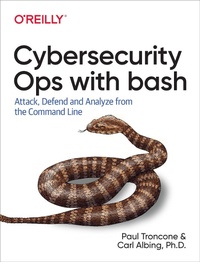
Cybersecurity Ops with bash
Description

If you hope to outmaneuver threat actors, speed and efficiency need to be key components of your cybersecurity operations. Mastery of the standard command-line interface (CLI) is an invaluable skill in times of crisis because no other software application can match the CLI's availability, flexibility, and agility. This practical guide shows you how to use the CLI with the bash shell to perform tasks such as data collection and analysis, intrusion detection, reverse engineering, and administration.
Authors Paul Troncone, founder of Digadel Corporation, and Carl Albing, coauthor of bash Cookbook (O'Reilly), provide insight into command-line tools and techniques to help defensive operators collect data, analyze logs, and monitor networks. Penetration testers will learn how to leverage the enormous amount of functionality built into nearly every version of Linux to enable offensive operations.
In four parts, security practitioners, administrators, and students will examine:
- Foundations: Principles of defense and offense, command-line and bash basics, and regular expressions
- Defensive security operations: Data collection and analysis, real-time log monitoring, and malware analysis
- Penetration testing: Script obfuscation and tools for command-line fuzzing and remote access
- Security administration: Users, groups, and permissions; device and software inventory
More details
Other editions
Additional editions
Content
- Cover
- Copyright
- Table of Contents
- Preface
- Who This Book Is For
- Bash or bash
- Script Robustness
- Workshops
- Conventions Used in This Book
- Using Code Examples
- O'Reilly Online Learning
- How to Contact Us
- Acknowledgments
- Disclaimer
- Part I. Foundations
- Chapter 1. Command-Line Primer
- The Command Line Defined
- Why bash?
- Command-Line Illustrations
- Running Linux and bash on Windows
- Git Bash
- Cygwin
- Windows Subsystem for Linux
- Windows Command Prompt and PowerShell
- Command-Line Basics
- Commands, Arguments, Built-ins, and Keywords
- Standard Input/Output/Error
- Redirection and Piping
- Running Commands in the Background
- From Command Line to Script
- Summary
- Workshop
- Chapter 2. Bash Primer
- Output
- Variables
- Positional Parameters
- Input
- Conditionals
- Looping
- Functions
- Function Arguments
- Returning Values
- Pattern Matching in bash
- Writing Your First Script-Detecting Operating System Type
- Summary
- Workshop
- Chapter 3. Regular Expressions Primer
- Commands in Use
- grep
- grep and egrep
- Regular Expression Metacharacters
- The "." Metacharacter
- The "?" Metacharacter
- The "*" Metacharacter
- The "+" Metacharacter
- Grouping
- Brackets and Character Classes
- Back References
- Quantifiers
- Anchors and Word Boundaries
- Summary
- Workshop
- Chapter 4. Principles of Defense and Offense
- Cybersecurity
- Confidentiality
- Integrity
- Availability
- Nonrepudiation
- Authentication
- The Attack Life Cycle
- Reconnaissance
- Initial Exploitation
- Establish Foothold
- Escalate Privileges
- Internal Reconnaissance
- Lateral Movement
- Maintain Presence
- Complete Mission
- Summary
- Part II. Defensive Security Operations with bash
- Chapter 5. Data Collection
- Commands in Use
- cut
- file
- head
- reg
- wevtutil
- Gathering System Information
- Executing a Command Remotely Using SSH
- Gathering Linux Logfiles
- Gathering Windows Logfiles
- Gathering System Information
- Gathering the Windows Registry
- Searching the Filesystem
- Searching by Filename
- Searching for Hidden Files
- Searching by File Size
- Searching by Time
- Searching for Content
- Searching by File Type
- Searching by Message Digest Value
- Transferring Data
- Summary
- Workshop
- Chapter 6. Data Processing
- Commands in Use
- awk
- join
- sed
- tail
- tr
- Processing Delimited Files
- Iterating Through Delimited Data
- Processing by Character Position
- Processing XML
- Processing JSON
- Aggregating Data
- Summary
- Workshop
- Chapter 7. Data Analysis
- Commands in Use
- sort
- uniq
- Web Server Access Log Familiarization
- Sorting and Arranging Data
- Counting Occurrences in Data
- Totaling Numbers in Data
- Displaying Data in a Histogram
- Finding Uniqueness in Data
- Identifying Anomalies in Data
- Summary
- Workshop
- Chapter 8. Real-Time Log Monitoring
- Monitoring Text Logs
- Log-Based Intrusion Detection
- Monitoring Windows Logs
- Generating a Real-Time Histogram
- Summary
- Workshop
- Chapter 9. Tool: Network Monitor
- Commands in Use
- crontab
- schtasks
- Step 1: Creating a Port Scanner
- Step 2: Comparing to Previous Output
- Step 3: Automation and Notification
- Scheduling a Task in Linux
- Scheduling a Task in Windows
- Summary
- Workshop
- Chapter 10. Tool: Filesystem Monitor
- Commands in Use
- sdiff
- Step 1: Baselining the Filesystem
- Step 2: Detecting Changes to the Baseline
- Step 3: Automation and Notification
- Summary
- Workshop
- Chapter 11. Malware Analysis
- Commands in Use
- curl
- vi
- xxd
- Reverse Engineering
- Hexadecimal, Decimal, Binary, and ASCII Conversions
- Analyzing with xxd
- Extracting Strings
- Interfacing with VirusTotal
- Searching the Database by Hash Value
- Scanning a File
- Scanning URLs, Domains, and IP Addresses
- Summary
- Workshop
- Chapter 12. Formatting and Reporting
- Commands in Use
- tput
- Formatting for Display and Print with HTML
- Creating a Dashboard
- Summary
- Workshop
- Part III. Penetration Testing with bash
- Chapter 13. Reconnaissance
- Commands in Use
- ftp
- Crawling Websites
- Automated Banner Grabbing
- Summary
- Workshop
- Chapter 14. Script Obfuscation
- Commands in Use
- base64
- eval
- Obfuscating Syntax
- Obfuscating Logic
- Encrypting
- Cryptography Primer
- Encrypting the Script
- Creating the Wrapper
- Creating Your Own Crypto
- Summary
- Workshop
- Chapter 15. Tool: Command-Line Fuzzer
- Implementation
- Summary
- Workshop
- Chapter 16. Establishing a Foothold
- Commands in Use
- nc
- Single-Line Backdoors
- Reverse SSH
- Bash Backdoor
- Custom Remote-Access Tool
- Implementation
- Summary
- Workshop
- Part IV. Security Administration with bash
- Chapter 17. Users, Groups, and Permissions
- Commands in Use
- chmod
- chown
- getfacl
- groupadd
- setfacl
- useradd
- usermod
- icacls
- net
- Users and Groups
- Creating Linux Users and Groups
- Creating Windows Users and Groups
- File Permissions and Access Control Lists
- Linux File Permissions
- Windows File Permissions
- Making Bulk Changes
- Summary
- Workshop
- Chapter 18. Writing Log Entries
- Commands in Use
- eventcreate
- logger
- Writing Windows Logs
- Writing Linux Logs
- Summary
- Workshop
- Chapter 19. Tool: System Availability Monitor
- Commands in Use
- ping
- Implementation
- Summary
- Workshop
- Chapter 20. Tool: Software Inventory
- Commands in Use
- apt
- dpkg
- wmic
- yum
- Implementation
- Identifying Other Software
- Summary
- Workshop
- Chapter 21. Tool: Validating Configuration
- Implementation
- Summary
- Workshop
- Chapter 22. Tool: Account Auditing
- Have I Been Pwned?
- Checking for a Breached Password
- Checking for a Breached Email Address
- Batch-Processing Emails
- Summary
- Workshop
- Chapter 23. Conclusion
- Index
- About the Authors
- Colophon
