

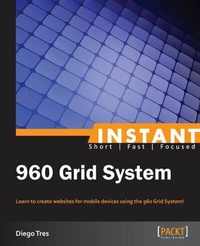
Instant 960 Grid System
Learn to create websites for mobile devices using the 960 Grid System!
Published on 13. January 2025
52 pages
978-1-78328-074-2 (ISBN)
Description

Learn to create websites for mobile devices using the 960 Grid System!
Key Features
Learn something new in an Instant! A short, fast, focused guide delivering immediate results
Lay out your website in Photoshop using the 960 Grid System
Set up an environment to apply grids to the code
Convert the layout to medium and small screens
Book DescriptionGrid systems were an integral part of World War II, helping graphic designers to achieve coherency in devising a flexible system. This book exploits the vast potential of grid systems to create organized and properly aligned websites for mobile platforms. Instant 960 Grid System is a practical, hands-on guide explaining how to build a website using 960.gs targeting mobile devices, from tablets to smartphones. This book shows you how to build quick and organized websites, clearing out the confusion that surrounds column allocation. It will take you through a number of clear and practical exercises that will help you to take advantage of the 960 Grid Systems. You will also learn how to build your own portfolio, starting with the layout in Photoshop to the final product available in HTML. If you want to understand and familiarize yourself with how to use the 960 Grid System and at the same time want to prepare your website quickly to run on smartphones and tablets, then this book is for you. Not only will it cover the creation of a quickly-produced neat and concise website for different platforms, but it will also teach you how to make it responsive.What you will learn
Download the 960 Grid System
Choose the right number of columns for the project
Use a Photoshop template
Prepare code to be used in the 960 Grid System
Understand the classes of the 960 Grid System frameworks
Download the 960 Fluid Grid Systems
Convert your website to small and medium screen platforms
Who this book is forThe book is intended for beginner web developers and information architects looking to create a quick responsive website prototype. Basic knowledge of web development and a little understanding of grids is encouraged.
Key Features
Learn something new in an Instant! A short, fast, focused guide delivering immediate results
Lay out your website in Photoshop using the 960 Grid System
Set up an environment to apply grids to the code
Convert the layout to medium and small screens
Book DescriptionGrid systems were an integral part of World War II, helping graphic designers to achieve coherency in devising a flexible system. This book exploits the vast potential of grid systems to create organized and properly aligned websites for mobile platforms. Instant 960 Grid System is a practical, hands-on guide explaining how to build a website using 960.gs targeting mobile devices, from tablets to smartphones. This book shows you how to build quick and organized websites, clearing out the confusion that surrounds column allocation. It will take you through a number of clear and practical exercises that will help you to take advantage of the 960 Grid Systems. You will also learn how to build your own portfolio, starting with the layout in Photoshop to the final product available in HTML. If you want to understand and familiarize yourself with how to use the 960 Grid System and at the same time want to prepare your website quickly to run on smartphones and tablets, then this book is for you. Not only will it cover the creation of a quickly-produced neat and concise website for different platforms, but it will also teach you how to make it responsive.What you will learn
Download the 960 Grid System
Choose the right number of columns for the project
Use a Photoshop template
Prepare code to be used in the 960 Grid System
Understand the classes of the 960 Grid System frameworks
Download the 960 Fluid Grid Systems
Convert your website to small and medium screen platforms
Who this book is forThe book is intended for beginner web developers and information architects looking to create a quick responsive website prototype. Basic knowledge of web development and a little understanding of grids is encouraged.
All prices
More details
Edition
Digital original
Language
English
Place of publication
Birmingham
United Kingdom
Target group
Professional and scholarly
US School Grade: College Graduate Student
Edition type
Digital original
File size
6,02 MB
ISBN-13
978-1-78328-074-2 (9781783280742)
Copyright in bibliographic data and cover images is held by Nielsen Book Services Limited or by the publishers or by their respective licensors: all rights reserved.
Schweitzer Classification
Other editions
Additional editions
Diego de Tres
Instant 960 Grid System
Learn to create websites for mobile devices using the 960 Grid System!
Book
09/2013
Packt Publishing
€28.30
Shipment within 3-4 weeks
Person
Tres Diego de :
Diego Tres has worked professionally since 2000, mostly with large global brands, such as Google, MasterCard, and PepsiCo. He has developed extensive technical skills in developing websites from designing to programming, and he is always aligned with a great business vision. He is always focused on frontend and is obstinate for perfection, seeking all the details involved in the execution of work to get the best results. He was born in 1983. During his childhood, he joined a drawing course and also a painting course. After he broke his legs, he started playing keyboards in his samba group that he played keyboards. Later, he won a 586 computer from his stepfather, which included the famous software, Paint Brush; he then started gaining knowledge about Photoshop and HTML. In 1999, he published his first website using Microsoft Front Page and Macromedia Flash. His first job was as an instructor in web design; he began using web standards in the development of various applications and AJAX, and got a promotion in the same year. Later, he launched his first website for a global brand, Samsung. In 2007, he was selected as a finalist in the Grand Prix (London International Awards) for the first time. The very next year, he founded his own advertising agency; however, he unfortunately failed the first time due to the stock market crash. Later, he began using HTML5 and preprocessors, such as SASS and LESS. He also launched his website using responsive web design and Mobile First design. Recently, he had his name on a winning project. Now he enjoys animations with CSS, SVG, Canvas, and WebGL.
Diego Tres has worked professionally since 2000, mostly with large global brands, such as Google, MasterCard, and PepsiCo. He has developed extensive technical skills in developing websites from designing to programming, and he is always aligned with a great business vision. He is always focused on frontend and is obstinate for perfection, seeking all the details involved in the execution of work to get the best results. He was born in 1983. During his childhood, he joined a drawing course and also a painting course. After he broke his legs, he started playing keyboards in his samba group that he played keyboards. Later, he won a 586 computer from his stepfather, which included the famous software, Paint Brush; he then started gaining knowledge about Photoshop and HTML. In 1999, he published his first website using Microsoft Front Page and Macromedia Flash. His first job was as an instructor in web design; he began using web standards in the development of various applications and AJAX, and got a promotion in the same year. Later, he launched his first website for a global brand, Samsung. In 2007, he was selected as a finalist in the Grand Prix (London International Awards) for the first time. The very next year, he founded his own advertising agency; however, he unfortunately failed the first time due to the stock market crash. Later, he began using HTML5 and preprocessors, such as SASS and LESS. He also launched his website using responsive web design and Mobile First design. Recently, he had his name on a winning project. Now he enjoys animations with CSS, SVG, Canvas, and WebGL.
Content
Table of Contents

