

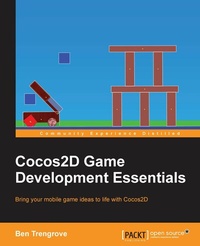
Cocos2d Game Development Essentials
For new users - a quickstart guide to bringing your mobile game ideas to life with Cocos2D
2nd Edition
Published on 7. October 2025
136 pages
978-1-78439-129-4 (ISBN)
Description

Key Features
Book DescriptionIf you are a game developer with experience in Objective-C and are interested in creating games for iOS or Android, this is the book for you. It will help you to quickly get started with Cocos2D and guide you through the process of creating a game, giving you the essential skills and knowledge you need to do so.What you will learn
Use sprites and nodes to create scenes to form the foundation of your game
Discover how SpriteBuilder and its graphical tools can be used to develop your game and increase its complexity
Design professional, impressive, and funfilled animations
Create an impressive user interface for an engaging gaming experience
Explore and use physics engines for attractive gameplay and use them to add a professional finish to your game
Add physics to your game for a more realistic experience
Accept user input through a variety of methods including touch and accelerometer
Who this book is forIf you are a game developer with experience in Objective-C and are interested in creating games for iOS or Android, this is the book for you. It will help you to quickly get started with Cocos2D and guide you through the process of creating a game, giving you the essential skills and knowledge you need to do so.
Book DescriptionIf you are a game developer with experience in Objective-C and are interested in creating games for iOS or Android, this is the book for you. It will help you to quickly get started with Cocos2D and guide you through the process of creating a game, giving you the essential skills and knowledge you need to do so.What you will learn
Use sprites and nodes to create scenes to form the foundation of your game
Discover how SpriteBuilder and its graphical tools can be used to develop your game and increase its complexity
Design professional, impressive, and funfilled animations
Create an impressive user interface for an engaging gaming experience
Explore and use physics engines for attractive gameplay and use them to add a professional finish to your game
Add physics to your game for a more realistic experience
Accept user input through a variety of methods including touch and accelerometer
Who this book is forIf you are a game developer with experience in Objective-C and are interested in creating games for iOS or Android, this is the book for you. It will help you to quickly get started with Cocos2D and guide you through the process of creating a game, giving you the essential skills and knowledge you need to do so.
All prices
More details
Edition
2nd Revised edition
Language
English
Place of publication
Birmingham
United Kingdom
Target group
Professional and scholarly
US School Grade: College Graduate Student
Edition type
Revised edition
File size
2,35 MB
ISBN-13
978-1-78439-129-4 (9781784391294)
Copyright in bibliographic data and cover images is held by Nielsen Book Services Limited or by the publishers or by their respective licensors: all rights reserved.
Schweitzer Classification
Other editions
Additional editions
Ben Trengrove
Cocos2D Game Development Essentials
Book
01/2015
Packt Publishing
€38.80
Shipment within 3-4 weeks
Person
Trengrove Ben :
Ben Trengrove is an experienced iOS developer who started developing with the release of the first iOS SDK. He spent 3 years as the senior developer at Shiny Things (http://getshinythings.com), where he lead the creation of all Shiny Things games using Cocos2d. These apps have been featured as the editor's choice by Apple around the world. Today, Ben runs a mobile app agency that is based out of Canberra, AustraliaStripy Sock (http://stripysock.com.au).
Ben Trengrove is an experienced iOS developer who started developing with the release of the first iOS SDK. He spent 3 years as the senior developer at Shiny Things (http://getshinythings.com), where he lead the creation of all Shiny Things games using Cocos2d. These apps have been featured as the editor's choice by Apple around the world. Today, Ben runs a mobile app agency that is based out of Canberra, AustraliaStripy Sock (http://stripysock.com.au).
Content
Table of Contents
Getting Started with Cocos 2d
Nodes, Sprites and Scenes
SpriteBuilder
Animation
User Interaction and Interface
Physics Engines
Getting Started with Cocos 2d
Nodes, Sprites and Scenes
SpriteBuilder
Animation
User Interaction and Interface
Physics Engines

