

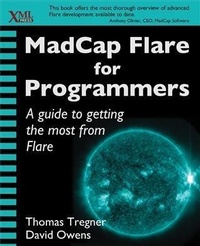
MadCap Flare for Programmers
Published on 15. June 2015
180 pages
978-1-4571-9128-2 (ISBN)
Description

MadCap Flare for Programmers shows how Flare manages and parses content and how you can interact with Flare outside the user interface. It introduces the structure of Flare content files and Flare output files, such as HTML5 help, and shows how you can manipulate those files.With more than 50 examples in languages such as JavaScript, C#, Java, XSLT, and Visual Basic, this book covers most of the ways you can programmatically interact with MadCap Flare. This book is for programmers who support Flare, technical writers who want to look under the hood, and managers who would like to know what possibilities exist beyond the Flare UI.
More details
Other editions
Additional editions
Book
06/2015
XML Press
€46.62
Shipment within 3-4 weeks
Content
- Intro
- MadCap Flare for Programmers
- Table of Contents
- Foreword
- Chapter 1. Introduction
- Audience for this book
- Programmers
- Technical writers
- Managers
- Purpose of this book
- Structure of this book
- Chapter 2. Flare Projects
- Project files
- Root folder and explorers
- Content folder
- Project folder
- Analyzer and Output folders
- Conclusion
- Chapter 3. Flare, Topic-based Authoring, and DITA
- Topic-based authoring
- DITA
- Topic-based authoring in Flare
- Single source / multichannel
- Conditional content
- Flare and other tools and standards
- Imports and exports
- Imports
- Exports and targets
- DITA
- Microsoft Word
- FrameMaker
- Chapter 4. Flare Topics
- Flare topics overview
- Authoring Flare topics
- Styling Flare topics
- Topic structure
- Contents of a Flare topic
- XHTML element tags
- MadCap element tags
- Links, cross references, and bookmarks
- Snippets
- Conditions
- Variables
- Proxies
- Topic output
- HTML5 and web outputs
- PDF and print outputs
- XHTML
- DITA
- Import behavior
- Manipulating topic files
- Topic code samples
- Modifying topics programmatically
- XSLT examples
- .NET examples
- JavaScript example
- Chapter 5. Flare Tables of Contents
- TOC structure
- Nested TOCs
- Other TOC node types
- Browse sequences
- Projects and targets
- HTML Help
- External help
- Mimic
- Import behavior for TOC hierarchies
- Manipulating TOCs
- TOCs in output
- Export behavior
- HTML5 and web-based output
- Exploring the HTML5 TOC data files
- Print output
- TOC code samples: creating and modifying a TOC
- XSLT example
- .NET examples
- JavaScript example
- Java example
- Chapter 6. Flare Indexes, Glossaries, and Search
- Flare indexes
- Index proxies
- Index link sets
- Auto Index Sets
- Create an Auto Index Set
- Flare glossaries
- Glossary proxies
- Glossary files
- Creating and modifying glossaries programmatically
- Web output JavaScript example
- Search
- Customizing search
- Programmatic access to search in HTML5 output
- Search filters
- Open search results for HTML5 output example
- Batch testing search performance
- Chapter 7. JavaScript in Flare Topics, Master Pages, Snippets, and Skins
- Toolbar JavaScript through the Skin Editor
- Connecting a Toolbar function to a button
- Connecting Toolbar functions to other actions
- Scripts in topics, master pages, and snippets
- Chapter 8. Document Automation and Batch Files
- Batch files
- Creating a manageable template for batch files
- Automating imports
- Building subsystems in parallel
- Batch file generator utility
- Using the utility
- Chapter 9. Connecting Applications to Flare Help Outputs
- HTML5 tri-pane help
- HTML5 URL examples
- HTML5 JavaScript helpers
- Java example
- Visual Basic 6
- Visual Basic .NET and C#
- Pascal
- PHP
- WebHelp
- CHM and HTML Help
- DotNet Help
- Eclipse Help
- Chapter 10. Flare Application and Flare Plugins
- Creating a plugin project
- Initialize(IHost host)
- Execute()
- GetAuthor(), GetDescription(), GetName(), GetVersion()
- IsActivated()
- Stop()
- Building and deploying a plugin
- Menus
- Editors
- Documents
- Insert element example
- Chapter 11. Formatting and Pasting Code Samples into Flare
- Plugin for pasting code samples
- Chapter 12. Strategies for Combining Generated and Authored Content
- Strategy: Don't touch generated content
- Variations
- Strategy: Generate once and edit freely
- Strategy: Generate content but only keep the topics
- Strategy: Generate content as snippets
- Strategy: Generate topics and snippets
- Conclusion
- Acknowledgments
- Appendix A. Batch File Generator Utility
- Appendix B. Element List
- Appendix C. Glossary
- About the Authors
- Index
- About XML Press
