

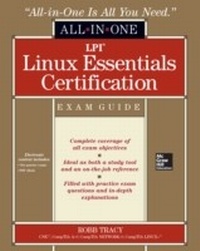
LPI Linux Essentials Certification All-in-One Exam Guide
1st Edition
Published on 9. April 2013
551 pages
978-0-07-181100-2 (ISBN)
Available for download
Description

Complete coverage of the newest exam release from the Linux Professional Institute, and the first step toward LPIC-1 and CompTIA Linux+ Linux Essentials All-in-One Exam Guide covers this ",first-of-its-kind", program intended for the academic sector, aspiring IT professionals, and anyone new to the world of Linux and open source technology. This comprehensive, classroom-based reference offers 100% coverage of all exam objectives for the Linux Essentials exam. The book includes expert discussion sidebars to convey in-depth information. Tip, Caution, and Note icons highlight key topics, end-of-chapter quizzes test retention and exam readiness, and Exam Tips guide you through tough technical topics that may be tricky come exam day. The All-in-One also includes hands-on examples and exercises that reinforce practical learning for real-world applicability. Electronic content includes a practice exam (Windows based) and an Adobe Digital Editions e-book (available for download)
More details
Other editions
Additional editions
Book
05/2013
Osborne/McGraw-Hill
€39.60
Article exhausted; check different version
Content
- Cover
- Title Page
- Copyright Page
- About the Author
- Contents at a Glance
- Contents
- Acknowledgments
- Introduction
- Chapter 1: An Introduction to Linux
- The Role of an Operating System
- How Linux Came to Be
- GNU and Linux
- Linux Distributions
- What Is a Distribution?
- Commonly Used Distributions
- The Life Cycle of a Linux Distribution
- Choosing an Operating System
- Conducting a Needs Assessment
- Selecting a Distribution
- Verifying System Requirements and Hardware Compatibility
- Common Linux Implementations
- Linux on the Desktop
- Linux on the Server
- Embedded Linux
- Virtualization
- Chapter Review
- Accelerated Review
- Questions
- Answers
- Chapter 2: Getting Around in Linux
- Booting the System and Logging In
- Booting the System
- Logging In
- Keeping Information Secure
- Shutting Down the System
- Using the Linux Graphical Desktop Environment
- The Linux Graphical User Interface
- Graphical Desktop Components
- Graphical Environment Configuration Settings
- Common Linux Graphical Applications
- Using the Linux Command Line Environment
- Chapter Review
- Accelerated Review
- Questions
- Answers
- Chapter 3: PC Hardware
- PC Hardware Components
- Power Supplies
- Motherboards
- CPUs
- System Memory
- Expansion Slots
- Storage Devices
- PC Peripherals
- Removable Hardware Interfaces
- Display Devices
- Device Drivers
- How Drivers Work
- How Drivers Are Implemented Under Linux
- Chapter Review
- Accelerated Review
- Questions
- Answers
- Chapter 4: Open Source Software
- Open Source Software
- Desktop Applications
- Server Applications
- Open Source Software Development
- Software Development Models
- Package Management Tools and Repositories
- Open Source Business Model
- Chapter Review
- Accelerated Review
- Questions
- Answers
- Chapter 5: Command Line Basics
- Using the Linux Shell
- Linux Shells
- Running Commands from the Shell Prompt
- Using Command History
- Using Command Completion
- Shell Configuration Files
- Working with Variables
- How Environment Variables Work
- Managing Environment Variables
- Creating User-Defined Variables
- Getting Help with Linux Commands
- Using man Pages
- Using the info Utility
- Using Linux Text Editors
- Launching vi
- Using vi to Edit Text Files
- Using pico and nano to Edit Text Files
- Chapter Review
- Accelerated Review
- Questions
- Answers
- Chapter 6: Working with Files and Directories
- Linux File Systems and the Filesystem Hierarchy Standard (FHS)
- The Role of the Linux File System
- The Hierarchical Structure of the Linux File System
- Types of Files Used by Linux
- Linux Disk File Systems
- Managing Directories from the Command Line
- Navigating the File System
- Viewing Directory Contents
- Creating New Directories
- Copying, Moving, and Deleting Directories
- Managing Files from the Command Line
- Creating New Files
- Deleting Files
- Copying and Moving Files
- Finding Files in the Linux File System
- Using find
- Using locate
- Using which
- Using whereis
- Using type
- Working with Link Files
- Chapter Review
- Accelerated Review
- Questions
- Answers
- Chapter 7: Extracting Data from Files
- Viewing File Contents
- Finding Content Within Files
- Using Redirection and Piping
- Standard bash File Descriptors
- Redirecting Output and Input for Shell Commands
- Piping Information
- Using Command Substitution
- Processing Text Streams
- cut
- fmt
- join and paste
- nl
- pr
- sort
- split
- tr
- uniq
- wc
- Chapter Review
- Accelerated Review
- Questions
- Answers
- Chapter 8: Managing Users and Groups
- Managing Linux User Accounts
- How Linux User Accounts Work
- Where Linux User Accounts Are Stored
- Creating and Managing User Accounts from the Command Line
- Managing Linux Group Accounts
- How Linux Groups Work
- Managing Groups from the Command Line
- Managing User Account Security
- Proper Use of the root User Account
- Using su
- Using sudo
- Using Log Files to Detect Intruders
- Chapter Review
- Accelerated Review
- Questions
- Answers
- Chapter 9: Managing File Ownership and Permissions
- Managing File Ownership
- How Ownership Works
- Managing Ownership from the Command Line
- Managing File and Directory Permissions
- How Permissions Work
- Managing Permissions from the Command Line with chmod
- Working with Default Permissions
- Working with Special Permissions
- Chapter Review
- Accelerated Review
- Questions
- Answers
- Chapter 10: Archiving Files
- Selecting a Backup Medium
- Selecting a Backup Strategy
- Selecting a Backup Type
- Selecting a Backup Schedule
- Determining What to Back Up
- Using Linux Backup Utilities
- Using tar
- Using cpio
- Creating an Archive with dd
- Chapter Review
- Accelerated Review
- Questions
- Answers
- Chapter 11: Managing Linux Processes and Log Files
- Understanding Linux Processes
- How Linux Processes Are Loaded
- Managing Running Processes
- Starting System Processes
- Viewing Running Processes
- Prioritizing Processes
- Managing Foreground and Background Processes
- Ending a Running Process
- Managing Linux Log Files
- Configuring Log Files
- Using Log Files to Troubleshoot Problems
- Chapter Review
- Accelerated Review
- Questions
- Answers
- Chapter 12: Creating Scripts
- Working with Shell Scripts
- The Components of a Shell Script
- How Shell Scripts Are Executed
- Creating a Basic Script
- Displaying Text on the Screen
- Adding Commands to a Script
- Reading Input from the User
- Using Control Structures in Scripts
- Using if/then Structures
- Using case Structures
- Using Looping Structures
- Processing Text Streams
- cut
- sort
- wc
- Chapter Review
- Accelerated Review
- Questions
- Answers
- Chapter 13: Connecting Linux to a Network
- Understanding IP Networks
- What Is a Protocol?
- How IP Addresses Work
- How the Subnet Mask Works
- Specifying the DNS Server and Default Gateway Router Addresses
- Configuring Network Addressing Parameters
- Installing the Ethernet Board
- Configuring IP Parameters
- Configuring Routing Parameters
- Configuring Name Resolver Settings
- Troubleshooting Network Problems
- Using ping
- Using netstat
- Using traceroute
- Using Name Resolution Tools
- Encrypting Remote Access with OpenSSH
- How Encryption Works
- How OpenSSH Works
- Configuring OpenSSH
- Chapter Review
- Accelerated Review
- Questions
- Answers
- Appendix A: About the Download
- Steps to Download MasterExam
- System Requirements
- MasterExam
- Help
- Removing Installation
- Technical Support
- LearnKey Technical Support
- Appendix B: Practice Exam
- Glossary
- Index

