

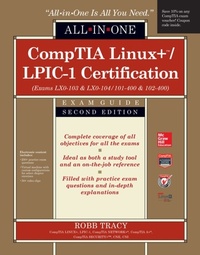
CompTIA Linux+/LPIC-1 Certification All-in-One Exam Guide, Second Edition (Exams LX0-103 & LX0-104/101-400 & 102-400)
1st Edition
Published on 26. June 2015
1027 pages
978-0-07-184171-9 (ISBN)
Available for download
Description

Revised for the 2015 update to the CompTIA Linux+/LPIC-1 objectives, this value-packed exam guide covers the leading vendor-neutral credential for Linux and comes with a virtual machine configured for hands-on exercises, video training, and hundreds of practice exam questions. Get complete coverage of all the objectives included on CompTIA Linux+ exams LX0-103 and LX0-104 and LPIC-1 exams 101-400 and 102-400 from this up-to-date resource. Written by a Linux expert and technology trainer, the book provides learning objectives at the beginning of each chapter, exam tips, practice exam questions, and in-depth answer explanations. Designed to help you pass these challenging exams, this definitive volume also serves as an essential on-the-job reference. Covers all exam topics, including how to: Work with the Linux shell Use the vi text editor Manage Linux files and directories Install Linux and manage the boot process Configure the graphical environment Manage software and hardware Manage users, groups, file systems, and processes Administer ownership, permissions, and quotas Write shell scripts Manage network settings and services Secure Linux and use encryptionElectronic content includes: 200+ practice exam questions Virtual machine with custom configurations for select chapter exercises 50+ video clips Save 10% on CompTIA exam vouchers for any CompTIA certification! See inside the book for details.
More details
Other editions
Additional editions
Book
07/2015
2nd Edition
McGraw-Hill Professional
€50.50
Article exhausted; check different version
Content
- Cover
- Title Page
- Copyright Page
- Didecation
- Contents at a Glance
- Contents
- Preface
- Acknowledgments
- Introduction
- Chapter 1 An Introduction to Linux
- The Role of an Operating System
- How Linux Came to Be
- GNU and Linux
- Linux Distributions
- What Is a Distribution?
- Commonly Used Distributions
- The Life Cycle of a Linux Distribution
- Common Linux Implementations
- Linux on the Desktop
- Linux on the Server
- Mobile Linux
- Linux and Virtualization
- Linux and Cloud Computing
- Embedded Linux
- Chapter Review
- Accelerated Review
- Questions
- Answers
- Chapter 2 Working with the Linux Shell
- How the Linux Shell Works
- Linux Shells
- Managing Shell Configuration Files
- Using the Shell Prompt
- Entering Commands at the Shell Prompt
- Using Command History
- Using Command Completion
- Getting Help for Linux Shell Commands
- Using man Pages
- Using the info Utility
- Working with Environment Variables
- What Are Environment Variables?
- Managing Environment Variables
- Creating a User-Defined Variable
- Working with Aliases
- Using Redirection and Piping
- Standard bash File Descriptors
- Redirecting Output and Input for Shell Commands
- Piping Information
- Chapter Review
- Accelerated Review
- Questions
- Answers
- Chapter 3 Using the vi Text Editor
- The Role and Function of the vi Text Editor
- Editing Text Files in vi
- Opening Files in vi
- The vi Modes
- Working in Insert Mode
- Working in Command-Line Mode
- Working in Command Mode
- Chapter Review
- Accelerated Review
- Questions
- Answers
- Chapter 4 Managing Linux Files and Directories
- Understanding Linux File Systems and the Filesystem Hierarchy Standard (FHS)
- The Role of the Linux File System
- The Hierarchical Structure of the Linux File System
- Types of Files Used by Linux
- Finding Files in the Linux File System
- Using find
- Using locate
- Using which
- Using whereis
- Using type
- Managing Directories from the Command Line
- Navigating the File System
- Viewing Directory Contents
- Creating New Directories
- Copying, Moving, and Deleting Directories
- Managing Files from the Command Line
- Creating New Files
- Viewing File Contents
- Deleting Files
- Copying and Moving Files
- Determining the File Type
- Working with Link Files
- Finding Content within Files
- Chapter Review
- Accelerated Review
- Questions
- Answers
- Chapter 5 Installing Linux
- Designing a Linux Installation
- Conducting a Needs Assessment
- Selecting a Distribution
- Verifying System Requirements and Hardware Compatibility
- Planning the File System
- Selecting Software Packages
- Identifying User Accounts
- Gathering Network Information
- Selecting an Installation Source
- Installing Linux
- Configuring Locale Settings
- Configuring Time Zone Settings
- How Time Works on Linux
- Configuring the Time Zone
- Chapter Review
- Accelerated Review
- Questions
- Answers
- Chapter 6 Managing the Linux Boot Process
- The Linux Boot Process
- The BIOS Phase
- The Bootloader Phase
- The Kernel Phase
- Configuring the Bootloader
- Configuring GRUB Legacy
- Configuring GRUB2
- Managing Linux Runlevels with init
- How Runlevels Work
- Managing Runlevels and init Scripts
- Managing Linux Boot Targets
- Managing Boot Targets
- Managing Services
- Shutting Down the System
- Chapter Review
- Accelerated Review
- Questions
- Answers
- Chapter 7 Managing the Graphical Environment
- How the X Environment Works
- Configuring the X Environment
- Configuring the X Server
- Configuring an X Font Server
- Configuring a Display Manager
- Trying Out Desktop Environments
- Managing a Display Manager
- Configuring Accessibility
- Keyboard Accessibility
- Mouse Accessibility
- Screen Readers
- Screen Magnifiers
- Braille Devices
- High-Contrast, Large-Text Desktop Themes
- Chapter Review
- Accelerated Review
- Questions
- Answers
- Chapter 8 Managing Linux Software
- Managing Software with RPM
- Installing Software with RPM
- Managing Installed Software with RPM
- Using yum to Install RPM Packages
- Installing Software from Source Code
- Preparing the Installation Files
- Compiling the Executable
- Installing the Executable
- Uninstalling Software Compiled from Source Code
- Managing Debian Software Packages
- Debian Package Naming
- Installing Packages with dpkg
- Viewing Package Information with apt-cache
- Installing Packages with apt-get
- Using aptitude
- Managing Shared Libraries
- How Shared Libraries Work
- Managing Shared Library Dependencies
- Chapter Review
- Accelerated Review
- Questions
- Answers
- Chapter 9 Managing Linux Users and Groups
- Understanding Linux Users and Groups
- Linux User Accounts
- Linux Groups
- Chapter Review
- Accelerated Review
- Questions
- Answers
- Chapter 10 Managing Linux File Systems
- Managing Disk Partitions
- Managing Master Boot Record (MBR) Disk Partitions
- Managing Globally Unique Identifier (GUID) Partitions
- Building a File System
- Mounting a Partition
- Understanding LVM
- Maintaining Linux File Systems
- Mounting Removable Media
- Working with Optical Devices
- Working with USB and FireWire Devices
- Backing Up Data
- Selecting a Backup Medium
- Selecting a Backup Strategy
- Using Linux Backup Utilities
- Chapter Review
- Accelerated Review
- Questions
- Answers
- Chapter 11 Managing Ownership, Permissions, and Quotas
- Managing Ownership
- How Ownership Works
- Managing Ownership from the Command Line
- Managing File and Directory Permissions
- How Permissions Work
- Managing Permissions from the Command Line
- Working with Default Permissions
- Working with Special Permissions
- Administering Disk Quotas
- Chapter Review
- Accelerated Review
- Questions
- Answers
- Chapter 12 Managing Hardware Under Linux
- Managing PC Hardware
- Identifying Mass Storage Devices
- Working with Removable Hardware Interfaces
- Managing System Resources
- Managing Integrated Devices
- Managing Systems Without External Peripherals
- Working with Linux Drivers
- What Exactly Is a Driver, Anyway?
- How Drivers Are Implemented Under Linux
- Managing Kernel Modules
- Working with Hot-Plug and Cold-Plug Devices
- Chapter Review
- Accelerated Review
- Questions
- Answers
- Chapter 13 Managing Linux Processes
- Understanding Linux Processes
- How Linux Processes Are Loaded
- Managing Processes
- Starting System Processes
- Viewing Running Processes
- Prioritizing Processes
- Managing Foreground and Background Processes
- Ending a Running Process
- Keeping a Process Running After Logout
- Scheduling Processes
- Using the at Daemon
- Using the cron Daemon
- Using anacron
- Chapter Review
- Accelerated Review
- Questions
- Answers
- Chapter 14 Writing Shell Scripts
- Working with Shell Scripts
- The Components of a Shell Script
- How Shell Scripts Are Executed
- Creating a Basic Script
- Displaying Text on the Screen
- Adding Commands to a Script
- Reading Input from the User
- Using Control Structures in Scripts
- Using if/then Structures
- Using case Structures
- Using Looping Structures
- Processing Text Streams
- cut
- expand and unexpand
- fmt
- join and paste
- nl
- od
- pr
- sed and awk
- sort
- split
- tr
- uniq
- wc
- Using Command Substitution and Shell Functions
- Using Command Substitution
- Using Shell Functions
- Chapter Review
- Accelerated Review
- Questions
- Answers
- Chapter 15 Managing Linux Network Settings
- Understanding IP Networks
- What Is a Protocol?
- How IPv4 Addresses Work
- How IPv4 Subnet Masks Work
- Specifying the DNS Server and Default Gateway Router Addresses
- Using IPv6
- Configuring Network Addressing Parameters
- Installing the Ethernet Board
- Configuring IPv4 Parameters
- Configuring Routing Parameters
- Configuring Name Resolver Settings
- Configuring IPv6
- Troubleshooting Network Problems
- Using a Standardized Troubleshooting Model
- Using ping
- Using netstat
- Using traceroute
- Using nc
- Using Name Resolution Tools
- host
- getent
- Chapter Review
- Accelerated Review
- Questions
- Answers
- Chapter 16 Managing Network Services on Linux
- Configuring Printing with CUPS
- How Linux Printing Works
- Installing CUPS
- Configuring CUPS
- Using the Line Printer Daemon (lpd)
- Troubleshooting Printing Issues
- Maintaining System Time
- Setting the Hardware Clock with hwclock
- Synchronizing Time with netdate
- Synchronizing Time with NTP
- Managing an MTA
- How E-mail Works
- Using MTA Management Commands on Linux
- Managing SQL Data
- How Databases Work
- Installing MySQL
- Managing Data in the SQL Server
- Chapter Review
- Accelerated Review
- Questions
- Answers
- Chapter 17 Securing Linux
- Securing the System
- Securing the Physical Environment
- Securing Access to the Operating System
- Controlling User Access
- To root or Not to root?
- Implementing a Strong Password Policy
- Configuring User Limits
- Disabling User Login
- Auditing Files
- Defending Against Network Attacks
- Mitigating Network Vulnerabilities
- Implementing a Firewall with iptables
- Managing System Logs
- Configuring Log Files
- Using Log Files to Troubleshoot Problems
- Using Log Files to Detect Intruders
- Configuring xinetd and inetd
- Configuring xinetd
- Configuring inetd
- Chapter Review
- Accelerated Review
- Questions
- Answers
- Chapter 18 Using Encryption
- How Encryption Works
- Symmetric Encryption
- Asymmetric Encryption
- Encrypting Remote Access with OpenSSH
- How OpenSSH Works
- Configuring OpenSSH
- Tunneling Traffic Through SSH
- Configuring SSH to Use Public Key Authentication
- Encrypting Linux Files
- How GPG Works
- Using GPG to Encrypt Files
- Chapter Review
- Accelerated Review
- Questions
- Answers
- Appendix A Pre-Assessment Test
- Instructions
- Questions
- Quick Answer Key
- In-Depth Answer Explanations
- Analyzing Your Results
- Certification Exam 1 Objectives: LX0-103
- Certification Exam 2 Objectives: LX0-104
- Appendix B About the Download
- System Requirements
- Downloading Total Tester Premium Practice Exam Software
- Total Tester Premium Practice Exam Software
- Installing and Running Total Tester Premium Practice Exam Software
- Paper & Pencil Tests
- Virtual Machine
- Installing and Configuring the Virtual Machine
- Videos
- Technical Support
- Total Seminars Technical Support
- McGraw-Hill Education Content Support
- Index

