

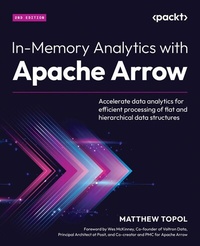
In-Memory Analytics with Apache Arrow
Accelerate data analytics for efficient processing of flat and hierarchical data structures
2nd Edition
Published on 13. January 2025
406 pages
978-1-83546-968-2 (ISBN)
Description

No detailed description available for "In-Memory Analytics with Apache Arrow".
All prices
More details
Edition
2nd Revised edition
Language
English
Place of publication
Birmingham
United Kingdom
Target group
Professional and scholarly
US School Grade: College Graduate Student
Edition type
Revised edition
Product notice
Reflowable
File size
9,38 MB
ISBN-13
978-1-83546-968-2 (9781835469682)
Copyright in bibliographic data and cover images is held by Nielsen Book Services Limited or by the publishers or by their respective licensors: all rights reserved.
Schweitzer Classification
Other editions
Additional editions
Matthew Topol
In-Memory Analytics with Apache Arrow
Accelerate data analytics for efficient processing of flat and hierarchical data structures
Book
09/2024
2nd Edition
Packt Publishing
€90.00
Shipment within 3-4 weeks
Previous edition
Matthew Topol
In-Memory Analytics with Apache Arrow
Perform fast and efficient data analytics on both flat and hierarchical structured data
E-Book
06/2024
1st Edition
Packt Publishing Limited
from
€46.79
Available for download
Persons
Topol Matthew :
Matthew Topol is a member of the Apache Arrow Project Management Committee (PMC) and a staff software engineer at Voltron Data, Inc. Matt has worked in infrastructure, application development, and large-scale distributed system analytical processing for financial data. At Voltron Data, Matt's primary responsibilities have been working on and enhancing the Apache Arrow libraries and associated sub-projects. In his spare time, Matt likes to bash his head against a keyboard, develop and run delightfully demented fantasy games for his victims-er-friends, and share his knowledge and experience with anyone interested enough to listen.
Matthew Topol is a member of the Apache Arrow Project Management Committee (PMC) and a staff software engineer at Voltron Data, Inc. Matt has worked in infrastructure, application development, and large-scale distributed system analytical processing for financial data. At Voltron Data, Matt's primary responsibilities have been working on and enhancing the Apache Arrow libraries and associated sub-projects. In his spare time, Matt likes to bash his head against a keyboard, develop and run delightfully demented fantasy games for his victims-er-friends, and share his knowledge and experience with anyone interested enough to listen.
Content
Table of Contents
Getting Started with Apache Arrow
Working with Key Arrow Specifications
Format and Memory Handling
Crossing the Language Barrier with the Arrow C Data API
Acero: A Streaming Arrow Execution Engine
Using the Arrow Datasets API
Exploring Apache Arrow Flight RPC
Understanding Arrow Database Connectivity (ADBC)
Using Arrow with Machine Learning Workflows
Powered by Apache Arrow
How to Leave Your Mark on Arrow
Future Development and Plans
Getting Started with Apache Arrow
Working with Key Arrow Specifications
Format and Memory Handling
Crossing the Language Barrier with the Arrow C Data API
Acero: A Streaming Arrow Execution Engine
Using the Arrow Datasets API
Exploring Apache Arrow Flight RPC
Understanding Arrow Database Connectivity (ADBC)
Using Arrow with Machine Learning Workflows
Powered by Apache Arrow
How to Leave Your Mark on Arrow
Future Development and Plans
