

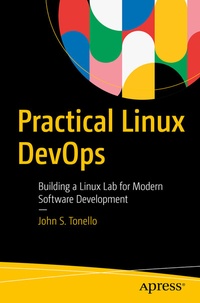
Practical Linux DevOps
Building a Linux Lab for Modern Software Development
Published on 11. August 2022
XX, 337 pages
978-1-4842-8318-9 (ISBN)
Description

Learn, develop and hone your Linux and DevOps skills by building a lab for learning, testing and exploring the latest Linux and open-source technologies. This book helps Linux users and others to master modern DevOps practices using a wide range of software and tools.
Having a home or work-based Linux lab is indispensable to anyone looking to experiment with the ever-evolving landscape of new software and DevOps. With open-source tools and readily available hardware, you will end up with a lab you can use to try virtually any modern software, including Chef, Docker, Kubernetes and stalwarts like DNS, Dovecot, and Postfix for email. You'll set up pipelines for software deployment and focus on discrete projects that help you learn through doing. In the end, you'll acquire the skills needed to become better informed, more marketable engineers and developers, and better able to take on a wide array of software projects with confidence.
Practical Linux DevOps is the perfect companion for those who want to learn how to build systems with utility and learn about modern hardware and software practices.
What You'll Learn
New and modestly experienced users with basic understanding of a basic understanding of Windows or Linux command line, as well as would-be and current DevOps engineers, and full-stack and other software developers
Having a home or work-based Linux lab is indispensable to anyone looking to experiment with the ever-evolving landscape of new software and DevOps. With open-source tools and readily available hardware, you will end up with a lab you can use to try virtually any modern software, including Chef, Docker, Kubernetes and stalwarts like DNS, Dovecot, and Postfix for email. You'll set up pipelines for software deployment and focus on discrete projects that help you learn through doing. In the end, you'll acquire the skills needed to become better informed, more marketable engineers and developers, and better able to take on a wide array of software projects with confidence.
Practical Linux DevOps is the perfect companion for those who want to learn how to build systems with utility and learn about modern hardware and software practices.
What You'll Learn
- Set up a Linux-based virtualization environment and workstation
- Create a lab network with a fully qualified domain
-
Build web-based applications with NGINX and LAMP
- Use version-control tools like Git
-
Automate deployments and configurations
- Think like a modern DevOps engineer
New and modestly experienced users with basic understanding of a basic understanding of Windows or Linux command line, as well as would-be and current DevOps engineers, and full-stack and other software developers
More details
Series
Edition
1st ed.
Language
English
Place of publication
Berkeley
United States
Publishing group
APRESS
Target group
Professional and scholarly
Product notice
Reflowable
Illustrations
XX, 337 p. 48 illus.
File size
7,46 MB
ISBN-13
978-1-4842-8318-9 (9781484283189)
DOI
10.1007/978-1-4842-8318-9
Schweitzer Classification
Other editions
Additional editions
Book
08/2022
APress
€64.19
Shipment within 15-20 days
Person
John S. Tonello writes about technology, software, infrastructure-as-code and DevOps, and has spent more than 20 years working in and around the software industry for companies like Tenable, HashiCorp, SUSE, Chef and Puppet. He's spent more than 25 years building Linux-based environments, and regularly publishes a wide range of how-to guides and blogs about DevOps, Linux, and software-defined infrastructure.
Content
1. Gather your Hardware.- 2. Setting up a Virtual Environment.- 3. Set up a DNS Server.- 4. Setting up an Email Server.- 5. Building a LAMP Stack with PHP and Apache.- 6. Installing MariaDB and Creating a Simple Web Application.- 7. Web Server Alternatives.- 8 Containerizing and Automating Your Deployments.- 9. Server Management and Maintenance.- 10. Extend Your DevOps Capabilities with Git.- 11. Automate System Deployments with Terraform.
