

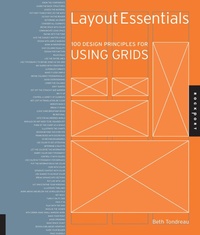
Layout Essentials
100 Design Principles for Using Grids
Published on 1. February 2009
208 pages
978-1-61673-613-2 (ISBN)
Description

Adhering to certain layout and grids standards and principles is important for any job from brochures, to annual reports, to posters, to websites, to publications. However, knowing how to bend the rules and make certain grids work for the job at hand takes skill.
This book outlines and demonstrates basic layout/grid guidelines and rules through 100 entries including choosing a typeface, striving for rhythm and balance with type, combining typefaces, using special characters and kerning and legibility. These essentials of grid design are critical to the success of any job.
This book outlines and demonstrates basic layout/grid guidelines and rules through 100 entries including choosing a typeface, striving for rhythm and balance with type, combining typefaces, using special characters and kerning and legibility. These essentials of grid design are critical to the success of any job.
More details
Series
Language
English
Place of publication
Beverly
United States
Publishing group
Quarto Publishing Group USA Inc
ISBN-13
978-1-61673-613-2 (9781616736132)
Copyright in bibliographic data and cover images is held by Nielsen Book Services Limited or by the publishers or by their respective licensors: all rights reserved.
Schweitzer Classification
Other editions
Additional editions
Book
02/2009
Rockport Publishers
€54.05
Article exhausted; check different version
Person
Beth Tondreau is the founder and principal of BTD, a small design firm that works with publishers to design books and book jackets and small businesses to develop their identities. She currently teaches in the Communication Design Department of New York City College of Technology in New York. Tondreau has been involved as a mentor in the AIGA/NY Mentoring Program and has served on the board of directors of AIGA/NYC
Content
- Intro
- Cover
- Title Page
- Dedication
- Contents
- Introduction
- Getting Started
- ELEMENTS OF A GRID
- 1. Know the Components
- BASIC GRID DIAGRAMS
- 2. Learn the Basic Structures
- DETERMINE THE APPROPRIATE GRID
- 3. Assess the Material
- FORMATTING TEXT
- 4. Put First Things First
- Do the Math
- HIERARCHY OF INFORMATION
- 5. Go Easy on the Reader
- GRID AND IMAGE
- 6. Determine an Order
- COMBINING GRID, TYPE, AND IMAGE
- 7. Consider All Elements
- COLOR
- 8. Define Space with Color
- SPACE
- 9. Communicate Using Space
- RHYTHM AND FLOW
- 10. Pacing Sets the Tone
- Working Grids
- SINGLE COLUMN
- 11. Give the Subject Matter a Face
- 12. Design with Ample Margins
- 13. Work in Proportion
- TWO COLUMN
- 14. Give Columns Equality
- 15. Design for Function
- 16. Rules Rule!
- 17. Use the Entire Area
- 18. Use Typography to Define Zones in the Grid
- 19. Mix Quirks with Consistency
- 20. Alternate Formats
- THREE COLUMN
- 21. Make It Look Simple
- 22. Define Columns Typographically
- 23. Avoid Overcrowding
- 24. Lower the Columns
- 25. Shift Shapes
- MULTICOLUMN
- 26. Get Off the Straight and Narrow
- 27. Mix It Up
- 28. Control a Variety of Elements
- 29. Not Lost in Translation
- Be Clear
- 30. Website Basics
- MODULAR
- 31. Break It Down
- 32. Leave Some Breathing Room
- 33. Be Rational
- 34. Vote for an Ordered World
- 35. Modules Do Not Need to Be Squared Off
- TABLES AND CHARTS
- 36. Think of the Chart as a Whole
- 37. Illustrate the Charts
- 38. Design beyond the Expected
- 39. Frame Boxes with Discretion
- 40. Go beyond Boundaries
- COLOR AS A DOMINANT ELEMENT
- 41. Use Color to Get Attention
- 42. Determine a Palette
- 43. Let the Color Be the Information
- 44. Marry Color and Typography
- COLOR AS ORGANIZING PRINCIPLE
- 45. Control It with Colors
- 46. Use Color in Typography for Emphasis
- 47. Put the Information in the Color
- 48. Code with Color
- 49. Separate Content with Color
- 50. Use Shades to Achieve Color
- HORIZONTAL HIERARCHY
- 51. Break Signage into Sections
- 52. Put Like with Like
- 53. Let Space Define Your Horizons
- 54. Illustrate Timelines
- 55. Work above and below the (Scrolled) Fold
- WHEN TYPE FORMS THE GRID
- 56. Get Noisy
- 57. Turn It on Its Side
- 58. Pack It In
- 59. Play with the Grid
- 60. Involve the Viewer
- FILLED AND FUNCTIONAL
- 61. With Order, Make Small Margins Work
- 62. Make Your Point
- 63. Avoid Crowding
- 64. Make Space Count
- 65. Design a Balanced Viewpoint
- 66. Guide Your Reader
- SPACIOUS BUT NOT BARREN
- 67. Pace Yourself
- 68. Create an Oasis
- 69. Let the Images Shine
- SEEMINGLY GRIDLESS
- 70. Map It Out by Hand
- 71. Imply a Hierarchy
- 72. Use Organizing Principles
- 73. Support Fluidity
- ORGANIC SHAPES
- 74. Plan for Interruptions
- 75. Allow for Drama
- 76. Use Silhouettes to Enliven a Piece
- 77. Let Instinct Rule
- SWISS GRID
- 78. Set Up a System
- 79. Use Weights and Measures
- 80. Use Helvetica
- 81. Use Rules
- 82. Employ Vertical and Horizontal Hierarchies
- GRID, INTERRUPTED
- 83. Build in a Surprise
- 84. Vary Sizes
- 85. Let the Photo Do the Talking
- 86. Set It Off with Sidebars
- GRID, RECONSTRUCTED
- 87. Observe Masters
- 88. Blow It Up
- 89. Change Boundaries
- LAYERED GRID
- 90. Make It Complex
- 91. Think of More Than One Dimension
- 92. Think Globally
- GRIDS AND MOTION
- 93. Make a Framework Support Various Media
- 94. Sell
- 95. Make It Move
- 96. Make It Modular
- BREAKING THE RULES
- 97. Make It Clear
- 98. Follow the Future
- 99. Follow Your Heart
- 100. Forget the Rules
- Glossary
- Recommended Reading
- Contributors
- Quick Start Guide
- Acknowledgments
- Copyright Page
