

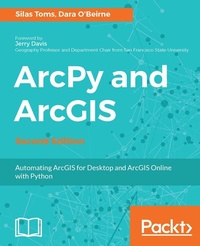
ArcPy and ArcGIS
Automating ArcGIS for Desktop and ArcGIS Online with Python
2nd Edition
Published on 13. January 2025
272 pages
978-1-78728-041-0 (ISBN)
Description

Use Python modules such as ArcPy, ArcREST and the ArcGIS API for Python to automate the analysis and mapping of geospatial data.
Key Features
- Perform GIS analysis faster by automating tasks.
- Access the spatial data contained within shapefiles and geodatabases and transform between spatial reference systems.
- Automate the mapping of geospatial analyses and production of map books.
Book DescriptionArcGIS allows for complex analyses of geographic information. The ArcPy module is used to script these ArcGIS analyses, providing a productive way to perform geo-analyses and automate map production. The second edition of the book focuses on new Python tools, such as the ArcGIS API for Python. Using Python, this book will guide you from basic Python scripting to advanced ArcPy script tools. This book starts off with setting up your Python environment for ArcGIS automation. Then you will learn how to output maps using ArcPy in MXD and update feature class in a geodatabase using arcpy and ArcGIS Online. Next, you will be introduced to ArcREST library followed by examples on querying, updating and manipulating ArcGIS Online feature services. Further, you will be enabling your scripts in the browser and directly interacting with ArcGIS Online using Jupyter notebook. Finally, you can learn ways to use of ArcPy to control ArcGIS Enterprise and explore topics on deployments, data quality assurances, data updates, version control, and editing safeguards. By the end of the book, you will be equipped with the knowledge required to create automated analysis with administration reducing the time-consuming nature of GIS. What you will learn
- Understand how to integrate Python into ArcGIS and make GIS analysis faster and easier.
- Create Python script using ArcGIS ModelBuilder.
- Learn to use ArcGIS online feature services and the basics of the ArcGIS REST API
- Understand the unique Python environment that is new with ArcGIS Pro
- Learn about the new ArcGIS Python API and how to use Anaconda and Jupyter with it
- Learn to control ArcGIS Enterprise using ArcPy
Who this book is forIf you are a GIS student or professional who needs an understanding of how to use ArcPy to reduce repetitive tasks and perform analysis faster, this book is for you. It is also a valuable book for Python programmers who want to understand how to automate geospatial analyses and implement ArcGIS Online data management.
Key Features
- Perform GIS analysis faster by automating tasks.
- Access the spatial data contained within shapefiles and geodatabases and transform between spatial reference systems.
- Automate the mapping of geospatial analyses and production of map books.
Book DescriptionArcGIS allows for complex analyses of geographic information. The ArcPy module is used to script these ArcGIS analyses, providing a productive way to perform geo-analyses and automate map production. The second edition of the book focuses on new Python tools, such as the ArcGIS API for Python. Using Python, this book will guide you from basic Python scripting to advanced ArcPy script tools. This book starts off with setting up your Python environment for ArcGIS automation. Then you will learn how to output maps using ArcPy in MXD and update feature class in a geodatabase using arcpy and ArcGIS Online. Next, you will be introduced to ArcREST library followed by examples on querying, updating and manipulating ArcGIS Online feature services. Further, you will be enabling your scripts in the browser and directly interacting with ArcGIS Online using Jupyter notebook. Finally, you can learn ways to use of ArcPy to control ArcGIS Enterprise and explore topics on deployments, data quality assurances, data updates, version control, and editing safeguards. By the end of the book, you will be equipped with the knowledge required to create automated analysis with administration reducing the time-consuming nature of GIS. What you will learn
- Understand how to integrate Python into ArcGIS and make GIS analysis faster and easier.
- Create Python script using ArcGIS ModelBuilder.
- Learn to use ArcGIS online feature services and the basics of the ArcGIS REST API
- Understand the unique Python environment that is new with ArcGIS Pro
- Learn about the new ArcGIS Python API and how to use Anaconda and Jupyter with it
- Learn to control ArcGIS Enterprise using ArcPy
Who this book is forIf you are a GIS student or professional who needs an understanding of how to use ArcPy to reduce repetitive tasks and perform analysis faster, this book is for you. It is also a valuable book for Python programmers who want to understand how to automate geospatial analyses and implement ArcGIS Online data management.
All prices
More details
Edition
2nd Revised edition
Language
English
Place of publication
Birmingham
United Kingdom
Target group
Professional and scholarly
US School Grade: College Graduate Student
Edition type
Revised edition
File size
10,91 MB
ISBN-13
978-1-78728-041-0 (9781787280410)
Copyright in bibliographic data and cover images is held by Nielsen Book Services Limited or by the publishers or by their respective licensors: all rights reserved.
Schweitzer Classification
Other editions
Additional editions
Silas Toms | Dara O'Beirne
ArcPy and ArcGIS
Automating ArcGIS for Desktop and ArcGIS Online with Python
Book
06/2017
Packt Publishing
€62.60
Shipment within 3-4 weeks
Persons
Silas Toms is a certified GIS Professional and the author of the first edition of ArcPy and ArcGIS. President and founder of Loki Intelligent Corporation, a location information firm located in San Francisco, California, he is an expert in real-time geographic information systems and analysis automation. Along with Dara O'Beirne and Arini Geographics, he developed the real-time common operational picture used at Super Bowl 50 and all other events at Levi's Stadium in Santa Clara, California. This dynamic system was recognized by the White House and ESRI President, Jack Dangermond, as a unique and powerful application of GIS, allowing the federal, state, and local government to coordinate and communicate in real time, for the first time ever.
As the President of Loki Intelligent, Silas is focused on unique applications of GIS that will power the future of location information. The sheer amount of data collected through sensors and mobile reporting demands automation and data processing improvements to turn the raw input into location intelligence. He believes that correct application of geospatial analysis, web mapping, and mobile data collection will improve the decision-making processes within the government and business. Loki is location information, and information is power. Dara O'Beirne is a certified GIS Professional (GISP) with over 10 years of GIS and Python experience. He has earned both his bachelors and masters of art in geography from the San Francisco State University. He is currently a GIS analyst working at the City of Sacramento's Department of Utilities. Before joining the City of Sacramento, he was a GIS analyst for Arini Geographics at the City of Santa Clara in California. While in Santa Clara, he worked on converting the utility network AutoCAD data to ESRI's GIS Local Government Information Model. He was also an integral part of the GIS Team, which included Silas Toms, Cyrus Hiatt, Sherie Tan, and Gabriel Paun, that worked on developing a web mapping application used during each event at the new Levi's Stadium, including Super Bowl 50. Dara's professional experience also includes working with Towill Inc., a GIS and Land Surveying company in Northern California. At Towill, he played a central role in developing and implementing procedures related to the collection and analysis of LiDAR data for environmental and engineering applications. Prior to Towill, Mr. O'Beirne gained his professional GIS experience working for the Golden Gate National Recreation Area managed by the National Park Service, one of the largest urban park systems in the world, which includes national treasures such as Alcatraz, Muir Woods, and the Marin Headlands.
As the President of Loki Intelligent, Silas is focused on unique applications of GIS that will power the future of location information. The sheer amount of data collected through sensors and mobile reporting demands automation and data processing improvements to turn the raw input into location intelligence. He believes that correct application of geospatial analysis, web mapping, and mobile data collection will improve the decision-making processes within the government and business. Loki is location information, and information is power. Dara O'Beirne is a certified GIS Professional (GISP) with over 10 years of GIS and Python experience. He has earned both his bachelors and masters of art in geography from the San Francisco State University. He is currently a GIS analyst working at the City of Sacramento's Department of Utilities. Before joining the City of Sacramento, he was a GIS analyst for Arini Geographics at the City of Santa Clara in California. While in Santa Clara, he worked on converting the utility network AutoCAD data to ESRI's GIS Local Government Information Model. He was also an integral part of the GIS Team, which included Silas Toms, Cyrus Hiatt, Sherie Tan, and Gabriel Paun, that worked on developing a web mapping application used during each event at the new Levi's Stadium, including Super Bowl 50. Dara's professional experience also includes working with Towill Inc., a GIS and Land Surveying company in Northern California. At Towill, he played a central role in developing and implementing procedures related to the collection and analysis of LiDAR data for environmental and engineering applications. Prior to Towill, Mr. O'Beirne gained his professional GIS experience working for the Golden Gate National Recreation Area managed by the National Park Service, one of the largest urban park systems in the world, which includes national treasures such as Alcatraz, Muir Woods, and the Marin Headlands.
Content
Table of Contents
Intro/Setting up the Python environment for ArcGIS automation
Creating the first Python Script using ArcGIS ModelBuilder
Using Data Cursors to Search/Update/Insert attribute data
ArcPy Geometry Types and How to Use Them with Data Cursors
Script Tools
Arcpy.Mapping
Advanced topics
Introduction to ArcGIS Online
Arcpy and ArcGIS Online
ArcREST Python Package
Arcpy and ArcPRO
ArcGIS Python API
ArcPy for ArcGIS Enterprise
Intro/Setting up the Python environment for ArcGIS automation
Creating the first Python Script using ArcGIS ModelBuilder
Using Data Cursors to Search/Update/Insert attribute data
ArcPy Geometry Types and How to Use Them with Data Cursors
Script Tools
Arcpy.Mapping
Advanced topics
Introduction to ArcGIS Online
Arcpy and ArcGIS Online
ArcREST Python Package
Arcpy and ArcPRO
ArcGIS Python API
ArcPy for ArcGIS Enterprise

