

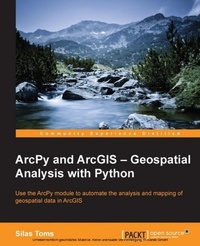
ArcPy and ArcGIS: Geospatial Analysis with Python
Use the ArcPy module to automate the analysis and mapping of geospatial data in ArcGIS
Published on 5. August 2025
224 pages
978-1-78398-867-9 (ISBN)
Description

Key Features
Book DescriptionIf you are a GIS student or professional who needs an understanding of how to use ArcPy to reduce repetitive tasks and perform analysis faster, this book is for you. It is also a valuable book for Python programmers who want to understand how to automate geospatial analyses.What you will learn
Understand how to integrate Python into ArcGIS and make GIS analysis faster and easier
Model an analysis and export it to Python for further improvement
Create Python functions from exported scripts using ArcToolbox tools to avoid repetitive code
Update the records of interest in your existing geospatial data automatically using data cursors
Add new geospatial data to existing datasets automatically from fieldcollected data or data produced during analysis
Export formatted analysis results to spreadsheets automatically
Update map documents with analysisgenerated data and export maps to PDF or image formats
Create geometric networks and analyze routes using scripts
Who this book is forIf you are a GIS student or professional who needs an understanding of how to use ArcPy to reduce repetitive tasks and perform analysis faster, this book is for you. It is also a valuable book for Python programmers who want to understand how to automate geospatial analyses.
Book DescriptionIf you are a GIS student or professional who needs an understanding of how to use ArcPy to reduce repetitive tasks and perform analysis faster, this book is for you. It is also a valuable book for Python programmers who want to understand how to automate geospatial analyses.What you will learn
Understand how to integrate Python into ArcGIS and make GIS analysis faster and easier
Model an analysis and export it to Python for further improvement
Create Python functions from exported scripts using ArcToolbox tools to avoid repetitive code
Update the records of interest in your existing geospatial data automatically using data cursors
Add new geospatial data to existing datasets automatically from fieldcollected data or data produced during analysis
Export formatted analysis results to spreadsheets automatically
Update map documents with analysisgenerated data and export maps to PDF or image formats
Create geometric networks and analyze routes using scripts
Who this book is forIf you are a GIS student or professional who needs an understanding of how to use ArcPy to reduce repetitive tasks and perform analysis faster, this book is for you. It is also a valuable book for Python programmers who want to understand how to automate geospatial analyses.
All prices
More details
Edition
Digital original
Language
English
Place of publication
Birmingham
United Kingdom
Target group
Professional and scholarly
US School Grade: College Graduate Student
Edition type
Digital original
File size
2,84 MB
ISBN-13
978-1-78398-867-9 (9781783988679)
Copyright in bibliographic data and cover images is held by Nielsen Book Services Limited or by the publishers or by their respective licensors: all rights reserved.
Schweitzer Classification
Other editions
Additional editions
Book
02/2015
Packt Publishing
€55.50
Shipment within 3-4 weeks
Person
Silas Toms is a geographer and geospatial developer from California. Over the last decade, Silas has become an expert in the use of Python programming for geospatial analysis, publishing two books on the use of ArcPy. Now, as a President of Loki Intelligent Corporation, Silas develops ETL automation tools, interactive web maps, enterprise GIS, and location data for businesses and governments. Silas teaches classes on programming for GIS with BayGeo, and co-hosts The Mappyist Hour podcast.
Content
Table of Contents
Introduction to Python for ArcGIS
Setting up the Python environment for ArcGIS automation
Creating the first Python Script using ArcGIS ModelBuilder
Creating a complex Arcpy script
Using Data Cursors to Search/Update/Insert attribute data
ArcPy Geometry Types and How to Use Them with DataCursors
Script Tools ? How to turn a Script into a Tool
Introduction to Arcpy.Mapping
More Arcpy.Mapping Techniques
Bringing it together ? Create a Script Tool that performsanalysis and exports out a map book
Advanced topics ? using Arcpy for Advanced Analysis
The End of the Beginning
Introduction to Python for ArcGIS
Setting up the Python environment for ArcGIS automation
Creating the first Python Script using ArcGIS ModelBuilder
Creating a complex Arcpy script
Using Data Cursors to Search/Update/Insert attribute data
ArcPy Geometry Types and How to Use Them with DataCursors
Script Tools ? How to turn a Script into a Tool
Introduction to Arcpy.Mapping
More Arcpy.Mapping Techniques
Bringing it together ? Create a Script Tool that performsanalysis and exports out a map book
Advanced topics ? using Arcpy for Advanced Analysis
The End of the Beginning

