
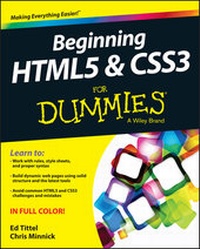
Beginning HTML5 and CSS3 For Dummies
Description
Alles über E-Books | Antworten auf Fragen rund um E-Books, Kopierschutz und Dateiformate finden Sie in unserem Info- & Hilfebereich.
HTML and CSS are essential tools for creating dynamic websitesand help make your websites even more effective and unique. Thisfriendly-but-straightforward guide gets you started with the basicsof the latest versions of HTML and CSS: HTML5 and CSS3. Introducingyou to the syntax and structure of the languages, this helpfulguide shows you how to create and view a web page, explains idealusage of HTML5 and CSS3, walks you through the CSS3 rules and stylesheets, addresses common mistakes and explains how to fix them, andexplores interesting HTML5 tools.
* Serves as an ideal introduction to HTML5 and CSS3 for beginnerswith little to no web development experience
* Details the capabilities of HTML5 and CSS3 and how to use bothto create responsive, practical, and well-designed websites
* Helps you understand how HTML5 and CSS3 are the foundation uponwhich hundreds of millions of web pages are built
* Features full-color illustrations to enhance your learningprocess
Beginning HTML5 and CSS3 For Dummies is the perfect firststep for getting started with the fundamentals of web developmentand design.
All prices
More details
Other editions
Additional editions
Persons
Chris Minnick runs Minnick Web Services. He teaches, speaks, and consults on web-related topics and has contributed to numerous books, including WebKit For Dummies.
Content
Introduction 1
About this Book 2
Foolish Assumptions 3
Icons Used in This Book 4
Beyond the Book 4
Where to Go from Here 5
Part I: Getting Started with HTML and CSS on the Web 7
Chapter 1: An Overview of HTML and CSS on the Web 9
Chapter 2: Meeting the Structure and Components of HTML 25
Chapter 3: Creating and Viewing a Web Page 37
Part II: Getting the Structure and Text Right 51
Chapter 4: HTML Documents Need Good Structure 53
Chapter 6: Tip-Top Tables in HTML 81
Chapter 7: Working with Forms in HTML 97
Part III: Adding Links, Images, and Other Media 123
Chapter 8: Getting Hyper with Links in HTML 125
Chapter 9: Working with Images in HTML 139
Chapter 10: Managing Media and More in HTML 153
Part IV: Adopting CSS Style 169
Chapter 11: Advantages of Style Sheets 171
Chapter 12: CSS Structure and Syntax 191
Chapter 13: Using Different Kinds of Style Sheets 207
Part V: Enhancing Your Pages' Look and Feel 215
Chapter 14: Managing Layout and Positioning 217
Chapter 15: Building with Boxes, Borders, and Buttons 233
Chapter 16: Using Colors and Backgrounds 251
Chapter 17: Web Typography 261
Chapter 18: CSS Text and Shadow Effects 281
Chapter 19: Multimedia and Animation with CSS 291
Part VI: The Part of Tens 305
Chapter 20: Ten Keys to Mobile Web Design 307
Chapter 21: Ten HTML Do's and Don'ts 317
Chapter 22: Ten Ways to Kill Web Bugs Dead 325
Chapter 23: Ten Cool HTML Tools and Technologies 333
Part VII: Appendixes 343
Appendix A: Twitterati 345
Appendix B: About the Dummies HTML Site 349
Index 357

System requirements
File format: ePUB
Copy protection: Adobe-DRM (Digital Rights Management)
System requirements:
- Computer (Windows; MacOS X; Linux): Install the free reader Adobe Digital Editions prior to download (see eBook Help).
- Tablet/smartphone (Android; iOS): Install the free app Adobe Digital Editions or the app PocketBook before downloading (see eBook Help).
- E-reader: Bookeen, Kobo, Pocketbook, Sony, Tolino and many more (not Kindle).
The file format ePub works well for novels and non-fiction books – i.e., „flowing” text without complex layout. On an e-reader or smartphone, line and page breaks automatically adjust to fit the small displays.
This eBook uses Adobe-DRM, a „hard” copy protection. If the necessary requirements are not met, unfortunately you will not be able to open the eBook. You will therefore need to prepare your reading hardware before downloading.
Please note: We strongly recommend that you authorise using your personal Adobe ID after installation of any reading software.
For more information, see our ebook Help page.
File format: PDF
Copy-Protection: Adobe-DRM (Digital Rights Management)
System requirements:
- Computer (Windows; MacOS X; Linux): Install the free reader Adobe Digital Editions prior to download (see eBook Help).
- Tablet/smartphone (Android; iOS): Install the free app Adobe Digital Editions or the app PocketBook before downloading (see eBook Help).
- E-reader: Bookeen, Kobo, Pocketbook, Sony, Tolino and many more (only limited: Kindle).
The file format PDF always displays a book page identically on any hardware. This makes PDF suitable for complex layouts such as those used in textbooks and reference books (images, tables, columns, footnotes). Unfortunately, on the small screens of e-readers or smartphones, PDFs are rather annoying, requiring too much scrolling.
This eBook uses Adobe-DRM, a „hard” copy protection. If the necessary requirements are not met, unfortunately you will not be able to open the eBook. You will therefore need to prepare your reading hardware before downloading.
Please note: We strongly recommend that you authorise using your personal Adobe ID after installation of any reading software.
For more information, see our eBook Help page.
File format: ePUB
Copy protection: without DRM (Digital Rights Management)
System requirements:
- Computer (Windows; MacOS X; Linux): Use a reader that can handle the file format ePUB, such as Adobe Digital Editions or FBReader – both free (see eBook Help).
- Tablet/Smartphone (Android; iOS): Install the free app Adobe Digital Editions or the app PocketBook (see eBook Help).
- E-reader: Bookeen, Kobo, Pocketbook, Sony, Tolino and many more (not Kindle).
The file format ePUB works well for novels and non-fiction books – i.e., 'flowing' text without complex layout. On an e-reader or smartphone, line and page breaks automatically adjust to fit the small displays.
This eBook does not use copy protection or Digital Rights Management
For more information, see our eBook Help page.
