

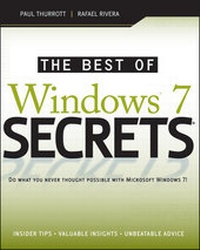
The Best of Windows 7 Secrets
Published on 8. October 2009
84 pages
978-0-470-59475-9 (ISBN)
Description

The Best of Windows 7 Secrets delivers a concise andvalue-packed punch that includes the most important Windows 7features that all Windows 7 users need to know. This Kindle-onlyebook delivers the most important content on this major Microsoftupgrade to value-minded Kindle book buyers. Written by well-knownWindows experts and excerpted from best-selling Windows 7 Secrets,this book is the go-to guide for every Windows 7 user with aKindle.
The lead author Paul Thurrott runs the SuperSite for Windows(WinSuperSite.com), which has been described by Microsoft as themost influential Windows-oriented Web site in the world. Paul isjoined by Rafael Rivera the blogger and programmer behind WithinWindows (WithinWindows.com), a blog devoted to the technicalinternals of Microsoft's Windows operating systems.
More details
Content
- Cover
- Table of Contents
- Title Page
- Introduction
- Selecting the Right Windows 7 Edition
- Installing or Upgrading to Windows 7
- Hardware and Software Compatibility
- What's New in the Windows 7 User Experience
- Where's My Stuff? Finding and Organizing Files
- Personalizing and Configuring Windows 7
- Windows 7 Security Features
- Users, Accounts, and UAC
- Networking and HomeGroup Sharing
- Complete Your Home Network with Windows Home Server
- Digital Music and Audio
- Organizing, Fixing, and Sharing Digital Photos
- Digital Videos and DVD Movies
- Microsoft Zune: A Digital Media Alternative
- Digital Media in the Living Room
- Having Fun: Games and Windows 7
- Seven to Go: Windows 7 Mobility Features
- Using Tablet PCs and Ultra-Mobile PCs
- Windows in Your Pocket-Using a Windows Mobile Smartphone
- Browsing the Web
- Managing E-mail and Contacts
- Managing Your Schedule
- Your Life in Sync-Windows 7 and Live Services
- Keeping Your Data Safe: File and PC Backup
- Troubleshooting and Recovering from Disaster
- IT Pro: Windows 7 at Work
