

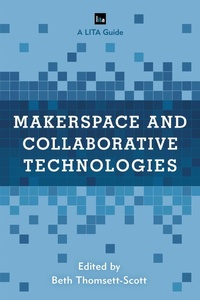
Makerspace and Collaborative Technologies
A Lita Guide
1st Edition
Published on 9. March 2020
116 pages
978-1-5381-2649-3 (ISBN)
Description

So, what are library patrons doing with makerspaces and other innovative technology? This book explores how patrons are using innovative technologies utilizing real-life case studies from a variety of academic institutions. Authors were selected based on the technology provided and their expertise in establishing and marketing this technology. Readers will discover:
which pieces of technology get the most useif patrons tend to use the tech for class assignments or leisure activitiesthe importance of working with faculty to increase useunusual collaboration opportunitiesexamples of libraries nimbly expanding their spaces to include tech students needunique ways patrons employ the technologybest practices for designing collaborative creative spaces
Technologies discussed include:
Microsoft Hololensvirtual reality and augmented reality systems and support tools3D modeling and printingmakerspace additions beyond the usualinstructional technologies used by patronsvideo production and editing equipmenttool librarytechnology lending programs (what students want!)
Dive in to explore the uncharted seas of which technologies patrons are using, how they are using them, and the purposes of use. As added bonuses, authors include best practices on designing space, marketing the technology, and collaborating to enhance the use. While authors do not go into any depth on the workings of the technology, there are other supplementary books which will cover this area. Makerspace and Collaborative Technologies specifically looks at how and why patrons are using library-provided creative technologies. Library staff who work with creative technologies in any way, shape, or form will find this book useful. With the valuable information contained in this guide, libraries can reach their users and create spaces and interactions that keep them coming back.
which pieces of technology get the most useif patrons tend to use the tech for class assignments or leisure activitiesthe importance of working with faculty to increase useunusual collaboration opportunitiesexamples of libraries nimbly expanding their spaces to include tech students needunique ways patrons employ the technologybest practices for designing collaborative creative spaces
Technologies discussed include:
Microsoft Hololensvirtual reality and augmented reality systems and support tools3D modeling and printingmakerspace additions beyond the usualinstructional technologies used by patronsvideo production and editing equipmenttool librarytechnology lending programs (what students want!)
Dive in to explore the uncharted seas of which technologies patrons are using, how they are using them, and the purposes of use. As added bonuses, authors include best practices on designing space, marketing the technology, and collaborating to enhance the use. While authors do not go into any depth on the workings of the technology, there are other supplementary books which will cover this area. Makerspace and Collaborative Technologies specifically looks at how and why patrons are using library-provided creative technologies. Library staff who work with creative technologies in any way, shape, or form will find this book useful. With the valuable information contained in this guide, libraries can reach their users and create spaces and interactions that keep them coming back.
More details
Series
Edition
1. Auflage
Language
English
Place of publication
New York
United States
Publishing group
Bloomsbury Publishing Plc
Illustrations
1 b/w illustration; 26 b/w photos; 2 tables; 1 textbox
ISBN-13
978-1-5381-2649-3 (9781538126493)
Copyright in bibliographic data and cover images is held by Nielsen Book Services Limited or by the publishers or by their respective licensors: all rights reserved.
Schweitzer Classification
Other editions
Additional editions
Book
03/2020
Rowman & Littlefield Publishers
€95.30
Shipment within 3-4 weeks
Person
Beth Thomsett-Scott is the Head of the Engineering Library at Penn State. She is the liaison to the College of Engineering and consults with faculty, staff, and students to ensure their needs are meet through services, instructing, and collections. Beth has published in a variety of journals and presented conference sessions in the areas of website usability, mentoring and training reference staff and students, and technology. Her passion is supporting students and faculty in their education and research activities.
Content
Table of Contents
List of Figures and Tables
Chapter
1. Introduction
2. Engaging Users with Technology at the University of Florida Libraries
3.John Peace Library and the Applied Engineering and Technology Library, University of Texas at San Antonio
4.Lightboard and ArcGIS and Solstice, Oh My!
5.The Holographic Landscape: 3D Modeling for the HoloLens
6.Creating Ideas into Reality: Spaces and Programs that Open Up the Imagination
7.Planning, Implementing, and Sustaining Audio-Visual Edit Suites as a Learning, Teaching, and Research in an Academic Library
8.A Tale of Two Initiatives: Developing Operational Models for 3D Printing and a Multimedia Production Studio in a STEM Library
List of Contributors
List of Figures and Tables
Chapter
1. Introduction
2. Engaging Users with Technology at the University of Florida Libraries
3.John Peace Library and the Applied Engineering and Technology Library, University of Texas at San Antonio
4.Lightboard and ArcGIS and Solstice, Oh My!
5.The Holographic Landscape: 3D Modeling for the HoloLens
6.Creating Ideas into Reality: Spaces and Programs that Open Up the Imagination
7.Planning, Implementing, and Sustaining Audio-Visual Edit Suites as a Learning, Teaching, and Research in an Academic Library
8.A Tale of Two Initiatives: Developing Operational Models for 3D Printing and a Multimedia Production Studio in a STEM Library
List of Contributors
