

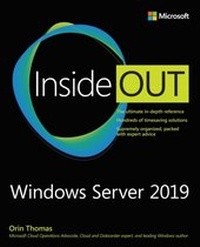
Windows Server 2019 Inside Out
1st Edition
Published on 29. March 2021
912 pages
978-0-13-549223-9 (ISBN)
Description

Conquer Windows Server 2019-from the inside out!
Dive into Windows Server 2019-and really put your Windows Serverexpertise to work. Focusing on Windows Server 2019's most powerful and innovative features, this supremely organized reference packs hundreds of timesaving solutions, tips, and workarounds-all you need to plan, implement, or manage Windows Server in enterprise, data center, cloud, and hybrid environments. Fully reflecting new innovations for security, hybrid cloud environments, and Hyper-Converged Infrastructure (HCI), it covers everything from cluster sets to Windows Subsystem for Linux.
You'll discover how experts tackle today's essential tasks-and challenge yourself to new levels of mastery.
* Optimize the full Windows Server 2019 lifecycle, from planning and configuration through rollout and administration
* Leverage new configuration options including App Compatibility Features on Demand (FOD) or Desktop Experience
* Ensure fast, reliable upgrades and migrations
* Manage Windows servers, clients, and services through Windows Admin Center
* Seamlessly deliver and administer core DNS, DHCP, fi le, print, storage, and Internet services
* Use the Storage Migration Service to simplify storage moves and configuration at the destination
* Seamlessly integrate Azure IaaS and hybrid services with Windows Server 2019
* Improve agility with advanced container technologies, including container networking and integration into Kubernetes orchestration clusters
* Deliver Active Directory identity, certifi cate, federation, and rights management services
* Protect servers, clients, VMs, assets, and users with advanced Windows Server 2019 security features, from Just Enough Administration to shielded VMs and guarded virtualization fabrics
* Monitor performance, manage event logs, confi gure advanced auditing, and perform backup/recovery Windows Server 2019
For Experienced Windows Server Users and IT Professionals
* Your role: Experienced intermediate to-advanced level Windows Server user or IT professional
* Prerequisites: Basic understanding of Windows Server procedures, techniques, and navigation
Dive into Windows Server 2019-and really put your Windows Serverexpertise to work. Focusing on Windows Server 2019's most powerful and innovative features, this supremely organized reference packs hundreds of timesaving solutions, tips, and workarounds-all you need to plan, implement, or manage Windows Server in enterprise, data center, cloud, and hybrid environments. Fully reflecting new innovations for security, hybrid cloud environments, and Hyper-Converged Infrastructure (HCI), it covers everything from cluster sets to Windows Subsystem for Linux.
You'll discover how experts tackle today's essential tasks-and challenge yourself to new levels of mastery.
* Optimize the full Windows Server 2019 lifecycle, from planning and configuration through rollout and administration
* Leverage new configuration options including App Compatibility Features on Demand (FOD) or Desktop Experience
* Ensure fast, reliable upgrades and migrations
* Manage Windows servers, clients, and services through Windows Admin Center
* Seamlessly deliver and administer core DNS, DHCP, fi le, print, storage, and Internet services
* Use the Storage Migration Service to simplify storage moves and configuration at the destination
* Seamlessly integrate Azure IaaS and hybrid services with Windows Server 2019
* Improve agility with advanced container technologies, including container networking and integration into Kubernetes orchestration clusters
* Deliver Active Directory identity, certifi cate, federation, and rights management services
* Protect servers, clients, VMs, assets, and users with advanced Windows Server 2019 security features, from Just Enough Administration to shielded VMs and guarded virtualization fabrics
* Monitor performance, manage event logs, confi gure advanced auditing, and perform backup/recovery Windows Server 2019
For Experienced Windows Server Users and IT Professionals
* Your role: Experienced intermediate to-advanced level Windows Server user or IT professional
* Prerequisites: Basic understanding of Windows Server procedures, techniques, and navigation
All prices
More details
Series
Edition
1. Auflage
Language
English
Place of publication
Boston
United States
Publishing group
Pearson Education (US)
Target group
Professional and scholarly
File size
15,10 MB
ISBN-13
978-0-13-549223-9 (9780135492239)
Copyright in bibliographic data and cover images is held by Nielsen Book Services Limited or by the publishers or by their respective licensors: all rights reserved.
Schweitzer Classification
Other editions
Additional editions
Orin Thomas
Windows Server 2019 Inside Out
Book
08/2020
1st Edition
Addison Wesley
€63.99
Shipment within 15-20 days
Person
Orin Thomas is a principal cloud operations advocate at Microsoft and has written more than three dozen books for Microsoft Press on topics including Windows Server, Windows Client, Azure, Office 365, System Center, Exchange Server, Security, and SQL Server. He has authored Azure Architecture courses at Pluralsight, has authored multiple Microsoft Official Curriculum and EdX courses on a variety of IT Pro topics, and is completing his Doctorate in Information Technology on cloud computing security and compliance at Charles Sturt University. You can follow him on twitter at http://twitter.com/orinthomas.
Content
Introduction
Chapter 1 Administration tools
Chapter 2 Installation options
Chapter 3 Deployment and configuration
Chapter 4 Active Directory
Chapter 5 DNS, DHCP, and IPAM
Chapter 6 Hyper-V
Chapter 7 Storage
Chapter 8 File servers
Chapter 9 Internet Information Services
Chapter 10 Containers
Chapter 11 Clustering and high availability
Chapter 12 Active Directory Certificate Services
Chapter 13 Active Directory Federation Services
Chapter 14 Dynamic Access Control and Active Directory Rights Management Services
Chapter 15 Routing and Remote Access
Chapter 16 Remote Desktop Services
Chapter 17 Azure IaaS and hybrid services
Chapter 18 Windows Subsystem for Linux
Chapter 19 Hardening Windows Server and Active Directory
Chapter 20 Security systems and services
Chapter 21 Maintenance and monitoring
Chapter 22 Upgrade and migration
Chapter 23 Troubleshooting
Chapter 1 Administration tools
Chapter 2 Installation options
Chapter 3 Deployment and configuration
Chapter 4 Active Directory
Chapter 5 DNS, DHCP, and IPAM
Chapter 6 Hyper-V
Chapter 7 Storage
Chapter 8 File servers
Chapter 9 Internet Information Services
Chapter 10 Containers
Chapter 11 Clustering and high availability
Chapter 12 Active Directory Certificate Services
Chapter 13 Active Directory Federation Services
Chapter 14 Dynamic Access Control and Active Directory Rights Management Services
Chapter 15 Routing and Remote Access
Chapter 16 Remote Desktop Services
Chapter 17 Azure IaaS and hybrid services
Chapter 18 Windows Subsystem for Linux
Chapter 19 Hardening Windows Server and Active Directory
Chapter 20 Security systems and services
Chapter 21 Maintenance and monitoring
Chapter 22 Upgrade and migration
Chapter 23 Troubleshooting
