

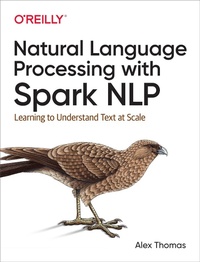
Natural Language Processing with Spark NLP
Description

If you want to build an enterprise-quality application that uses natural language text but aren't sure where to begin or what tools to use, this practical guide will help get you started. Alex Thomas, principal data scientist at Wisecube, shows software engineers and data scientists how to build scalable natural language processing (NLP) applications using deep learning and the Apache Spark NLP library.
Through concrete examples, practical and theoretical explanations, and hands-on exercises for using NLP on the Spark processing framework, this book teaches you everything from basic linguistics and writing systems to sentiment analysis and search engines. You'll also explore special concerns for developing text-based applications, such as performance.
In four sections, you'll learn NLP basics and building blocks before diving into application and system building:
- Basics: Understand the fundamentals of natural language processing, NLP on Apache Stark, and deep learning
- Building blocks: Learn techniques for building NLP applications?including tokenization, sentence segmentation, and named-entity recognition?and discover how and why they work
- Applications: Explore the design, development, and experimentation process for building your own NLP applications
- Building NLP systems: Consider options for productionizing and deploying NLP models, including which human languages to support
More details
Other editions
Additional editions
Content
- Intro
- Copyright
- Table of Contents
- Preface
- Why Natural Language Processing Is Important and Difficult
- Background
- Philosophy
- Conventions Used in This Book
- Using Code Examples
- O'Reilly Online Learning
- How to Contact Us
- Acknowledgments
- Part I. Basics
- Chapter 1. Getting Started
- Introduction
- Other Tools
- Setting Up Your Environment
- Prerequisites
- Starting Apache Spark
- Checking Out the Code
- Getting Familiar with Apache Spark
- Starting Apache Spark with Spark NLP
- Loading and Viewing Data in Apache Spark
- Hello World with Spark NLP
- Chapter 2. Natural Language Basics
- What Is Natural Language?
- Origins of Language
- Spoken Language Versus Written Language
- Linguistics
- Phonetics and Phonology
- Morphology
- Syntax
- Semantics
- Sociolinguistics: Dialects, Registers, and Other Varieties
- Formality
- Context
- Pragmatics
- Roman Jakobson
- How To Use Pragmatics
- Writing Systems
- Origins
- Alphabets
- Abjads
- Abugidas
- Syllabaries
- Logographs
- Encodings
- ASCII
- Unicode
- UTF-8
- Exercises: Tokenizing
- Tokenize English
- Tokenize Greek
- Tokenize Ge'ez (Amharic)
- Resources
- Chapter 3. NLP on Apache Spark
- Parallelism, Concurrency, Distributing Computation
- Parallelization Before Apache Hadoop
- MapReduce and Apache Hadoop
- Apache Spark
- Architecture of Apache Spark
- Physical Architecture
- Logical Architecture
- Spark SQL and Spark MLlib
- Transformers
- Estimators and Models
- Evaluators
- NLP Libraries
- Functionality Libraries
- Annotation Libraries
- NLP in Other Libraries
- Spark NLP
- Annotation Library
- Stages
- Pretrained Pipelines
- Finisher
- Exercises: Build a Topic Model
- Resources
- Chapter 4. Deep Learning Basics
- Gradient Descent
- Backpropagation
- Convolutional Neural Networks
- Filters
- Pooling
- Recurrent Neural Networks
- Backpropagation Through Time
- Elman Nets
- LSTMs
- Exercise 1
- Exercise 2
- Resources
- Part II. Building Blocks
- Chapter 5. Processing Words
- Tokenization
- Vocabulary Reduction
- Stemming
- Lemmatization
- Stemming Versus Lemmatization
- Spelling Correction
- Normalization
- Bag-of-Words
- CountVectorizer
- N-Gram
- Visualizing: Word and Document Distributions
- Exercises
- Resources
- Chapter 6. Information Retrieval
- Inverted Indices
- Building an Inverted Index
- Vector Space Model
- Stop-Word Removal
- Inverse Document Frequency
- In Spark
- Exercises
- Resources
- Chapter 7. Classification and Regression
- Bag-of-Words Features
- Regular Expression Features
- Feature Selection
- Modeling
- Naïve Bayes
- Linear Models
- Decision/Regression Trees
- Deep Learning Algorithms
- Iteration
- Exercises
- Chapter 8. Sequence Modeling with Keras
- Sentence Segmentation
- (Hidden) Markov Models
- Section Segmentation
- Part-of-Speech Tagging
- Conditional Random Field
- Chunking and Syntactic Parsing
- Language Models
- Recurrent Neural Networks
- Exercise: Character N-Grams
- Exercise: Word Language Model
- Resources
- Chapter 9. Information Extraction
- Named-Entity Recognition
- Coreference Resolution
- Assertion Status Detection
- Relationship Extraction
- Summary
- Exercises
- Chapter 10. Topic Modeling
- K-Means
- Latent Semantic Indexing
- Nonnegative Matrix Factorization
- Latent Dirichlet Allocation
- Exercises
- Chapter 11. Word Embeddings
- Word2vec
- GloVe
- fastText
- Transformers
- ELMo, BERT, and XLNet
- doc2vec
- Exercises
- Part III. Applications
- Chapter 12. Sentiment Analysis and Emotion Detection
- Problem Statement and Constraints
- Plan the Project
- Design the Solution
- Implement the Solution
- Test and Measure the Solution
- Business Metrics
- Model-Centric Metrics
- Infrastructure Metrics
- Process Metrics
- Offline Versus Online Model Measurement
- Review
- Initial Deployment
- Fallback Plans
- Next Steps
- Conclusion
- Chapter 13. Building Knowledge Bases
- Problem Statement and Constraints
- Plan the Project
- Design the Solution
- Implement the Solution
- Test and Measure the Solution
- Business Metrics
- Model-Centric Metrics
- Infrastructure Metrics
- Process Metrics
- Review
- Conclusion
- Chapter 14. Search Engine
- Problem Statement and Constraints
- Plan the Project
- Design the Solution
- Implement the Solution
- Test and Measure the Solution
- Business Metrics
- Model-Centric Metrics
- Review
- Conclusion
- Chapter 15. Chatbot
- Problem Statement and Constraints
- Plan the Project
- Design the Solution
- Implement the Solution
- Test and Measure the Solution
- Business Metrics
- Model-Centric Metrics
- Review
- Conclusion
- Chapter 16. Object Character Recognition
- Kinds of OCR Tasks
- Images of Printed Text and PDFs to Text
- Images of Handwritten Text to Text
- Images of Text in Environment to Text
- Images of Text to Target
- Note on Different Writing Systems
- Problem Statement and Constraints
- Plan the Project
- Implement the Solution
- Test and Measure the Solution
- Model-Centric Metrics
- Review
- Conclusion
- Part IV. Building NLP Systems
- Chapter 17. Supporting Multiple Languages
- Language Typology
- Scenario: Academic Paper Classification
- Text Processing in Different Languages
- Compound Words
- Morphological Complexity
- Transfer Learning and Multilingual Deep Learning
- Search Across Languages
- Checklist
- Conclusion
- Chapter 18. Human Labeling
- Guidelines
- Scenario: Academic Paper Classification
- Inter-Labeler Agreement
- Iterative Labeling
- Labeling Text
- Classification
- Tagging
- Checklist
- Conclusion
- Chapter 19. Productionizing NLP Applications
- Spark NLP Model Cache
- Spark NLP and TensorFlow Integration
- Spark Optimization Basics
- Design-Level Optimization
- Profiling Tools
- Monitoring
- Managing Data Resources
- Testing NLP-Based Applications
- Unit Tests
- Integration Tests
- Smoke and Sanity Tests
- Performance Tests
- Usability Tests
- Demoing NLP-Based Applications
- Checklists
- Model Deployment Checklist
- Scaling and Performance Checklist
- Testing Checklist
- Conclusion
- Glossary
- Index
- About the Author
- Colophon
