

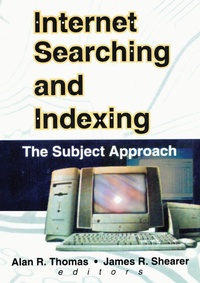
Internet Searching and Indexing
The Subject Approach
1st Edition
Published on 15. November 2024
217 pages
978-1-040-27869-7 (ISBN)
Description

Prevent information overload with better indexing and retrieval strategies!In the fast-changing world of the Internet, the skills of the librarian are indispensable for managing the overwhelming amount of available data. Internet Searching and Indexing examines the tools and procedures available now and for the future that will help librarians, students, and patrons search the Internet more systematically, while helping information professionals design more efficient, effective search engines and Web pages. This comprehensive volume offers usable information for people at all levels of Internet savvy. Its clear explanations of the various ways search engines are structured will help new users take advantage of their attributes to design more effective retrieval strategies. It suggests practical ways for information professionals to use traditional library tools and concepts to make the Web more accessible. Moreover, it shows how the Web can be tapped as an immense resource to help librarians in the process of subject classification.Internet Searching and Indexing offers specific guidance on:
how to classify various Web search tools and take advantage of their capabilities
using signposts such as indexes, directories, and metadata to improve access to information on the Web
the advantages of using facet analysis in Web page organizing, indexing, and searching
the links between Internet subject trees and conventional bibliographic classification
guidelines for interface design for developing Web-based OPACs
applying Library of Congress subject headings to classifying Web subject access . . . and moreWith the vast amount of information that is added to the Web each day, finding data is becoming more time consuming and more complex. Internet Searching and Indexing will help you decrease the time you spend searching for the information you need and assist you in cataloging, classification, indexing, and creating quick and effective retrieval methods.
how to classify various Web search tools and take advantage of their capabilities
using signposts such as indexes, directories, and metadata to improve access to information on the Web
the advantages of using facet analysis in Web page organizing, indexing, and searching
the links between Internet subject trees and conventional bibliographic classification
guidelines for interface design for developing Web-based OPACs
applying Library of Congress subject headings to classifying Web subject access . . . and moreWith the vast amount of information that is added to the Web each day, finding data is becoming more time consuming and more complex. Internet Searching and Indexing will help you decrease the time you spend searching for the information you need and assist you in cataloging, classification, indexing, and creating quick and effective retrieval methods.
More details
Edition
1. Auflage
Language
English
Place of publication
London
United Kingdom
Publishing group
Taylor & Francis Ltd
Target group
College/higher education
Professional and scholarly
ISBN-13
978-1-040-27869-7 (9781040278697)
Copyright in bibliographic data and cover images is held by Nielsen Book Services Limited or by the publishers or by their respective licensors: all rights reserved.
Schweitzer Classification
Other editions
Additional editions
Book
07/2000
1st Edition
Haworth Press Inc
€84.36
Shipment within 10-20 days
Book
07/2000
1st Edition
Haworth Press Inc
€53.41
Shipment within 10-20 days
Content
Introduction: Increasing the Odds, SEARCH ENGINES: CHARACTERISTICS AND EFFECTIVE USE, A Proposal for Categorization and Nomenclature for Web Search Tools, Internet Search Engines and Robots: What They Are and How to Use Them, Internet Search Engines: Understanding Their Design to Improve Information Retrieval, , Signposts on the Information Superhighway: Indexes and Access, Search Engines for the World Wide Web: An Evaluation of Recent Developments, CLASSIFICATION AND ITS CONTRIBUTION TO WEB ORGANIZATION, INDEXING, AND SEARCHING, The Relevance of Facet Analysis for World Wide Web Subject Organization and Searching, , Subject Trees on the Internet: A New Role for Bibliographic Classification?, Classification Schemes Revisited: Applications to Web Indexing and Searching, SUBJECT CATALOGUING AND THE WORLD WIDE WEB, Improving Subject Searching in Web-Based OPACs: Evaluation of the Problem and Guidelines for Design, The Internet as a Tool for Cataloging and Classification, a View from the UK, USE, the Universal Subject Environment: A New Subject Access Approach in the Time of the Internet, Index, Reference Notes Included,
