

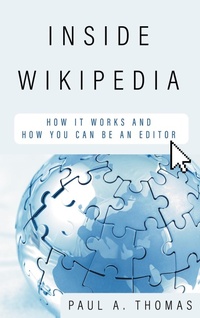
Inside Wikipedia
How It Works and How You Can Be an Editor
1st Edition
Published on 15. September 2022
186 pages
979-8-7651-7319-0 (ISBN)
Description

Wikipedia is one of the most visited websites on the Internet, regularly bringing in millions of readers a day. But how exactly does a huge site like this work? What are its strengths? What are its weaknesses? Who edits the site? And perhaps most importantly how can you, the reader, help make the site better?
In this book, Paul A. Thomas-a seasoned Wikipedia contributor who has accrued almost 60,000 edits since he started editing in 2007-breaks down the history of the free encyclopedia and explains the process of becoming an editor.
Chapters include:
The History of WikipediaThe Wiki-Ethos: What to Know Before You EditGetting Started: Making Your First EditsGrowing as an Editor: To Wikitext and BeyondConcrete Ways to Make Wikipedia a Better ResourceBecoming a Critical Editor: Countering BiasA Short Glossary of Wiki-Slang
After reading Inside Wikipedia, you will be ready to contribute to the largest, most comprehensive knowledge base the world has ever seen. What will you write about?
In this book, Paul A. Thomas-a seasoned Wikipedia contributor who has accrued almost 60,000 edits since he started editing in 2007-breaks down the history of the free encyclopedia and explains the process of becoming an editor.
Chapters include:
The History of WikipediaThe Wiki-Ethos: What to Know Before You EditGetting Started: Making Your First EditsGrowing as an Editor: To Wikitext and BeyondConcrete Ways to Make Wikipedia a Better ResourceBecoming a Critical Editor: Countering BiasA Short Glossary of Wiki-Slang
After reading Inside Wikipedia, you will be ready to contribute to the largest, most comprehensive knowledge base the world has ever seen. What will you write about?
More details
Other editions
Additional editions
Book
09/2022
Rowman & Littlefield Publishers
€39.60
Shipment within 3-4 weeks
Person
Paul A. Thomas is a library specialist at the University of Kansas and a PhD candidate at the Emporia State University School of Library and Information Management. He has been an avid Wikipedia editor since 2007, having created 260 articles, made over 60,000 edits, and promoted over 296 articles to "good" or "featured article" status. From 2017 to 2020, he also served as a Wikipedia Visiting Scholar at the University of Pennsylvania, helping to improve articles on Ancient Roman and Latin literature. He lives in Overland Park, KS.
Content
Acknowledgements
Introduction
1. The History of Wikipedia
2. The Wiki-Ethos: What to Know Before You Edit
3. Getting Started: Making Your First Edits
4. Growing as an Editor: To Wikitext and Beyond
5. Concrete Ways to Make Wikipedia a Better Resource
6. Becoming a Critical Editor: Countering Bias
A Short Glossary of Wiki-Slang
Image Attribution
Bibliography
About the Author
Introduction
1. The History of Wikipedia
2. The Wiki-Ethos: What to Know Before You Edit
3. Getting Started: Making Your First Edits
4. Growing as an Editor: To Wikitext and Beyond
5. Concrete Ways to Make Wikipedia a Better Resource
6. Becoming a Critical Editor: Countering Bias
A Short Glossary of Wiki-Slang
Image Attribution
Bibliography
About the Author
