

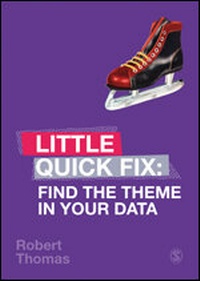
Find the Theme in Your Data
Little Quick Fix
1st Edition
Published on 26. August 2019
136 pages
978-1-5297-0372-6 (ISBN)
Description

Working with even small amounts of qualitative data can be intimidating. Students may not know where to start, how much detail to involve, what themes really tell you, and why they matter in the larger context of the research. Focused on building confidence and decreasing anxiety from information overload by helping students build a manageable system that works for digging into and making sense of their individual data, this Little Quick Fix answers questions like:
- What is a theme?
- How do I start looking for themes?
- How do I turn my transcriptions into themes?
- How do I turn my codes into themes?
- How do I turn my categories into themes?
- How will I know if my themes are any good?
- How will I know if my themes are meaningful?
Students need help over hurdles at every stage of their research project. They want simple, powerful, accessible tools that deliver results fast. They need to meet interim assessment deadlines and prove that they have successfully passed through multiple stages of their project, or need to master a stage of understanding in a learning cascade before they can proceed to the next week in their methods module.
Their supervisors are increasingly unable to help, but will still be assessing results. Students need more than YouTube.
Titles in the Little Quick Fix series offer:
? Visual, design-led learning
? Clear, structured, useful pedagogy
? A hand-holding, step-by-step approach for students who are less able, or less academically prepared by school so far
? Effective self-directed learning with DIY progress tracking
? A stand-in for the busy/unavailable supervisor
- What is a theme?
- How do I start looking for themes?
- How do I turn my transcriptions into themes?
- How do I turn my codes into themes?
- How do I turn my categories into themes?
- How will I know if my themes are any good?
- How will I know if my themes are meaningful?
Students need help over hurdles at every stage of their research project. They want simple, powerful, accessible tools that deliver results fast. They need to meet interim assessment deadlines and prove that they have successfully passed through multiple stages of their project, or need to master a stage of understanding in a learning cascade before they can proceed to the next week in their methods module.
Their supervisors are increasingly unable to help, but will still be assessing results. Students need more than YouTube.
Titles in the Little Quick Fix series offer:
? Visual, design-led learning
? Clear, structured, useful pedagogy
? A hand-holding, step-by-step approach for students who are less able, or less academically prepared by school so far
? Effective self-directed learning with DIY progress tracking
? A stand-in for the busy/unavailable supervisor
More details
Series
Language
English
Place of publication
London
United Kingdom
Publishing group
Sage Publications Ltd (Digital)
Target group
College/higher education
ISBN-13
978-1-5297-0372-6 (9781529703726)
Copyright in bibliographic data and cover images is held by Nielsen Book Services Limited or by the publishers or by their respective licensors: all rights reserved.
Schweitzer Classification
Other editions
Additional editions
Book
10/2019
1st Edition
SAGE Publications Ltd
€38.60
Shipment within 15-20 days
Person
Dr. Thomas is currently a Lecturer (Marketing) at Aston Business School. Dr. Thomas's primary research interests and publications encompass Brand Management, specifically the areas associated with sponsorship, fandom, co-creation, and brand community. His work has been published the European Journal of Marketing, Computers in Human Behavior, Journal of Marketing Management, Journal of Product and Brand Management, Young Consumers, Strategic Change: Briefings in Entrepreneurial Finance, and IEEE Transactions on Engineering Management. Dr. Thomas sits on the editorial boards for Journal of Product and Brand Management and International Journal of Sport Management and Marketing, winning reviewer of the year for Journal of Product and Brand Management in 2015.
Content
What is a theme?
How do I start looking for themes?
What do I do with my transcripts?
What's a code?
How do start to code?
How do I turn my codes into categories?
How do I turn my categories into themes?
How will I know if my themes are meaningful?
How do I start looking for themes?
What do I do with my transcripts?
What's a code?
How do start to code?
How do I turn my codes into categories?
How do I turn my categories into themes?
How will I know if my themes are meaningful?
