

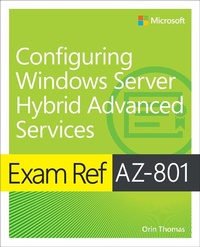
Exam Ref AZ-801 Configuring Windows Server Hybrid Advanced Services
1st Edition
Published on 8. December 2022
288 pages
978-0-13-772937-1 (ISBN)
Description

Prepare for Microsoft Exam AZ-801 and demonstrate your real-world mastery of configuring and managing Windows Server on-premises, hybrid, and Infrastructure as a Service (IaaS) platform workloads. Designed for professionals with Windows Server and Azure experience, this Exam Ref focuses on the critical thinking and decision-making acumen needed for success at the Microsoft Certified: Windows Server Hybrid Administrator Associate level.
Focus on the expertise measured by these objectives:
Secure Windows Server on-premises and hybrid infrastructures
Implement and manage Windows Server high availability
Implement disaster recovery
Migrate servers and workloads
Monitor and troubleshoot Windows Server environments
This Microsoft Exam Ref:
Organizes its coverage by exam objectives
Features strategic, what-if scenarios to challenge you
Assumes you have significant experience with Windows Server operating systems
About the Exam
Exam AZ-801 focuses on knowledge needed to secure Windows Server operating systems, networking, and storage; secure hybrid Active Directory infrastructures; use Azure Services to identify and remediate Windows Server security issues; implement and manage Windows Server failover clusters and Storage Spaces Direct; manage Windows Server backup and recovery; use Azure Site Recovery to implement disaster recovery; protect VMs with Hyper-V replicas; migrate on-premises storage and services; move workloads and AD DS infrastructure to Windows Server 2022 from previous versions; migrate IIS workloads to Azure; use Windows Server tools and Azure services to monitor Windows Server; troubleshoot on-premises networking, hybrid networking, virtual machines in Azure, and Active Directory.
About Microsoft Certification
Passing this exam and Exam AZ-800 Administering Windows Server Hybrid Core Infrastructure fulfills your requirements for the Microsoft Certified: Windows Server Hybrid Administrator Associate credential. This demonstrates your expertise in configuring and managing Windows Server on-premises, hybrid, and IaaS platform workloads; integrating Windows Server environments with Azure services; managing and maintaining Windows Server IaaS workloads in Azure, and moving workloads to Azure. This certification supports your goals as an IT, cloud, identity/access, or information protection administrator; a network, security, or support engineer, and a technology manager.
See full details at: microsoft.com/learn
Focus on the expertise measured by these objectives:
Secure Windows Server on-premises and hybrid infrastructures
Implement and manage Windows Server high availability
Implement disaster recovery
Migrate servers and workloads
Monitor and troubleshoot Windows Server environments
This Microsoft Exam Ref:
Organizes its coverage by exam objectives
Features strategic, what-if scenarios to challenge you
Assumes you have significant experience with Windows Server operating systems
About the Exam
Exam AZ-801 focuses on knowledge needed to secure Windows Server operating systems, networking, and storage; secure hybrid Active Directory infrastructures; use Azure Services to identify and remediate Windows Server security issues; implement and manage Windows Server failover clusters and Storage Spaces Direct; manage Windows Server backup and recovery; use Azure Site Recovery to implement disaster recovery; protect VMs with Hyper-V replicas; migrate on-premises storage and services; move workloads and AD DS infrastructure to Windows Server 2022 from previous versions; migrate IIS workloads to Azure; use Windows Server tools and Azure services to monitor Windows Server; troubleshoot on-premises networking, hybrid networking, virtual machines in Azure, and Active Directory.
About Microsoft Certification
Passing this exam and Exam AZ-800 Administering Windows Server Hybrid Core Infrastructure fulfills your requirements for the Microsoft Certified: Windows Server Hybrid Administrator Associate credential. This demonstrates your expertise in configuring and managing Windows Server on-premises, hybrid, and IaaS platform workloads; integrating Windows Server environments with Azure services; managing and maintaining Windows Server IaaS workloads in Azure, and moving workloads to Azure. This certification supports your goals as an IT, cloud, identity/access, or information protection administrator; a network, security, or support engineer, and a technology manager.
See full details at: microsoft.com/learn
More details
Series
Edition
1. Auflage
Language
English
Place of publication
Boston
United States
Publishing group
Pearson Education (US)
Target group
Professional and scholarly
File size
4,50 MB
ISBN-13
978-0-13-772937-1 (9780137729371)
Copyright in bibliographic data and cover images is held by Nielsen Book Services Limited or by the publishers or by their respective licensors: all rights reserved.
Schweitzer Classification
Other editions
Additional editions
Book
01/2023
1st Edition
Addison Wesley
€41.49
Shipment within 15-20 days
Person
ORIN THOMAS is a Principal Hybrid Cloud Advocate at Microsoft and has written more than 3 dozen books for Microsoft Press on topics including Windows Server, Windows Client, Azure, Office 365, System Center, Exchange Server, Security, and SQL Server. He holds a Master's degree in Computing Research, has authored Azure Architecture courses at Pluralsight, and has authored multiple Microsoft Official Curriculum courses on a variety of IT Pro topics. You can follow him on Twitter at http://twitter.com/orinthomas or find out more at https://aka.ms/orin.
Content
1. Secure Windows Server On-Premises and Hybrid Infrastructures 2. Implement and Manage Windows Server High Availability 3. Implement Disaster Recovery 4. Migrate Servers and Workloads 5. Monitor and Troubleshoot Windows Server Environments
