

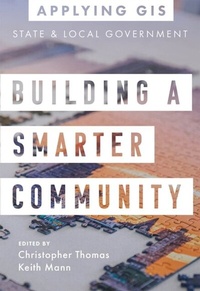
Building a Smarter Community
Description

GIS for State and Local Government
Provide open data, balance decisions and initiatives, and create equitable policies.
Place matters to governments and citizens, and location intelligence has never been more important for decision-making. Building a Smarter Community: GIS for State and Local Government shows how government leaders, department managers, and the public use geographic information system (GIS) technology to visualize and analyze data for planning and urban design, efficient operations, data-driven decisions, and civic inclusion.
Sections on getting started with GIS provide helpful ideas, strategies, tools, and actions and a collection of online resources to jump-start your use of GIS for state and local government.
Edited by Christopher Thomas, Esri's director for state and local government, and Keith Mann, an Esri product engineer.
Applying GIS
The Applying GIS series explains how to become a spatial thinker with ideas and strategies for building location intelligence into your profession, industry, or discipline. Each book is divided into relevant topic areas that include a set of case studies and a road map for getting started with GIS.
All prices
More details
Other editions
Additional editions
Persons
All case studies and images used in this book are reproduced from Esri publications, including ArcNews, ArcUser, ArcWatch, WhereNext, and the Esri Blog. People submitting content to these publications agree to the following stipulations: You agree that by submitting materials to Esri, you grant Esri and its distributors permission to use, copy, adapt, edit, modify, merge, reproduce, translate, publicly and digitally display and/or perform and redistribute the submitted materials in any form now known or later developed, and that you have the authority to grant these rights to Esri.
Content
Introduction
How to use this book
PART 1: PLANNING AND URBAN DESIGN
- Showing the community what is possible: Oshkosh, Wisconsin
- Understanding the impacts of new development: Seattle, Washington
- Using Green infrastructure to fuel smarter growth Name: Richland County, South Carolina
- Uncovering the visual patterns of affordable housing: Honolulu, Hawaii
Getting started with GIS
PART 2: OPERATIONAL EFFICIENCY
- Prioritizing repairs on roadways with GIS: District of Columbia, United States
- Strengthening data collection workflows: City of Salina, California
- Modernizing wastewater management: Ontwa Township, Michigan
- Improving operations with mobile GIS: City of Santa Barbara, California
Getting started with GIS
PART 3: DATA-DRIVEN DECISIONS
- Creating a single, shared source of information: Texas Department of Parks and Wildlife
- Improving financial transparency: City of Topeka, Kansas
- Increasing data value with location analytics: City of Sacramento, California
- Meeting the needs of modern citizens: Coral Gables, Florida
Getting started with GIS
PART 4: CIVIC INCLUSION
- Reaching more people with accessible data: City of Johns Creek, Georgia
- Creating an innovative, inclusive city: City of Brampton, Ontario
- Supporting Minority-Owned Businesses: City of San Rafael, California
- Bringing Equity and Social Justice into Focus: King County, Washington
Getting started with GIS
Contributors
