

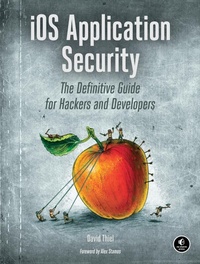
iOS Application Security
The Definitive Guide for Hackers and Developers
Published on 16. February 2016
296 pages
978-1-59327-754-3 (ISBN)
Description

Eliminating security holes in iOS apps is critical for any developer who wants to protect their users from the bad guys. In iOS Application Security, mobile security expert David Thiel reveals common iOS coding mistakes that create serious security problems and shows you how to find and fix them.
After a crash course on iOS application structure and Objective-C design patterns, you'll move on to spotting bad code and plugging the holes. You'll learn about:
-The iOS security model and the limits of its built-in protections
-The myriad ways sensitive data can leak into places it shouldn't, such as through the pasteboard
-How to implement encryption with the Keychain, the Data Protection API, and CommonCrypto
-Legacy flaws from C that still cause problems in modern iOS applications
-Privacy issues related to gathering user data and how to mitigate potential pitfalls
Don't let your app's security leak become another headline. Whether you're looking to bolster your app's defenses or hunting bugs in other people's code, iOS Application Security will help you get the job done well.
After a crash course on iOS application structure and Objective-C design patterns, you'll move on to spotting bad code and plugging the holes. You'll learn about:
-The iOS security model and the limits of its built-in protections
-The myriad ways sensitive data can leak into places it shouldn't, such as through the pasteboard
-How to implement encryption with the Keychain, the Data Protection API, and CommonCrypto
-Legacy flaws from C that still cause problems in modern iOS applications
-Privacy issues related to gathering user data and how to mitigate potential pitfalls
Don't let your app's security leak become another headline. Whether you're looking to bolster your app's defenses or hunting bugs in other people's code, iOS Application Security will help you get the job done well.
More details
Other editions
Additional editions
Book
02/2016
1st Edition
No Starch Press
€47.00
Shipment within 3-4 weeks
Person
David Thiel has nearly 20 years of computer security experience. His research and book Mobile Application Security (McGraw-Hill) helped launch the field of iOS application security, and he has presented his work at security conferences like Black Hat and DEF CON. An application security consultant for years at iSEC Partners, Thiel now works for the Internet.org Connectivity Lab.
Content
- Intro
- Title Page
- Copyright Page
- About the Author
- About the Technical Reviewer
- Brief Contents
- Contents in Detail
- Foreword
- Acknowledgments
- Introduction
- Who This Book Is For
- What's in This Book
- How This Book Is Structured
- Conventions This Book Follows
- A Note on Swift
- Mobile Security Promises and Threats
- What Mobile Apps Shouldn't Be Able to Do
- Classifying Mobile Security Threats in This Book
- Some Notes for iOS Security Testers
- Part I: iOS Fundamentals
- Chapter 1: The iOS Security Model
- Secure Boot
- Limiting Access with the App Sandbox
- Data Protection and Full-Disk Encryption
- The Encryption Key Hierarchy
- The Keychain API
- The Data Protection API
- Native Code Exploit Mitigations: ASLR, XN, and Friends
- Jailbreak Detection
- How Effective Is App Store Review?
- Bridging from WebKit
- Dynamic Patching
- Intentionally Vulnerable Code
- Embedded Interpreters
- Closing Thoughts
- Chapter 2: Objective-C for the Lazy
- Key iOS Programming Terminology
- Passing Messages
- Dissecting an Objective-C Program
- Declaring an Interface
- Inside an Implementation File
- Specifying Callbacks with Blocks
- How Objective-C Manages Memory
- Automatic Reference Counting
- Delegates and Protocols
- Should Messages
- Will Messages
- Did Messages
- Declaring and Conforming to Protocols
- The Dangers of Categories
- Method Swizzling
- Closing Thoughts
- Chapter 3: iOS Application Anatomy
- Dealing with plist Files
- Device Directories
- The Bundle Directory
- The Data Directory
- The Documents and Inbox Directories
- The Library Directory
- The tmp Directory
- The Shared Directory
- Closing Thoughts
- Part II: Security Testing
- Chapter 4: Building Your Test Platform
- Taking Off the Training Wheels
- Suggested Testing Devices
- Testing with a Device vs. Using a Simulator
- Network and Proxy Setup
- Bypassing TLS Validation
- Bypassing SSL with stunnel
- Certificate Management on a Device
- Proxy Setup on a Device
- Xcode and Build Setup
- Make Life Difficult
- Enabling Full ASLR
- Clang and Static Analysis
- Address Sanitizer and Dynamic Analysis
- Monitoring Programs with Instruments
- Activating Instruments
- Watching Filesystem Activity with Watchdog
- Closing Thoughts
- Chapter 5: Debugging with lldb and Friends
- Useful Features in lldb
- Working with Breakpoints
- Navigating Frames and Variables
- Visually Inspecting Objects
- Manipulating Variables and Properties
- Breakpoint Actions
- Using lldb for Security Analysis
- Fault Injection
- Tracing Data
- Examining Core Frameworks
- Closing Thoughts
- Chapter 6: Black-Box Testing
- Installing Third-Party Apps
- Using a .app Directory
- Using a .ipa Package File
- Decrypting Binaries
- Launching the debugserver on the Device
- Locating the Encrypted Segment
- Dumping Application Memory
- Reverse Engineering from Decrypted Binaries
- Inspecting Binaries with otool
- Obtaining Class Information with class-dump
- Extracting Data from Running Programs with Cycript
- Disassembly with Hopper
- Defeating Certificate Pinning
- Hooking with Cydia Substrate
- Automating Hooking with Introspy
- Closing Thoughts
- Part III: Security Quirks of the Cocoa API
- Chapter 7: iOS Networking
- Using the iOS URL Loading System
- Using Transport Layer Security Correctly
- Basic Authentication with NSURLConnection
- Implementing TLS Mutual Authentication with NSURLConnection
- Modifying Redirect Behavior
- TLS Certificate Pinning
- Using NSURLSession
- NSURLSession Configuration
- Performing NSURLSession Tasks
- Spotting NSURLSession TLS Bypasses
- Basic Authentication with NSURLSession
- Managing Stored URL Credentials
- Risks of Third-Party Networking APIs
- Bad and Good Uses of AFNetworking
- Unsafe Uses of ASIHTTPRequest
- Multipeer Connectivity
- Lower-Level Networking with NSStream
- Even Lower-level Networking with CFStream
- Closing Thoughts
- Chapter 8: Interprocess Communication
- URL Schemes and the openURL Method
- Defining URL Schemes
- Sending and Receiving URL/IPC Requests
- Validating URLs and Authenticating the Sender
- URL Scheme Hijacking
- Universal Links
- Sharing Data with UIActivity
- Application Extensions
- Checking Whether an App Implements Extensions
- Restricting and Validating Shareable Data
- Preventing Apps from Interacting with Extensions
- A Failed IPC Hack: The Pasteboard
- Closing Thoughts
- Chapter 9: iOS-Targeted Web Apps
- Using (and Abusing) UIWebViews
- Working with UIWebViews
- Executing JavaScript in UIWebViews
- Rewards and Risks of JavaScript-Cocoa Bridges
- Interfacing Apps with JavaScriptCore
- Executing JavaScript with Cordova
- Enter WKWebView
- Working with WKWebViews
- Security Benefits of WKWebViews
- Closing Thoughts
- Chapter 10: Data Leakage
- The Truth About NSLog and the Apple System Log
- Disabling NSLog in Release Builds
- Logging with Breakpoint Actions Instead
- How Sensitive Data Leaks Through Pasteboards
- Restriction-Free System Pasteboards
- The Risks of Custom-Named Pasteboards
- Pasteboard Data Protection Strategies
- Finding and Plugging HTTP Cache Leaks
- Cache Management
- Solutions for Removing Cached Data
- Data Leakage from HTTP Local Storage and Databases
- Keylogging and the Autocorrection Database
- Misusing User Preferences
- Dealing with Sensitive Data in Snapshots
- Screen Sanitization Strategies
- Why Do Those Screen Sanitization Strategies Work?
- Common Sanitization Mistakes
- Avoiding Snapshots by Preventing Suspension
- Leaks Due to State Preservation
- Secure State Preservation
- Getting Off iCloud to Avoid Leaks
- Closing Thoughts
- Chapter 11: Legacy Issues and Baggage from C
- Format Strings
- Preventing Classic C Format String Attacks
- Preventing Objective-C Format String Attacks
- Buffer Overflows and the Stack
- A strcpy Buffer Overflow
- Preventing Buffer Overflows
- Integer Overflows and the Heap
- A malloc Integer Overflow
- Preventing Integer Overflows
- Closing Thoughts
- Chapter 12: Injection Attacks
- Client-Side Cross-Site Scripting
- Input Sanitization
- Output Encoding
- SQL Injection
- Predicate Injection
- XML Injection
- Injection Through XML External Entities
- Issues with Alternative XML Libraries
- Closing Thoughts
- Part IV: Keeping Data Safe
- Chapter 13: Encryption and Authentication
- Using the Keychain
- The Keychain in User Backups
- Keychain Protection Attributes
- Basic Keychain Usage
- Keychain Wrappers
- Shared Keychains
- iCloud Synchronization
- The Data Protection API
- Protection Levels
- The DataProtectionClass Entitlement
- Checking for Protected Data Availability
- Encryption with CommonCrypto
- Broken Algorithms to Avoid
- Broken Initialization Vectors
- Broken Entropy
- Poor Quality Keys
- Performing Hashing Operations
- Ensuring Message Authenticity with HMACs
- Wrapping CommonCrypto with RNCryptor
- Local Authentication: Using the TouchID
- How Safe Are Fingerprints?
- Closing Thoughts
- Chapter 14: Mobile Privacy Concerns
- Dangers of Unique Device Identifiers
- Solutions from Apple
- Rules for Working with Unique Identifiers
- Mobile Safari and the Do Not Track Header
- Cookie Acceptance Policy
- Monitoring Location and Movement
- How Geolocation Works
- The Risks of Storing Location Data
- Restricting Location Accuracy
- Requesting Location Data
- Managing Health and Motion Information
- Reading and Writing Data from HealthKit
- The M7 Motion Processor
- Requesting Permission to Collect Data
- Proximity Tracking with iBeacons
- Monitoring for iBeacons
- Turning an iOS Device into an iBeacon
- iBeacon Considerations
- Establishing Privacy Policies
- Closing Thoughts
- Index
- Updates
- Support the Electronic Freedom Foundation
- Footnotes
- Chapter 1: The iOS Security Model
- Chapter 2: Objective-C for the Lazy
- Chapter 3: iOS Application Anatomy
- Chapter 4: Building Your Test Platform
- Chapter 5: Debugging with lldb and Friends
- Chapter 6: Black-Box Testing
- Chapter 7: iOS Networking
- Chapter 8: Interprocess Communication
- Chapter 9: iOS-Targeted Web Apps
- Chapter 10: Data Leakage
- Chapter 11: Legacy Issues and Baggage from C
- Chapter 12: Injection Attacks
- Chapter 13: Encryption and Authentication
- Chapter 14: Mobile Privacy Concerns
