

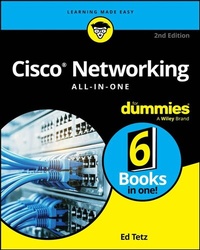
Cisco Networking All-in-One For Dummies
Description

Your detailed guide to all things Cisco-a leading player in network technology
With 800 pages of in-depth content, Cisco Networking All-in-One For Dummies is your one-stop guide to the ins and outs of networks powered by Cisco, a leading maker of networkin solutions including routers, switches, and security. You'll get thorough explanations of how to design, implement, and manage Cisco networks. This book is essential for administrators of small or large networks who need to build strong and secure networks that support services and applications. In this new edition, you'll find updated information covering databases, visualization, and all the latest technologies and product releases.
- Learn the basics of networking with Cisco products-even if you're new to the subject
- Discover the details of switching and routing on Cisco networks
- Analyze your organization's networking needs and design a secure Cisco network that gets the job done
- Optimize and secure Cisco systems for enhanced productivity and security
Networking professionals looking for information on Cisco systems don't need to look any further than Cisco Networking All-in-One For Dummies.
More details
Other editions
Additional editions
Previous edition
Person
Ed Tetz is an IT and networking expert with more than 30 years' experience building and managing networks on a variety of platforms. He has coauthored multiple certification books and holds many industry certifications including Cisco. He has provided system and network support to organizations of all sizes and has been a Cloud Solution Architect at Microsoft for over 12 years.
Content
- Intro
- Title Page
- Copyright Page
- Table of Contents
- Introduction
- About This Book
- Conventions Used in This Book
- Foolish Assumptions
- How This Book Is Organized
- Book 1: Overview
- Book 2: Internet Protocols
- Book 3: Switching
- Book 4: Routing
- Book 5: Wireless
- Book 6: Security
- Icons Used in This Book
- Where to Go from Here
- Book 1 Overview
- Chapter 1 Looking at the Cisco Network World
- Glazing Over the OSI Network Layer Model
- Connecting with Switches
- Moving On Up with Routers
- Taking the Network Wireless
- Securing Data with Firewalls
- Adding a Network Voice (Over IP, That Is)
- Focusing on Small Business Networks
- Chapter 2 Exploring Cisco Network Design
- Embracing Methodologies
- Intelligent Information Network (IIN)
- Service-Oriented Network Architecture (SONA)
- Prepare, Plan, Design, Implement, Operate, and Optimize (PPDIOO)
- Prepare
- Plan
- Design
- Implement
- Operate
- Optimize
- Examining the Layered Network Model
- Core layer
- Distribution layer
- Access layer
- Enterprise modules
- Enterprise Campus
- Enterprise Edge modules
- Service Provider Edge modules
- Remote modules
- Recent Cisco infrastructure focus
- AI-ready infrastructure and AgenticOps
- Unified management
- Zero Trust and secure edge
- Intent-based Networking (IBN)
- Distributed Policy Enforcement
- Chapter 3 Knowing as Little as Possible about Math
- Why These Number Systems Are Important
- Working with Bits and Bytes
- Pondering the Significance of the Significant Bit
- Making Conversions
- Converting Base 2 (binary) to Base 10 (decimal)
- Converting binary to Base 8 (octal)
- Converting binary to Base 16 (hexadecimal)
- Chapter 4 Testing Your Core Networking Knowledge
- Layering the OSI Model
- Layer 1: The physical layer
- Layer 2: The data link layer
- Layer 3: The network layer
- Layer 4: The transport layer
- Layer 5: The session layer
- Layer 6: The presentation layer
- Layer 7: The application layer
- Troubleshooting by Layers
- Troubleshooting the physical layer
- Troubleshooting the data link layer
- Troubleshooting network and transport layers
- Troubleshooting the application layer
- Framing Data
- Figuring Out Packets
- Looking at packets
- Viewing packet structure
- Getting the Lowdown on Low-Level and High-Level Addressing
- Taking control of MAC addresses
- Structuring the IP address
- Reviewing Internetwork Packet Exchange
- Getting the basics with NetBIOS Extended User Interface
- Watching the Traffic Go By
- CSMA/CD
- CSMA/CA
- Choosing CSMA/CD or CSMA/CA
- Sharking the Network Data
- Capture options
- Saving captured data
- Chapter 5 Getting into the Cisco Internetwork Operating System
- Working with the Internetwork Operating System
- Checking out the show command
- Examining show version on a switch
- Examining show version on a router
- Examining show version on the Cisco ASA firewall
- Understanding operating modes
- User EXEC mode
- Privileged EXEC mode
- Global Configuration mode
- Interface Configuration Mode
- Saving your work
- Getting going with the command line
- Getting a command's options
- Autocomplete
- Using the command buffer
- Tinkering with Device Connections
- Connecting directly via a Cisco rollover cable
- Connecting remotely via Telnet or SSH
- Telnet
- Secure Shell (SSH)
- Graphical configuration interfaces
- Small Business devices
- Enterprise devices
- Upgrading Firmware and Booting an IOS Image
- Upgrading the IOS image
- Managing the boot process
- Recovering a Cisco device
- Choosing a boot image
- Recovering a device with a lost password
- Book 2 Internet Protocols
- Chapter 1 Making the Most of IPv4
- Meeting TCP/IP, Belle of the Networking Ball
- Comparing TCP/IP with the OSI Network Model
- Comprehending the Structure of an IP Address
- Knowing Your Network Classes
- Class A
- Class B
- Class C
- Class D
- Class E
- Public, private, and automatic IP addresses
- Examining special IP addresses
- Breaking Up Networks with Subnetting
- Subnetting 101
- Mulling the number of hosts
- Modifying the subnet mask
- Class A subnetting
- Class B subnetting
- Class C subnetting
- Explaining Classless InterDomain Routing (CIDR)
- CIDR notation
- Variable Length Subnet Masks (VLSM)
- Supernetting
- Chapter 2 Choosing between Protocols: TCP and UDP
- Understanding the UDP and TCP Structure
- Examining packet structure
- TCP and UDP header structures
- TCP headers
- UDP header
- Sockets and ports
- Checking out which services use which ports
- Knowing When to Use TCP
- Services that use TCP
- Three-way handshaking
- Sliding windows
- Knowing When to Use UDP
- Chapter 3 Working with ARP, the IP Communication Model, and Data Link Layer Troubleshooting
- Watching Address Resolution Protocol in Action
- The logical AND
- Using ARP
- ARP requests for local hosts
- ARP requests for remote hosts
- Troubleshooting with ARP
- Checking out ARP command options
- Looking through your ARP cache with arp -a
- Adding a static ARP entry
- Seeing how ARP is useful
- Using Other Troubleshooting Tools
- ping
- traceroute/tracert
- PathPing
- Chapter 4 Working with IPv6
- Reviewing Address Structure
- Collapsing Addresses
- Identifying Special Addresses
- Assigning Addresses
- Integration with IPv4
- Book 3 Switching
- Chapter 1 Reviewing the Enterprise LAN
- Identifying Features of an Enterprise LAN
- Working with Cisco Switching Technologies
- Small-to-medium business products
- Classical enterprise products
- Reviewing Switching Standards
- Purchasing Support
- Cisco SMARTnet Total Care (SNTC) Support
- CX Cloud
- Chapter 2 Switching Basics
- Switching and the OSI Model
- Communicating with Duplex/Simplex
- Colliding and Broadcasting
- Powering Up Your Switch
- Viewing status lights
- Connecting the client cables
- Chapter 3 Configuring Switches
- Switching with the Internetwork Operating System (IOS)
- Connecting to Your Switch
- Revealing Basic Switch Configuration
- Setting a hostname
- Examining ports and speeds
- Configuring interfaces
- Configuring the management interface
- Setting the default gateway
- Setting passwords
- Setting the enable password
- Setting the Telnet password
- Setting the SSH password
- Setting the console port password
- Knowing where passwords sleep
- Banners
- Working with Users
- Creating a user in the account database
- Removing a user
- Enable user-level protection
- Running Setup Wizard
- Working with Web Console
- Dashboard
- Configure
- Smartports
- Port Settings
- Restart and Reset
- Monitor
- Trends
- Port Status
- Port Statistics
- Maintenance
- Network Assistant
- Chapter 4 Easing Device Discovery with CDP
- Discovering How CDP Operates
- Working with CDP
- Seeing whether CDP is operating on a device
- Enabling CDP
- Disabling CDP
- Viewing information about devices
- Checking traffic data
- Overlooking CDP miscellany
- Building Your Network Layout
- Chapter 5 Virtualizing Networks with VLANs and VTP
- Implementing Virtual Local Area Networks (VLANs)
- Understanding how VLANs work
- Haggling with gargantuan packet sizes
- VLAN frames
- Passing traffic from VLAN to VLAN
- Setting up VLANs
- Configuring a range of interfaces
- VLAN database
- Getting Started with VLAN Trunking Protocol (VTP)
- Learning how VTP works
- Implementing VTP
- Being leery of the VTP configuration revision number
- Pruning in the VTP tree
- Configuring VTP
- Viewing your VTP settings
- Chapter 6 Adding Fault Tolerance with STP
- Working with Spanning Tree Protocol (STP)
- Building the initial topology
- Identifying Root Ports
- Identifying Designated Ports
- Blocking loops
- Dealing with network changes
- Setting Up STP
- STP and issues with VLANs
- STP and PortFast
- Setting PortFast on all ports
- Setting PortFast on specific ports
- Troubleshooting STP
- Debugging STP
- Chapter 7 Adding Fault Tolerance with EtherChannel
- Examining How EtherChannel Works
- Checking Out EtherChannel Basic Guidelines
- Setting Up EtherChannel
- Stepping through EtherChannel configuration
- Configuring EtherChannel load balancing
- Getting at Diagnostic Information for EtherChannel
- Debugging EtherChannel
- Chapter 8 Speeding Configuration with Smartport Macros
- Viewing Existing Smartport Macros
- Viewing macros using the brief option
- Viewing macros without the brief option
- Viewing details for a single macro
- Working with Macros
- Rules for creating your own Smartport macro
- Smartport macros and parameters
- Creating a sample macro
- Applying a Smartport macro to an interface
- Enabling Auto Smartport macros
- Viewing ports that are using your macro
- Removing a macro
- Book 4 Routing
- Chapter 1 Making the Wide Area Network (WAN) Wide
- Identifying Features of a WAN
- Sending data long distances
- Implementing routing protocols
- Using carrier equipment
- Getting a handle on network size
- CANs
- MANs
- WANs
- Choosing Technologies
- Getting the physical connection
- Choosing a routing protocol
- Routing Information Protocol (RIP)
- Enhanced Interior Gateway Routing Protocol (EIGRP)
- Open Shortest Path First (OSPF)
- Intermediate System to Intermediate System (IS-IS)
- Border Gateway Protocol (BGP)
- Chapter 2 Cozying Up to Routing Basics
- Of Routers and Routing
- Knowing why routers are useful
- Knowing what routers do
- Examining the routing process
- Viewing your router's routing table
- Enabling Routing
- Working with DHCP
- Setting up your DHCP server
- Watching the DHCP traffic go by
- Getting DHCP help from the IP Helper
- Automatic Private IP Addressing (APIPA)
- Chapter 3 Router Configuration
- Getting to Know the Internetwork Operating System (IOS) for Routers
- Making Router Connections
- Performing a Basic Configuration
- Setting the hostname
- Configuring standard router ports
- Configuring interfaces
- Connecting to your router
- Using auto settings
- Adding a description
- Configuring a VLAN identifier
- Setting a routing interface
- Enabling your interface
- Double-checking your settings
- Configuring your router's IP settings
- Enabling routing
- Configuring passwords
- Setting the enable password
- Setting the secret password
- Setting the Telnet password
- Setting the SSH password
- Setting the console port password
- Setting the Auxiliary Port (AUX) password
- Finding out where passwords live
- Setting banners
- Running Setup Wizard
- Working with Users
- Creating a user in the account database
- Removing a user
- Enable user-level protection
- Showing connected users
- Chapter 4 Setting Up Static Routes
- Knowing the Pros and Cons of Static Routing
- Building a Small Network with Static Routing
- Getting network info from your router
- Configuring the second router
- Adding a third router
- Running around and around with routing loops
- Crossing VLANs with Routed Traffic
- Passing Traffic in the Switch
- Routing Back and Forth
- Chapter 5 Configuring Serial Connections and WAN Links
- Finding Out Where the Telephone Company Fits In
- Circuit switching
- Leased lines
- Packet switching
- Connecting Your Devices
- Serial ports
- Integrated CSU/DSU
- ISDN ports
- Setting Up Your Serial Connection
- Configuring your serial connection
- Configuring serial link protocols
- Working with HDLC
- Working with PPP
- Setting the clock rate
- Troubleshooting Serial Connections
- Showing
- Debugging
- Chapter 6 Meeting the Routing Protocols
- Checking Out Criteria for Routing Protocol Selection
- Classifying by where protocols are used
- Classifying by how protocols calculate routing
- Distance-vector protocols
- Link-state protocols
- Other types of protocols
- Administrative distance
- Introducing the Protocols
- Distance-Vector Routing
- Examining basic function of distance-vector routing
- Count to infinity and routing loops
- Preventing count to infinity issues
- Split horizon
- Route poisoning
- Hold-down timers
- Triggered updates
- Link-State Routing
- Understanding link-state protocol
- Working with your strengths
- Chapter 7 Checking Out RIP and EIGRP Characteristics and Design
- Working with Routing Information Protocol (RIP)
- Understanding the RIP commands
- Enabling RIP
- Showing routes coming from a specific routing protocol
- Configuring your RIP version
- Troubleshooting RIP
- Getting network information
- Seeing information RIP receives
- Debugging RIP
- Working with Enhanced Interior Gateway Routing Protocol (EIGRP)
- Using the EIGRP commands
- Auto-summary
- Split horizon
- Load balancing
- Clearing your IP route
- Troubleshooting EIGRP
- The interfaces option
- The neighbors option
- The topology option
- The traffic option
- The debug command
- Chapter 8 Getting Comfortable with the OSPF and IS-IS Protocols
- Open Shortest Path First (OSPF)
- Getting comfortable with OSPF basics
- OSPF as a link-state protocol
- OSPF packet types
- Knowing areas and Autonomous Systems
- The Hello packet
- Checking out the base cost
- Configuring OSPF
- Working with wildcard masks
- Keeping track of router IDs
- Troubleshooting OSPF
- Viewing routes in the routing table
- Viewing your IP protocols
- Viewing options for the show ip ospf command
- Viewing information about interfaces
- Viewing detailed info about neighbors
- Debugging OSPF
- Viewing events
- Intermediate System to Intermediate System (IS-IS)
- Enabling IS-IS routing
- Checking that IS-IS is running
- Troubleshooting the IS-IS protocol
- Viewing the show options
- Looking at debug options
- Chapter 9 Routing with BGP and IP Multicast
- Routing with Border Gateway Protocol (BGP)
- Routing via weights
- Understanding BGP commands
- Viewing routes in your routing table
- Viewing how the protocol is functioning
- Troubleshooting BGP
- BGP show commands
- BGP debug commands
- Routing IP Multicast Traffic
- Knowing when to use multicast routing
- Getting to know the protocols
- Working with IGMP
- Getting into PIM
- Managing MLD
- Configuring multicast routing
- Enabling multicast routing
- Supporting Sparse-Dense mode
- Using Auto-RP rather than RPs
- Testing connectivity
- Troubleshooting multicast routing
- Getting information with show
- Debugging multicast routing
- Book 5 Wireless
- Chapter 1 Getting Wise to Wireless LANs
- Understanding the Benefit of Wireless LANs
- Learning the Wireless Technologies
- Following the Standards
- Licensed radio bands
- Unlicensed radio bands
- Sending Data Over the Airwaves
- Understanding signals
- Modulating signals
- Introducing RF modulation techniques
- Frequency-hopping spread spectrum (FHSS)
- Direct-sequence spread spectrum (DSSS)
- Orthogonal frequency division multiplexing (OFDM)
- Multiple-in, multiple-out (MIMO)
- Battle of the Bands
- Checkin' out the 2.4-GHz band
- IEEE 802.11
- IEEE 802.11b (also called Wi-Fi 2)
- IEEE 802.11g (Wi-Fi 3) and beyond
- Keep on Rockin' with the 5-GHz band
- Moving on with 6-GHz
- Technologies that support the 2.4-GHz, 5-GHz, and 6-GHz bands
- Chapter 2 Planning Your WLAN
- Setting Your Operation Mode
- Ad Hoc mode
- Understanding Ad Hoc mode networking
- Configuring an Ad Hoc mode WLAN
- Configuring a Mobile Hotspot WLAN with Windows 11
- Configuring Nearby Sharing with Windows 11
- Infrastructure mode
- Connecting to a wireless network in Windows 11
- Enterprise infrastructure access point types
- Grouping Your Clients with SSID
- SSID basics
- Using multiple SSIDs with a single AP
- Basic service set (BSS)
- Extended service set (ESS)
- Planning Around Interference
- RF signal factors
- Conducting a site survey
- Working with Multiple APs
- Selecting channels
- AP layout
- Automatic tuning
- Chapter 3 Securing Your WLAN
- Understanding the Benefits of a Secure WLAN
- Finding balance between functionality and security
- Recognizing security risks
- Checking Out Security Risk Mitigation Methods
- Authentication and data encryption
- Reviewing WEP
- Getting serious with WPA
- Getting even more serious with WPA2
- Getting the most serious with WPA3
- Filtering the MAC address
- Hiding the service set identifier (SSID)
- Intrusion detection and prevention
- Isolating users with VLANs
- Securing the Management Interface
- Changing default passwords
- Getting even more secure with SSH, SSL, TLS, HTTPS
- Management access
- Isolating the entire WLAN
- Chapter 4 Building a Cisco Wireless Network
- Introducing the Cisco Catalyst Wireless Network Solution
- Modern Wireless Controllers
- Legacy Wireless LAN Controller equipment
- Common Wireless Controller features
- Controller features with LWAPP/CAPWAP
- Setting Up Your Wireless LAN
- Setting up and verifying the wired LAN to which the WLAN will connect
- Setting up the modern Catalyst Wireless Controller
- Initial Setup
- Associating your APs
- Setting up a legacy Cisco Wireless LAN Controller
- Mucking about with the Startup Wizard
- Verifying connectivity to the wired LAN
- Enabling the 802.11 bands
- Configuring the SSID
- Configuring WLAN security
- Configuring WPA keys
- Setting up Legacy Cisco access points
- Web authentication process (Guest Captive Portal)
- Using the Cisco graphical user interface (GUI)
- Book 6 Security and Management
- Chapter 1 Defending against Common Attacks with Basic Security Tools
- Knowing Your Enemy
- Handling attacks from within
- Packet sniffing
- Man in the middle
- VLAN hopping
- DHCP attack
- Cracking cached credentials
- Masquerade
- Network scanning
- Dealing with external attacks
- SYN flooding
- Smurf attacks
- Distributed denial of service (DDoS)
- Password attacks
- Implementing Firewalls
- Types of firewalls
- Ingress and egress filtering
- Defending data with the DMZ
- Defending Your Network against Attacks
- Perimeter defense
- Active tools
- Defense in depth
- Security Tools
- Personal firewalls
- Antivirus software
- Anti-malware
- Spam filters
- Intrusion detection
- Vulnerability scanners
- User common sense
- Chapter 2 Securing Networks with Cisco's Adaptive Security Appliance
- Getting to Know the Internetwork Operating System
- Making Connections
- Running the ASA Setup Wizard
- Performing a Basic Configuration
- Device name
- Standard firewall ports
- Interfaces
- IP addresses
- Security zones
- Passwords
- Setting the enable password
- Setting the SSH password
- Creating users in the ASDM
- Banners
- Setting Up User Accounts
- Configuring Dynamic Host Configuration Protocol
- Examining Your License
- Chapter 3 Securing Networks with ACLs and NAT
- Securing Networks with ACLs
- ACL Processing
- Creating ACLs
- Standard ACLs
- Wildcard masks
- Access Control Entries
- Modifying ACLs
- Adding remarks
- Extended ACLs
- Applying an ACL
- Using ACLs as a Virus Detection Tool
- Where You Can Use ACLs
- Setting Up Network Address Translation
- Requirements for NAT
- Types of NAT
- Setting up NAT
- Policy NAT
- Viewing translations
- Chapter 4 Cisco Security Best Practices
- Management Areas
- Finding Out About Known Issues with Cisco Devices
- Leveraging Authentication, Authorization, and Accounting
- Authentication fallback
- Avoiding Type 7 passwords
- Centralizing Log Collection and Monitoring
- Collecting logs in one location
- Choosing a logging level
- Dealing with logging in the console, monitor, and buffer
- Implementing Secure Protocols
- Managing Configurations
- Password management
- Password Retry Lockout
- Service Password Recovery
- Managing services
- Setting up timeouts
- Keeping alive TCP
- Leaving room for management
- Securing SNMP
- Replacing and rolling back
- Taking the talking stick with terminal lock
- Using logs to tell you what is going on
- Managing network features
- Port security
- Anti-spoofing ACLs
- Getting Physical with Security
- Chapter 5 AI, Management Tools, and Automation
- Cisco Automation Tools
- Cisco Workflows
- Cisco DNA Center
- Programmable Infrastructure
- YANG Models
- Application Programming Interface (API)
- NETCONF versus RESTCONF
- Terraform and Ansible
- AI in Cisco Products
- Index
- EULA
